![[NEW] WPConsent 1.1.3: “Do Not Sell” Addon, Canadian Geolocation, and Other Critical Updates](https://wpconsent.com/wp-content/uploads/2026/01/wpconsent-1.1.3.png)
At WPConsent, we are constantly listening to your feedback to make compliance not just powerful, but also easy to understand.
That’s why I am thrilled to introduce WPConsent 1.1.3!
This update is special because the powerful ‘Do Not Track’ addon is now the ‘Do Not Sell’ addon, which also offers email notifications.
Plus, you can now target Canadian provinces in the geolocation feature, an important GPC update for the new CCPA regulations for 2026, and a mix of highly requested updates and improvements.
Let’s dive into details!
The “Do Not Track” Addon is Now “Do Not Sell”
In WPConsent 1.13, the Do Not Track addon is getting a new name: “Do Not Sell.”
After receiving valuable feedback from many of you, we realized the name was causing a bit of confusion regarding what the tool actually accomplished.
So, you asked for clarity, and we delivered.
The Do Not Sell addon helps you manage “Do Not Sell My Personal Information” requests as required by regulations like the CCPA.
Get Email Notifications for Do Not Sell Requests
The Do Not Sell addon didn’t just get a name change. It also got a lot more powerful.
You can now configure the addon to send an email alert immediately whenever a user submits a request via the form on your site.
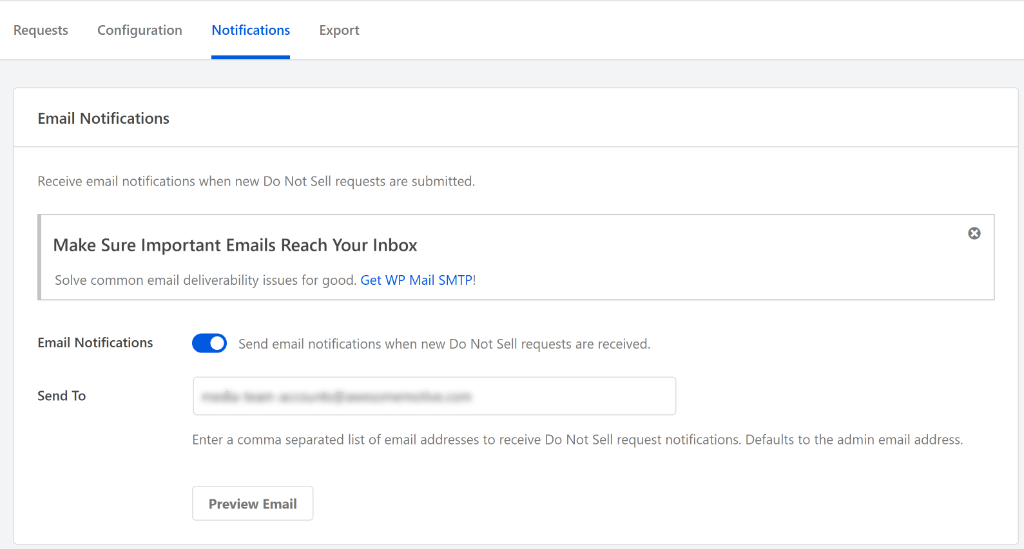
You can send these notifications to your admin email or a specific compliance team address, ensuring you never miss a time-sensitive request.
Targeting Canadian Provinces with Geolocation
For our users with traffic from Canada, WPConsent 1.1.3 brings a major improvement for you.
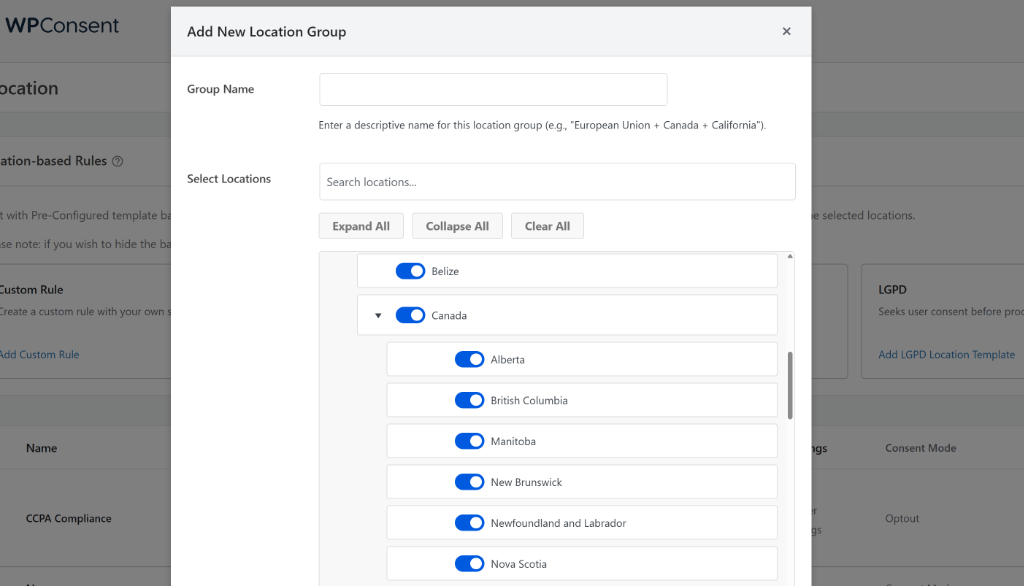
Our Geolocation settings have been expanded. You can now add a custom rule and target specific Canadian provinces rather than just targeting the country as a whole.
This allows for much more granular control over which consent banners show up for your visitors in regions like Alberta, British Columbia, Quebec, or Ontario.
Better Global Privacy Control (GPC) Visibility
With new CCPA regulations coming into play in 2026, transparency is more important than ever. WPConsent now adds a new notification for visitors who use the Global Privacy Control (GPC) in their browser.
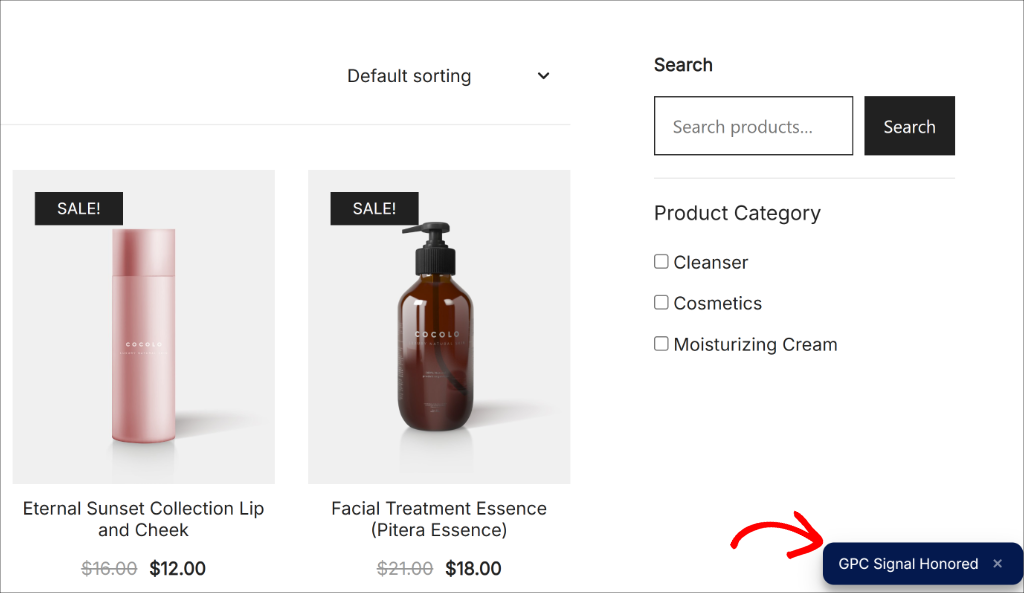
Now, if a visitor arrives on your site with the GPC signal enabled (often via a browser extension or privacy-focused browser), they will see a specific message in the bottom corner stating ‘GPC Signal Honored.’
This confirms that WPConsent has automatically detected the signal and respected the user’s privacy preferences.
Improved Records of Consent
To ensure your audit trails are rock solid, WPConsent improves how it stores the timestamps for Records of Consent.
What this means for you is that when you update to version 1.1.3, you may see a notice under the Consent Logs section.
It will ask you to run a migration and will see a message saying: WPConsent Database Update Required.
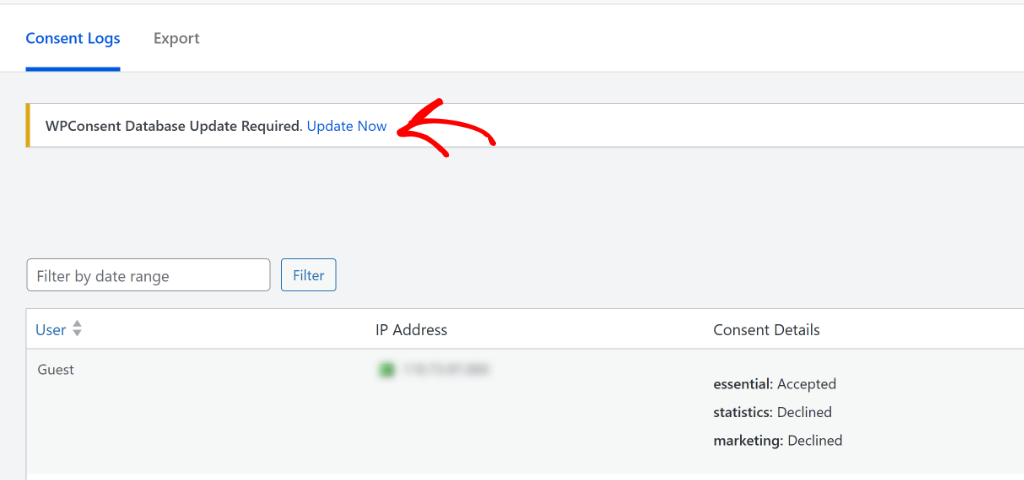
Don’t worry—this is a normal part of the update process. Simply click the button to update your database, and your existing records will be optimized automatically.
Easier Preference Management
Want to add a “Cookie Preferences” link to your footer or navigational menu?
You no longer need custom code!
With WPConsent 1.1.3, you can now simply add the class .wpconsent-open-preferences to any link or button on your site, and it will automatically open the preferences panel.
This way, if a user closes the cookie consent banner but still wants to access the cookie preferences, then they can easily view them by clicking a link or a button.
Besides that, WPConsent 1.1.3 also rolls out several other improvements to keep your site compliant and running smoothly.
These new features and updates are available right now. I highly recommend updating WPConsent to version 1.1.3 and the Do Not Sell addon to version 1.0.3 to ensure you have the latest compliance features and fixes.
As always, thank you for helping us make WPConsent better with your feedback. If you have any questions, feel free to reach out!