TL;DR:
WPConsent is the best Cookiebot alternative for WordPress because it’s self-hosted, not a third-party dashboard. The free plugin includes a scanner that detects tracking scripts and the cookies, automatic script blocking, and Google Consent Mode v2. Paid plans start from $49.50 for location-based rules, multi-site coverage, and more.
If you’re looking for a Cookiebot alternative, chances are you’re comparing more than just pricing.
You want a consent solution that’s easy to manage, works well with WordPress, and helps you stay compliant without adding unnecessary complexity.
Cookiebot has changed a lot over the past few years.
Pricing has increased, and new customers are now directed to Usercentrics Web CMP. If you’re reviewing your options, it’s a good time to see what else is available for WordPress users.
The right choice depends on what matters most to you.
Some site owners want a simple banner they can set up in minutes. Others want banners, scanners, and consent logs to run within WordPress rather than on an external dashboard.
We tested seven of the best Cookiebot alternatives for WordPress to help you find the one that fits your site, plus one option worth considering if you manage more than just WordPress.
Key Takeaways
- The right Cookiebot alternative depends on what matters most to you: setup speed, self-hosting, or built-in scanning
- Self-hosted options like WPConsent and Complianz keep consent logs on your own site, giving you direct control over your consent data instead of handing it off to an external service
- Every plugin on this list has a genuinely free tier, but free tiers differ a lot in what they actually cover
- Agencies managing several client sites have options too, WPConsent’s Elite plan covers up to 100 sites, while CookieScript offers a dedicated multi-client dashboard
Cookiebot Alternatives Compared at a Glance
| # | Plugin | Rating | Best For | Free Version | Starting Price |
|---|---|---|---|---|---|
| 🥇 | WPConsent | ⭐⭐⭐⭐⭐ | WordPress-native, self-hosted setup | Banner, scanner, script blocking, GCM v2 | from $49.50/yr |
| 🥈 | CookieYes | ⭐⭐⭐⭐ | Largest install base, multi-platform | Banner, basic scanning | from $100/yr |
| 🥉 | Complianz | ⭐⭐⭐⭐ | Multi-region compliance, guided setup | Scan, categorization, banner | from $59/yr |
| 4 | Termly | ⭐⭐⭐ | Non-WordPress sites, policy bundling | Banner, basic policies | from $120/yr |
| 5 | iubenda | ⭐⭐⭐ | EU-focused legal document accuracy | Banner, basic policy | from $71.88/yr |
| 6 | CookieScript | ⭐⭐⭐ | Agencies managing multiple client sites | Banner, scanning | from €72/yr |
| 7 | WPLP Cookie Consent | ⭐⭐⭐ | Budget-conscious, small sites | Banner, scanner, script blocking | From $48/yr |
Why Are WordPress Users Looking at Cookiebot Alternatives?
A few recent changes have prompted WordPress site owners to take another look at their consent cookie plugin options in 2026.
Unexpected pricing changes
Cookiebot doubled its base pricing in August 2025. For some smaller WordPress sites, that makes the cost harder to justify, especially if the site doesn’t get much traffic.
Billing experiences
Some users have also reported difficulties with billing after cancellation, including charges they didn’t expect and delays in resolving refund requests. Experiences like these can understandably lead site owners to look at other options.
The SaaS model itself
Cookiebot runs your consent banner and stores your consent logs on its own servers rather than your WordPress database.
For some site owners, that’s perfectly okay. Others prefer a self-hosted approach where consent data stays with their WordPress site, and everything can be managed from the same dashboard.
How We Tested Cookiebot Alternatives
For the WordPress plugins (WPConsent, CookieYes, Complianz, and WPLP Cookie Consent), we installed each one on a live test site and:
- Ran its free scanner, where available
- Activated the consent banner
- Checked what actually loaded before and after a visitor gave or denied consent
- Checked WordPress.org install counts and star ratings where available
For the non-plugin tools (Termly, iubenda, and CookieScript), we:
- Reviewed the setup flow and onboarding experience
- Tested their available consent management features
- Reviewed their documentation and integration options
- Checked G2 ratings and reviews where available
Because the non-plugin tools run as embedded scripts rather than installable WordPress plugins, we evaluated their setup and functionality separately from the WordPress-native options.
For all seven products, pricing came directly from each product’s own pricing page rather than third-party summaries.
Best Cookiebot Alternatives for WordPress in 2026
To help you easily navigate this list, use the table of contents below. You can click on any link to skip to that section.
1. WPConsent ⭐⭐⭐⭐⭐
Best for: WordPress site owners who want self-hosted consent management without an external dashboard
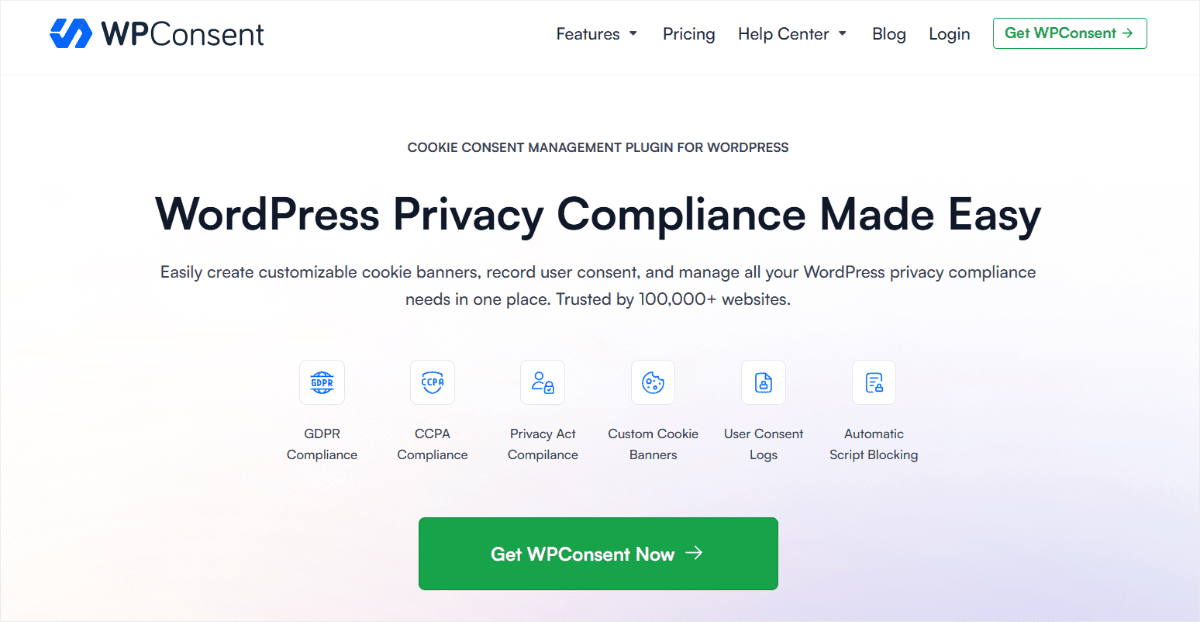
WPConsent is an all-in-one cookie consent and privacy compliance plugin built specifically for WordPress.
It is the best Cookiebot alternative because it keeps everything, including the banner, scanner, and consent logs, on your own WordPress site.
As a self-hosting consent plugin, there’s no external account to log into. No separate dashboard to keep in sync with what’s actually happening on your pages.
Why Is WPConsent the Best Cookiebot Alternative?
WPConsent’s Cookie Scanner is a good place to start. You can use it as a free standalone online tool without setting up any tool in WordPress, or access it directly from the WPConsent plugin, including the free version.
It scans your site and shows you the tracking cookies and third-party scripts it finds, including ones you may not know are there.
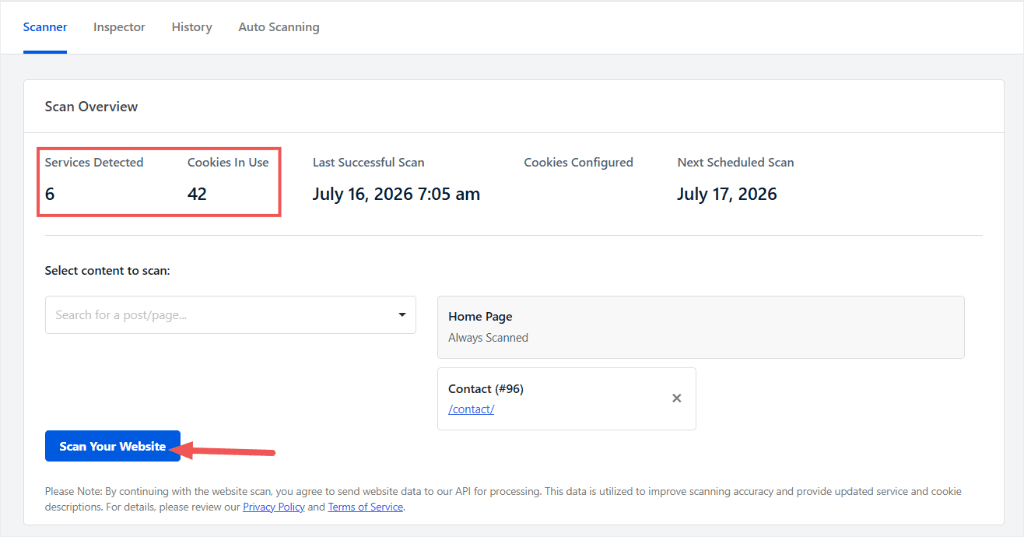
You can then use those results to build your consent banner, with categories like Analytics and Marketing based on what’s actually running on your site.
Google Consent Mode v2 ships in the free version.
This is useful if you run Google Analytics or Google Ads. When a visitor declines consent, your tags don’t just switch off.
They keep sending limited, cookieless signals instead, so you still get some data while respecting the visitor’s choice.
One thing to consider: Location-based Rules are a Pro feature.
They let you show different consent experiences based on where your visitors are, which is useful if your site gets traffic from regions with different consent requirements.
If most of your visitors are in one region, you may not need them. For a site with significant international traffic, Pro gives you more control over how consent is handled by location.
Our Experience With WPConsent
During testing, the setup wizard walked us straight from install to a working banner in under five minutes.
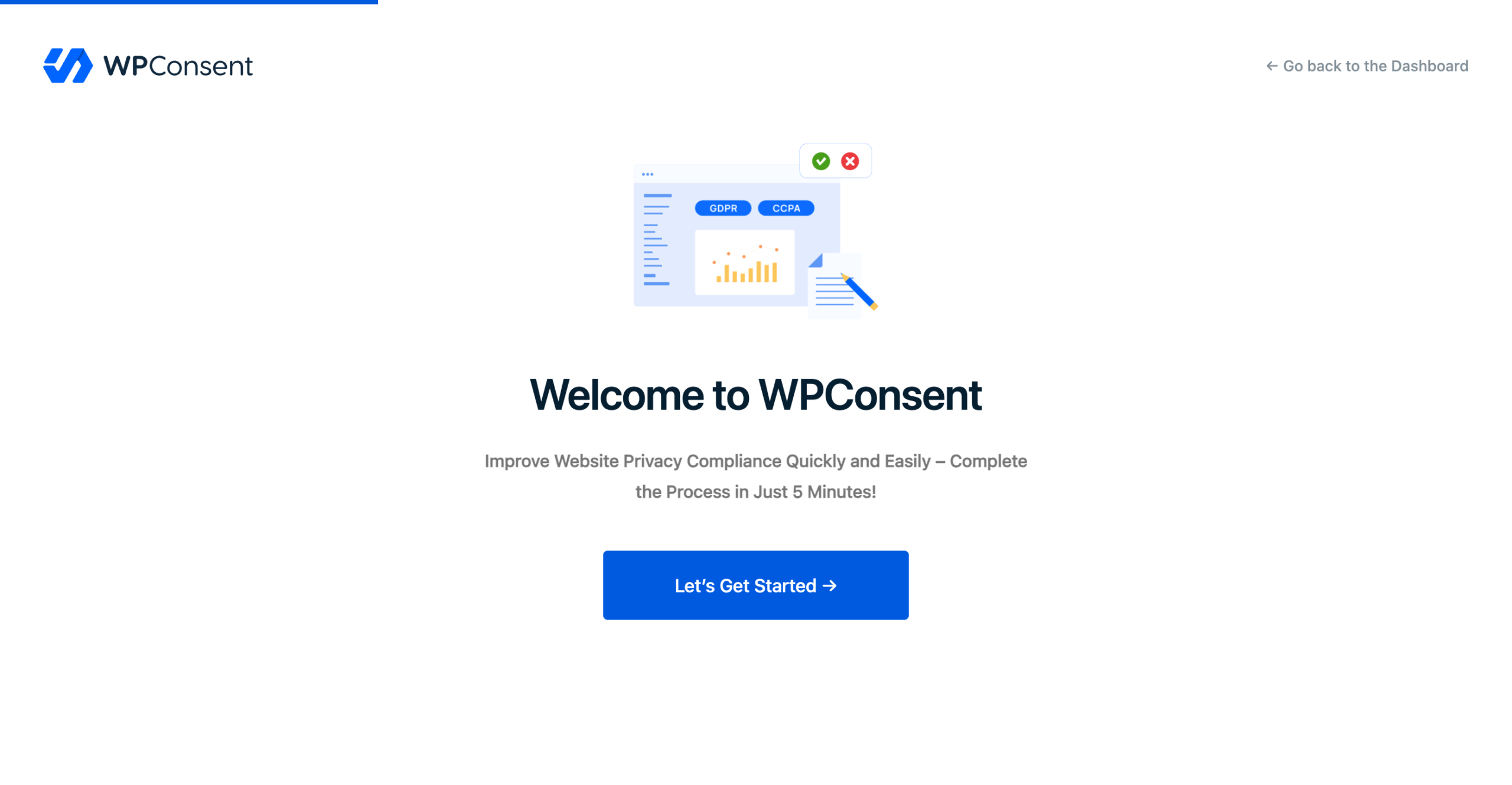
It scanned our test site automatically and picked up Google Analytics, comments, and Facebook Pixel without any manual configuration, including the blocking rules.
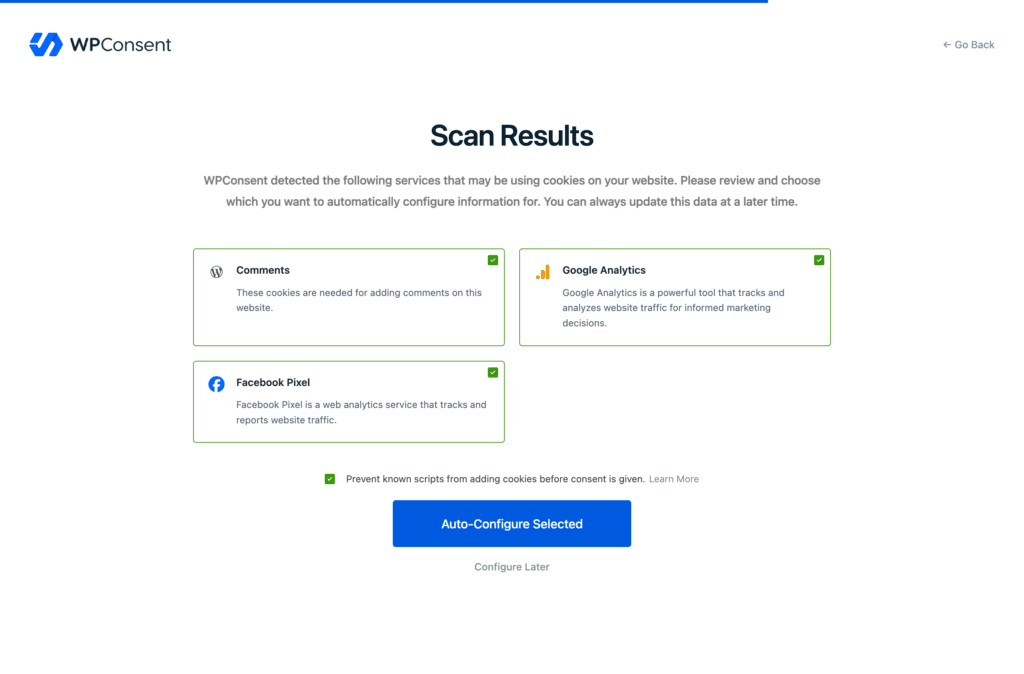
We also had the option to set everything we found in the setup wizard manually. This can be helpful if you are migrating from another consent plugin.
From there, WPConsent handles the rest from inside WordPress.
We could customize the banner, enable automatic script blocking, configure Google Consent Mode v2, and block content from embedded sources such as YouTube, Vimeo, and Google Maps.
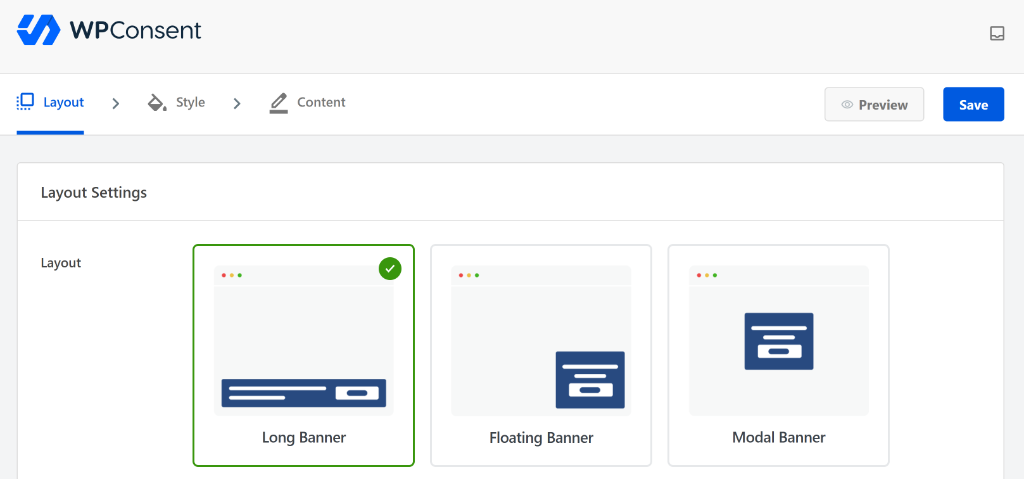
The Pro version adds features for sites that need more control, including geolocation rules, self-cleaning consent logs, AI-powered multilingual support, and IAB TCF v2.3 support.
We could block custom scripts and iframes, create a Do Not Sell page, and set different consent experiences based on visitor location.
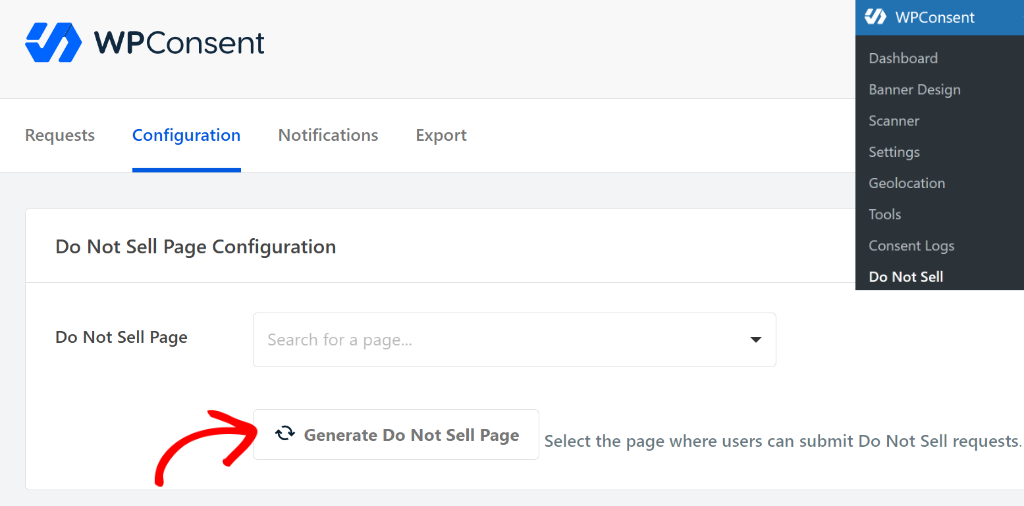
The dashboard stayed inside wp-admin the entire time. We never had to leave WordPress to check a setting or manage the banner.
🟢▶ Pros
- Self-hosted by default: Consent logs live on your own server, so there’s no external account holding your compliance data hostage if you ever want to switch tools.
- No pageview limits: You get unlimited pageviews on both the free and premium plans. Price is per domain, not per use.
- Location-based templates: You can set up different location templates to display to people from different regions.
- Automatic Scanner finds what you missed: Runs on a schedule and catches tracking cookies from embeds, ad networks, and new plugins and tools.
- Google Consent Mode v2 built in: available in the free version and activated with a toggle button.
- Automatic cookie policy generation: The scan results become your published cookie policy, so the two stay in sync automatically.
🔴▶ Cons
- Location-based Rules is Pro-only: Sites with meaningfully different EU and US traffic will need to upgrade for automatic jurisdiction-based banners.
Pricing: Free plugin on WordPress.org.
Paid plans start from $49.50/year for a single site and unlimited page views.
You also get Location-based Rules, automatic translations, and the Do Not Sell addon, and scale up by site count.
Check out our WPConsent review for more details.
2. CookieYes ⭐⭐⭐⭐
Best for: Site owners who want the most widely used option, or who manage WordPress alongside Shopify
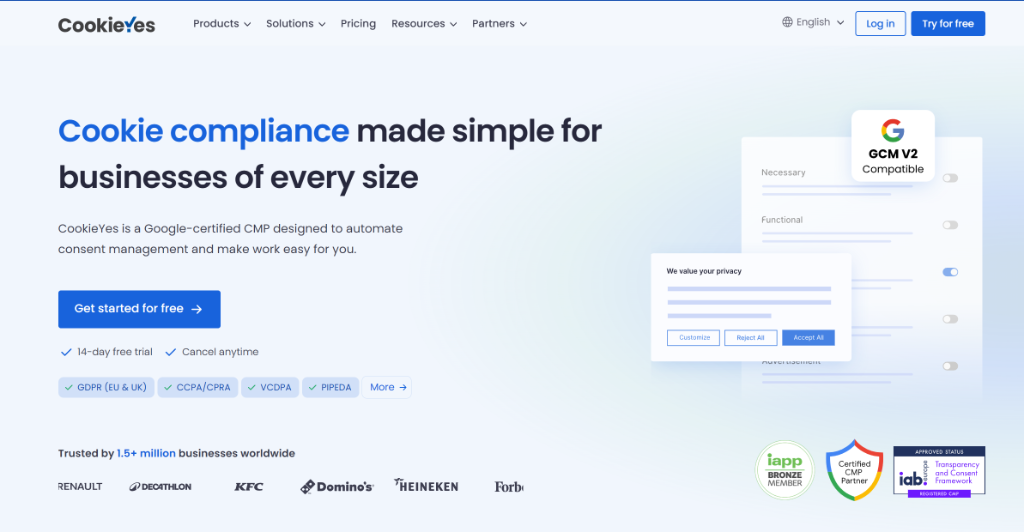
CookieYes is a SaaS consent platform with a WordPress plugin that connects to their cloud infrastructure.
It ranks high because it’s the most tested plugin on this list.
With more than 1 million active WordPress installs, the plugin has been used and tested on a huge range of sites. So you’re not likely to be the first person to run into a common setup issue.
Why Is CookieYes One of the Best Cookiebot Alternatives?
CookieYes uses a cloud-based scanning and categorization system. Your site is scanned through its online service, with updates to its detection rules applied automatically.
The visual dashboard is easy to navigate, and support for Shopify alongside WordPress makes it a sensible pick if you’re not purely a WordPress site.
It’s also Web Content Accessibility Guidelines (WCAG) accessibility certified on every plan, including free. For multilingual sites, its banner translates into 40+ languages with built-in WPML and Polylang compatibility.
Something to consider: it’s still a cloud-hosted tool with your data sitting on someone else’s servers.
This is the same SaaS model approach as Cookiebot. If the reason you’re leaving Cookiebot is wanting your consent data on your own server, CookieYes may not be the solution.
Our Experience With CookieYes
The onboarding flow walks through a scan, banner customization, and a publish step, all inside a hosted dashboard separate from wp-admin.
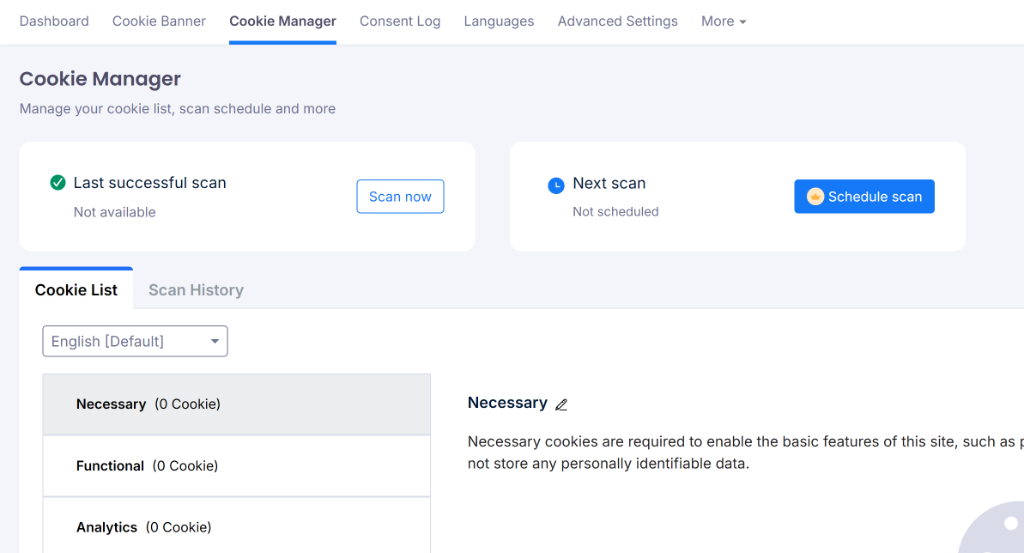
It covers major regulations, including GDPR, CCPA, LGPD, and more. The automatic cookie scanner works well, and the consent preference center gives visitors a clean way to manage their choices.
It’s a smooth process, and the dashboard itself is well organized.
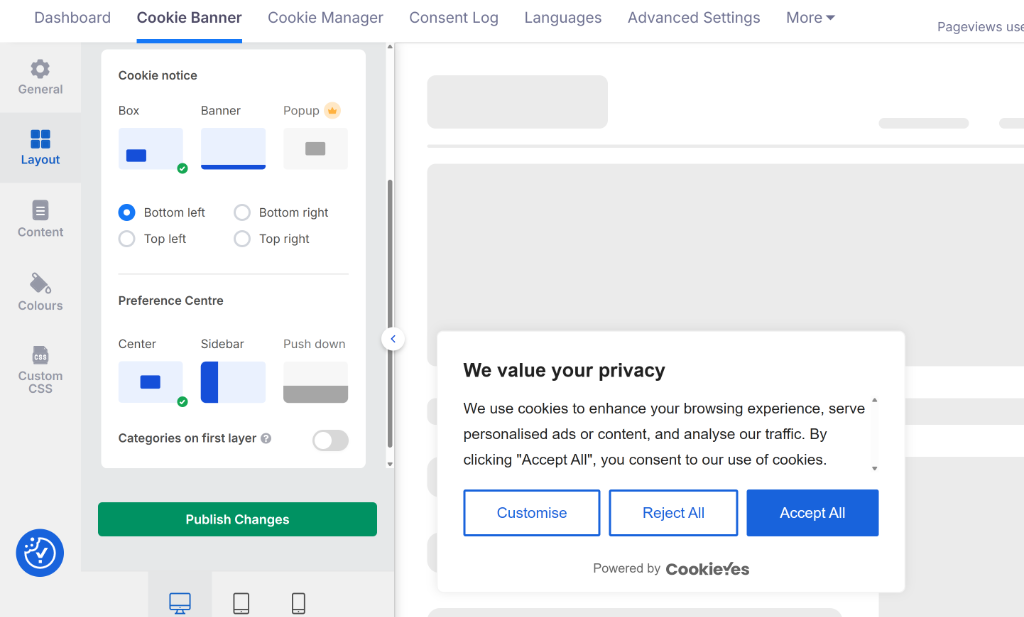
But this means every time we needed to adjust a setting, we had to leave WordPress and log into the external CookieYes web app.
While testing, we noticed that the free tier caps out at 5,000 pageviews per month, which most active sites will hit quickly. Plus, you’ll be paying extra as your traffic grows.
CookieYes makes sense as a Cookiebot replacement for teams managing sites across multiple platforms (WordPress, Shopify, Squarespace) who want a single centralized dashboard.
🟢▶ Pros
- Largest install base on this list: 1M+ WordPress sites, which means broad theme and plugin compatibility testing already done.
- Cloud scanning stays current: Detection rules update centrally, so you’re not relying on a plugin update to catch new tracker types.
- Multi-platform support: Works across WordPress and Shopify if you run both.
- Cheaper than Cookiebot’s new pricing: Starting from $100/year undercuts Cookiebot’s post-increase rate.
🔴▶ Cons
- External dashboard: Consent data lives on CookieYes’s servers, not yours; the same structural tradeoff Cookiebot switchers are often trying to leave.
- Free tier caps at 5,000 pageviews a month: Full scanning and category management push you toward a paid plan sooner than WPConsent’s uncapped free tier does.
Compare WPConsent and CookieYes to see which is right for you.
Pricing: Free tier available. Paid plans start from $100/year per domain for 100,000 pageviews.
3. Complianz ⭐⭐⭐⭐
Best for: Sites with real multi-region compliance needs and no patience for reading GDPR guidance themselves
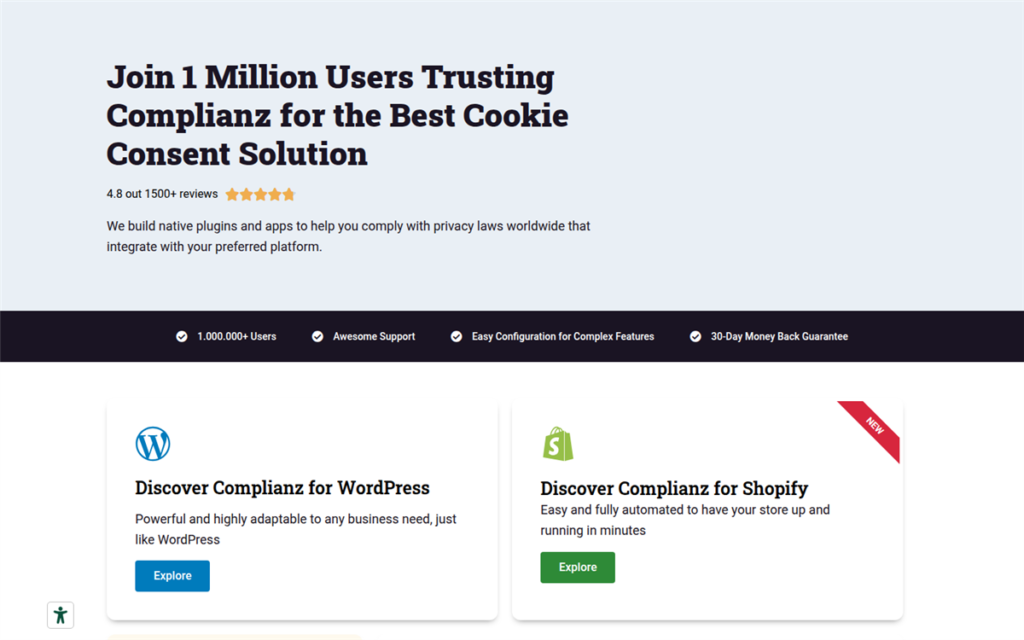
Complianz is built around one specific strength: automatic geolocation-based compliance across multiple regions simultaneously.
It comes third on this list because you get a lot in the free tier.
Its setup wizard also teaches you about the different regional requirements as you go, so you don’t need to know the rules before you start.
Why Is Complianz One of the Best Cookiebot Alternatives?
Complianz’s setup wizard asks about your business, the regions your visitors come from, and the tools you use. It then uses those answers to guide the configuration.
It also supports content blocking for embeds such as YouTube and Google Maps, keeping them blocked until the visitor gives the required consent.
Complianz also connects with the WP Consent API, which is important if you use other plugins or themes that support the API.
It gives those products a standard way to check the visitor’s consent status and respond accordingly, so consent can carry across the WordPress ecosystem instead of being handled separately by each plugin.
The scan-and-categorize feature is available in the free version.
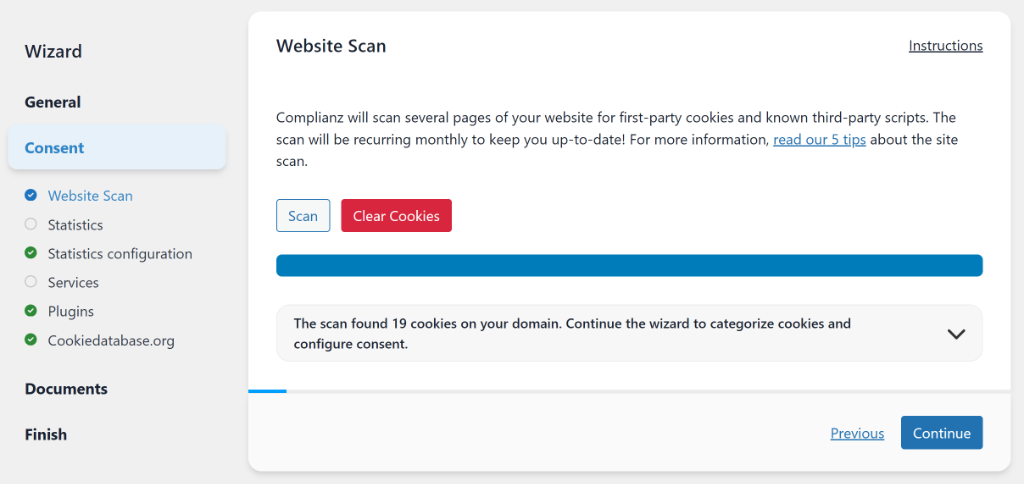
If your site serves visitors in different regions, the wizard’s regional questions can help you work out which consent settings make sense for your audience.
The tradeoff: that same wizard asks more of you upfront than a simple toggle-and-publish flow, a steeper learning curve than WPConsent or CookieYes.
Our Experience With Complianz
As mentioned, Complianz teaches you more about compliance through its setup wizard. This means it takes longer than a banner toggle.
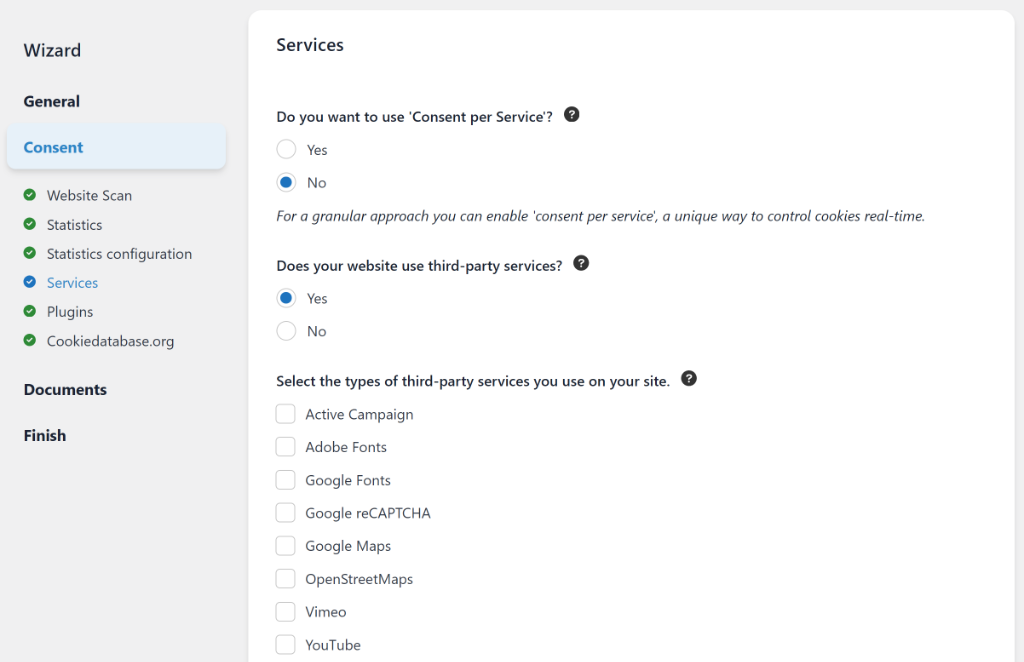
That investment pays off if your compliance needs are genuinely complex. For a single-region WordPress blog, it can feel like more configuration than the situation calls for.
During testing, we noticed a good similarity with WPConsent.
Rather than applying a single banner template to all users, it detects where a visitor is coming from and automatically shows the appropriate consent notice for that region.
🟢▶ Pros
- Feature-dense free tier: Scanning, categorization, and a working banner, all without a paid plan.
- Dynamic content blocking: Embeds stay blocked until consent, then load automatically, no manual re-embed step.
- WP Consent API integration: Plays well with other plugins and themes adopting the same standard.
- Built for multi-region compliance: The wizard’s region logic is more thorough than most competitors attempt.
🔴▶ Cons
- Steeper learning curve: The setup wizard asks more upfront than a simple toggle-and-publish flow.
- Can feel like overkill for a single-region site: The regional logic that makes it strong for international sites is unused weight for a purely local one.
Compare Complianz vs WPConsent to see which is the right fit for you.
Pricing: Free tier available. Paid plans start around $59/year. No pageview cap on any plan.
4. Termly ⭐⭐⭐
Best for: Site owners who also run something outside WordPress and want one consent tool for both
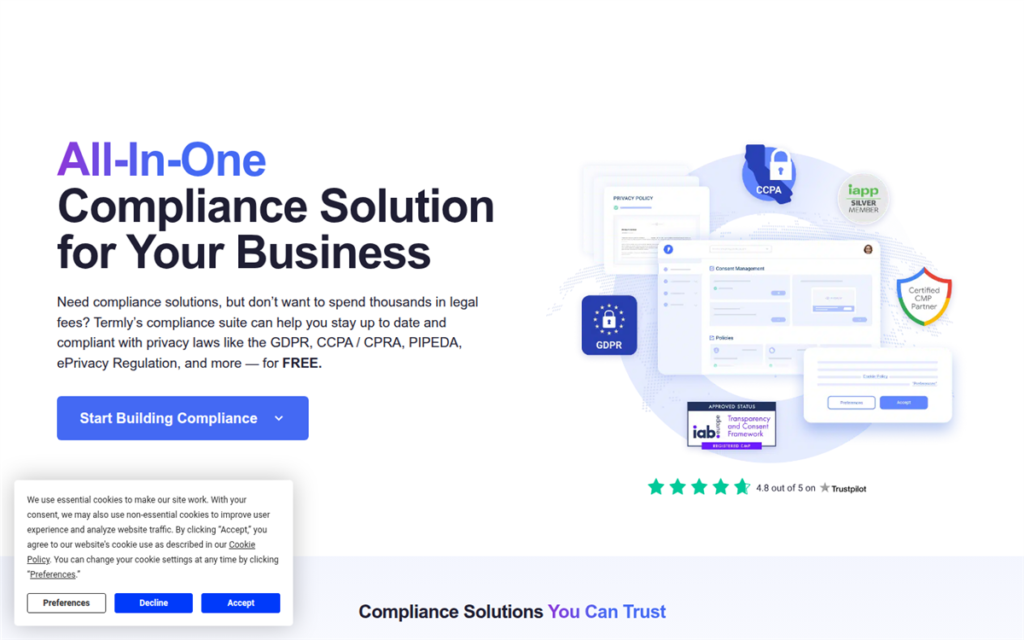
Termly is a full compliance platform, not just a cookie consent tool.
It ranks in the middle of our list because it’s a solid generalist pick rather than a WordPress specialist. If your consent needs stop at WordPress, the plugins above are a better fit.
Why Is Termly One of the Best Cookiebot Alternatives?
Termly bundles a cookie consent banner with a legal policy generator, so a privacy policy, terms of service, and cookie policy come out of the same setup flow as the banner itself.
That’s convenient if you don’t already have those documents in place. It works the same way whether the site sitting behind it is WordPress, a static site, or something else entirely.
The limitation: Termly wasn’t built WordPress-first.
The plugin wraps an embedded script rather than integrating natively the way WPConsent or Complianz do. You may lose some of the deeper WordPress-specific detection and configuration the top three options offer.
Our Experience With Termly
Setup runs through Termly’s own control panel rather than WordPress, similar to CookieYes’s structure.
We noticed that Termly’s privacy policy and terms generators are genuinely well-built. They ask smart questions and produce readable output rather than boilerplate legalese.
🟢▶ Pros
- Bundled policy generation: Privacy policy, terms, and cookie policy come from the same setup as the banner.
- Works the same across platforms: One tool if you manage more than just a WordPress site.
- Budget-friendly starting price: Around $10/month gets meaningful functionality.
🔴▶ Cons
- Not WordPress-native: Runs as an embedded script rather than a deeply integrated plugin.
- Less granular scanning than the top three: Detection isn’t as thorough as WPConsent’s, Complianz’s, or CookieYes’s dedicated scanners.
Pricing: Free tier available. Paid plans start from $120/year. Starter plan caps at 50,000/month banner views.
5. iubenda ⭐⭐⭐
Best for: EU-focused sites that care most about legal documents staying current
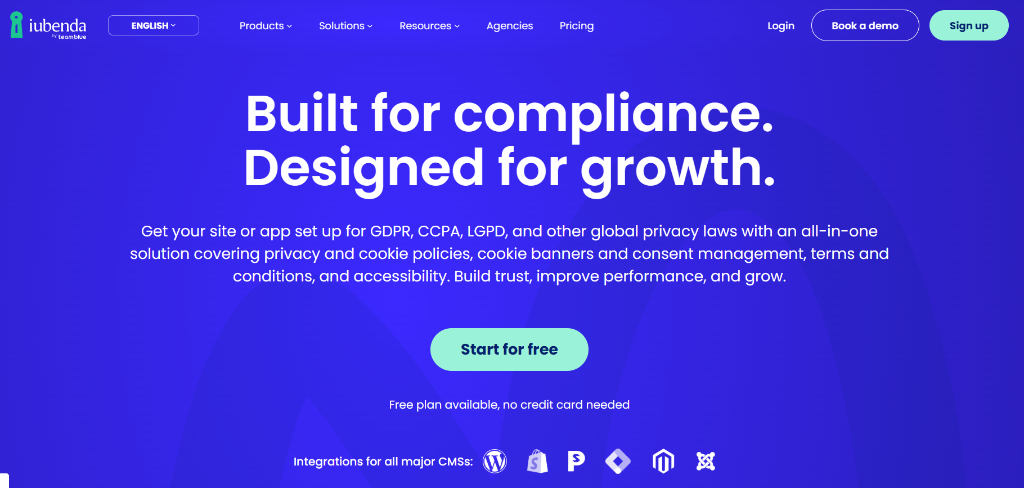
iubenda is a European compliance platform with a strong focus on GDPR.
It ranks in the middle of our list because it puts a strong focus on legal coverage. Its attorneys maintain and update the legal documents as regulations change, which can be useful for sites with a lot of EU traffic.
However, the reason it is not higher is that it’s a narrower consent tool than the WordPress-native options above it.
Why Is iubenda One of the Best Cookiebot Alternatives?
iubenda is a good fit if you want more than a cookie banner and need help managing the legal side of your site.
Its tools can be useful for businesses that operate across different regions and need their consent set up to work alongside their privacy policies and other legal documents.
One thing to consider: that legal focus is strongest for the EU.
Coverage for CCPA, LGPD, and other non-EU frameworks is more limited than what WPConsent’s Location-based Rules or Complianz’s regional wizard offer.
If your traffic splits roughly evenly between the EU and US, you’ll notice the gap on the non-EU side.
Our Experience With iubenda
While testing, we found that iubenda’s installation process is notably more involved than most WordPress cookie management plugins. You’re working with embedded scripts rather than a native dashboard experience.
The setup flow leans into document generation first, banner configuration second. The cookie consent banner is solid, but not the centerpiece of what iubenda does.
That ordering makes sense for iubenda’s audience: sites where getting the legal paperwork right matters as much as the banner itself.
The quality of the legal documents it produces is really good.
The privacy policies are detailed and clearly maintained by people who actively follow regulatory changes, which gives them real credibility.
🟢▶ Pros
- Attorney-maintained legal documents: Updated as regulations change, not left static after generation.
- Strong EU/GDPR depth: Built specifically around European legal requirements.
- Affordable entry price: You also get monthly billing for short-term commitment.
🔴▶ Cons
- Weaker non-EU jurisdiction coverage: CCPA and LGPD support trail the WordPress-native options with dedicated regional rules.
- Less WordPress-specific tooling: No dedicated scanner depth to match WPConsent or Complianz.
Pricing: Free tier available. Paid plans start from $71.88/year. Starter plan caps pageviews at 25,000/month.
6. CookieScript ⭐⭐⭐
Best for: Agencies and freelancers managing consent across several client sites at once
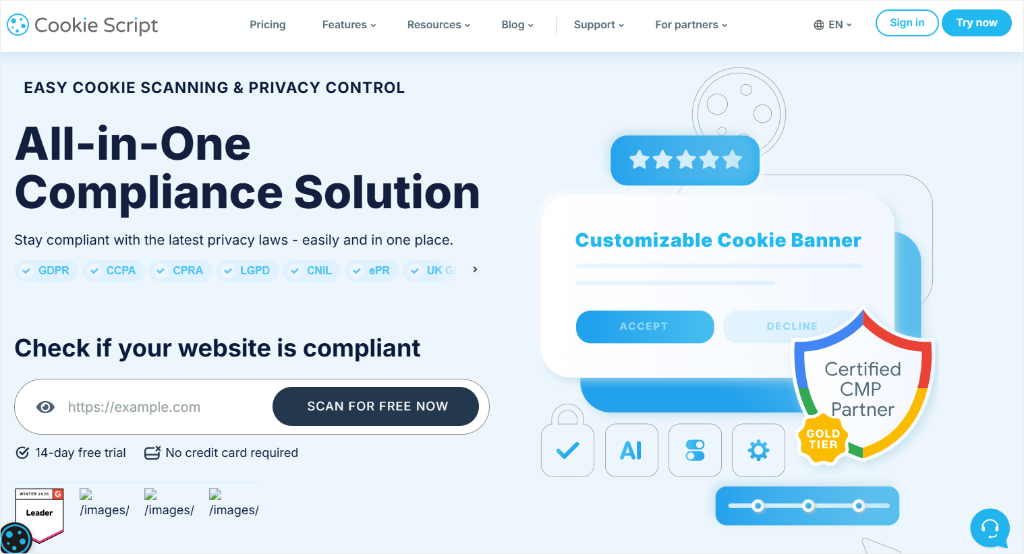
CookieScript is lower on our list mainly because it is a SaaS consent tool designed with multiple-site management in mind.
For a single WordPress site, some of those management features may be more than you need.
Why Is CookieScript One of the Best Cookiebot Alternatives?
If you’re an agency or freelancer managing consent across a dozen client WordPress sites, checking each site individually can quickly become a lot of repetitive work.
CookieScript’s console consolidates that into a single view, with per-site configuration still available where it matters.
Something to consider: The multi-client console may be more than you need.
If you’re only managing your own WordPress site, the simpler options on this list may make more sense.
Our Experience With CookieScript
The multi-site dashboard is genuinely well built for its agencies. It allowed us to check consent status across our client roster in one screen.
Plus, it’s a Google-certified CMP with IAB TCF integration, 42 language options, and support for 18+ regulatory frameworks.
Another thing we noticed was that the per-domain pricing decreases with volume, so it becomes more affordable if you’re managing many sites.
However, CookieScript has the same limitations as other SaaS consent tools like Cookiebot.
For instance, consent data lives on external servers, monthly costs add up for single-site users, and the WordPress integration is less native than a purpose-built plugin.
For a single WordPress site, Cookie Script may not offer great value compared to WPConsent or Complianz.
🟢▶ Pros
- Purpose-built for multi-site management: Genuinely useful if you’re managing consent for more than one WordPress site.
- Consolidated dashboard: One login to check consent status across every managed site.
- Solid scanning coverage: Detection quality holds up against the WordPress-native options.
🔴▶ Cons
- More than most single-site owners need: The core value proposition doesn’t apply if you only manage your own site.
- Pricing scales with sites managed: Cost-effective for agencies, less so for one-site use.
Pricing: Free tier available (2 domains). Paid plans start from €72/year.
👉 Get started with CookieScript
7. WPLP Cookie Consent ⭐⭐⭐
Best for: Small sites on a tight budget that need the basics done correctly
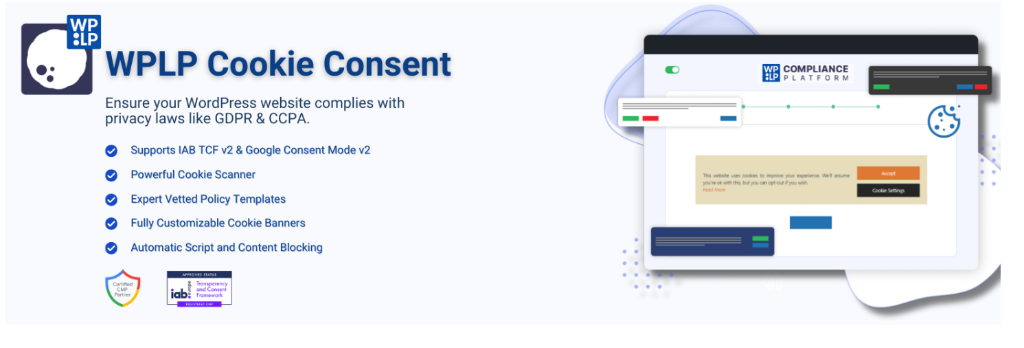
WPLP Cookie Consent (also known as Cookie Banner for GDPR/CCPA) is a lightweight WordPress plugin for sites that need basic consent coverage without the complexity of a full-featured tool.
It’s lower on our list because the feature set is thinner than the plugins above it. It’s a genuinely capable free option for a small site, just less suited to a site with real compliance complexity.
Why Is WPLP Cookie Consent One of the Best Cookiebot Alternatives?
WPLP Cookie Consent covers the fundamentals well.
You get a customizable banner, script blocking until consent, and a built-in scanner, all in a free WordPress.org plugin.
It’s part of the broader WPLP Compliance Platform, which also handles legal policy generation if you need that alongside the banner.
What to watch out for: It has fewer built-in controls.
It doesn’t offer the same scanning depth or regional rules as WPConsent, Complianz, or CookieYes.
For a small site with a few standard plugins, that may not matter. If your site has international traffic or a more complex tracking setup, you may need some of the extra controls those tools provide.
Our Experience With WPLP Cookie Consent
Setup is straightforward. During testing, we installed the plugin, ran the scanner, configured the banner, and published. The process is simple and doesn’t require you to work through a lengthy setup wizard.
Once you’re past the setup, it covers the essentials well: multiple banner layouts, category-based consent, a built-in cookie scanner, and Google Consent Mode v2 support.
🟢▶ Pros
- Free: Core banner, scanner, and script blocking all work without paying.
- Simple setup: No lengthy wizard, straight to a working banner.
- Consent records stored on your own site: Same self-hosted advantage as WPConsent.
🔴▶ Cons
- Thinner feature set overall: Less scanning depth and fewer regional options than the top three picks.
- Smaller support community: Fewer public reviews and forum threads to draw on if you hit an issue.
Pricing: Free consent plugin available. Pro plan starts from $48/year. Unlimited pageviews on every plan.
👉 Get started with WPLP Cookie Consent
Also Worth Checking Out: ConsentLayer
Everything above is built for WordPress.
If you also run a headless app, React frontend, or another non-WordPress site, WPConsent’s sister product is worth a look. It’s built to manage consent across different platforms.
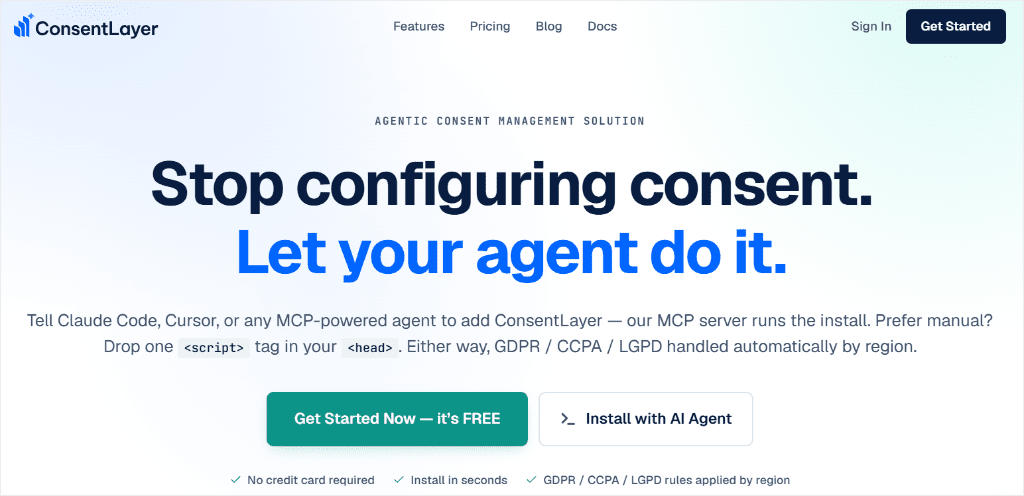
ConsentLayer works without WordPress, with options to add it through a script tag, JS/React SDK, or MCP integration for AI agents.
It covers GDPR, CCPA, and LGPD consent, making it an option if you need the same consent setup across different platforms.
The free tier supports one site and 10,000 monthly pageviews with manual scans, while paid plans add scheduled scanning and higher traffic limits.
If you’re only looking for consent management on a WordPress site, WPConsent is still the better fit.
ConsentLayer makes more sense when your setup extends beyond WordPress, and you need consent management across your wider stack.
Our Recommendation
Now, going through a list of seven Cookiebot alternatives can be a lot. To help you narrow down your choices, check out the table below with a feature breakdown.
| Feature | WPConsent | CookieYes | Complianz | CookieScript |
|---|---|---|---|---|
| Self-hosted (no external dashboard) | 🏆 | ✗ | 🏆 | ✗ |
| Genuinely free scanner | 🏆 | ✓* | 🏆 | ✓ |
| Multi-region consent rules | 🏆(Pro) | Pro | 🏆 | Pro |
| Google Consent Mode v2 free by default | 🏆 | Pro | ✓ | Pro |
| Agency multi-site dashboard | ✗ | ✗ | ✗ | 🏆 |
*CookieYes free tier includes basic scanning; full categorization detail requires a paid plan.
If you want to go beyond features, check out the table below, which breaks down each alternative based on the type of site you have.
| If you are… | Best Choice | Why |
|---|---|---|
| A single-site owner who wants everything self-hosted | WPConsent | No external dashboard, free scanner finds what’s actually running |
| Already running WordPress and Shopify | CookieYes | Largest install base, genuine multi-platform support |
| Serving visitors across several legal regions | Complianz | Wizard-guided regional compliance logic, free scan and categorization |
| Managing several client sites at once | CookieScript | Consolidated multi-site dashboard built for exactly this |
| Most concerned about EU legal document accuracy | iubenda | Attorney-maintained documents, updated as regulations shift |
| On a tight budget with a small, simple site | WPLP Cookie Consent | Free core features, no lengthy setup to work through |
| Running something beyond WordPress too | ConsentLayer | Platform-agnostic, one consent tool across your whole stack |
For most WordPress site owners leaving Cookiebot, WPConsent is the pick.
It’s the top option here that keeps consent data on your own server while matching the free-tier depth of a dedicated compliance platform and staying affordable.
If anything is unclear, check out the commonly asked questions below.
FAQs: About Cookiebot Alternatives
Is there a free Cookiebot alternative for WordPress?
Yes. WPConsent, CookieYes, Complianz, and WPLP Cookie Consent all have genuinely free plans, not just free trials. WPConsent’s free tier includes the banner, scanner, script blocking, and Google Consent Mode v2 with no pageview cap. Complianz’s free plan also does not have a pageview cap. CookieYes’s free plan works too, but caps out at 5,000 pageviews a month before it pushes you toward a paid tier.
Why are WordPress users switching away from Cookiebot?
Cookiebot has changed in recent years, including a base price increase in August 2025 and directing new customers to Usercentrics Web CMP. Some WordPress users are also looking for alternatives because they prefer to manage consent and consent data directly from WordPress rather than through an external service.
Is there a self-hosted Cookiebot alternative?
Yes. WPConsent, Complianz, and WPLP Cookie Consent let you keep consent data on your own WordPress site instead of managing it through a separate hosted dashboard.
Which alternative has the widest language support?
WPConsent supports 70+ languages with automatic banner translations. It detects the visitor’s browser language and displays the appropriate translation without requiring WPML or Polylang. CookieYes also supports 40+ languages and integrates with WPML and Polylang, making it another option for multilingual WordPress sites.
Which Cookiebot alternative is best for GDPR compliance?
WPConsent is a strong choice if you want GDPR consent management directly inside WordPress. GDPR-style consent collection is available in the core setup, while paid plans add region-specific rules for sites that need different consent requirements based on visitor location. All seven options on this list support GDPR-style consent collection, but Complianz is another strong option, with a setup wizard that guides you through GDPR, CCPA, and LGPD requirements.
Switch to WPConsent: the WordPress-Native Cookiebot Alternative
The next move is checking your own site, not reading about someone else’s.
Run the free scanner and see exactly what’s tracking your visitors right now. No install, no signup, just a look at what’s actually running.
Still weighing it against the other options above? That’s fair, the right pick depends on your setup.
But if WPConsent is the one you’re leaning toward, install it, turn the banner on, and those scripts stay blocked until a visitor says yes. Your consent data stays on your own WordPress site too. And if you ever want to move again down the road, your records stay with you, not locked in someone else’s dashboard.
Ready to get started?
Get WPConsent for free →
Already decided to switch from Cookiebot? Our step-by-step guide to migrating to WPConsent walks through the process with the least consent banner downtime.
See WPConsent pricing →
Additional Resources
These three guides help you set up and understand cookie consent beyond this comparison.
- What Is Cookie Consent? A WordPress Beginner’s Guide: the full picture of what a compliant banner needs to include
- What Are Tracking Cookies? A Complete Beginner’s Guide: understand exactly what you’re consenting visitors to
- Cookie Consent Requirements by Country: jurisdiction-by-jurisdiction rules if you have visitors from more than one region
- Getting CIPA Demand Letters in California? Check out our guide and see what your WordPress site needs