
Want to make your WordPress site compliant with cookie privacy laws without the headache? WPConsent is a privacy compliance plugin that adds a consent banner, scans your pages for tracking services, and blocks scripts until visitors opt in. In this guide, you’ll learn what WPConsent does, how it works, and why it matters for your site.
Table of contents
- Why cookie consent matters
- How WPConsent works
- Key concepts
- Comparing the free and paid versions
- Best practices
- FAQ
Why cookie consent matters
Websites that use cookies for analytics, advertising, or embedded content must follow privacy laws like GDPR, CCPA, and ePrivacy. If you don’t comply, you risk fines and lose visitor trust.
WPConsent helps you tackle these requirements by:
- Showing a clear consent banner so visitors can accept or reject individual cookie categories.
- Blocking tracking scripts (Google Analytics, Facebook Pixel, Microsoft Clarity, and others) until consent is given.
- Detecting and documenting the services and cookies your site uses.
- Supporting Google Consent Mode v2 so Google services respect visitor choices automatically.
- Replacing blocked content (YouTube, Vimeo, Google Maps, and more) with privacy-safe placeholders until consent is granted.
WPConsent helps you work toward compliance with a wide range of regulations, including:
- GDPR, the General Data Protection Regulation (European Union)
- CCPA, the California Consumer Privacy Act (United States)
- LGPD, the General Data Protection Law (Brazil)
- PECR, the Privacy and Electronic Communications Regulations (UK)
- PIPEDA, the Personal Information Protection and Electronic Documents Act (Canada)
- APPs, Australian Privacy Principles (Australia)
- And many other international privacy standards.
Note: WPConsent is a tool that supports compliance efforts. It’s your responsibility to make sure your website meets all applicable requirements.
How WPConsent works
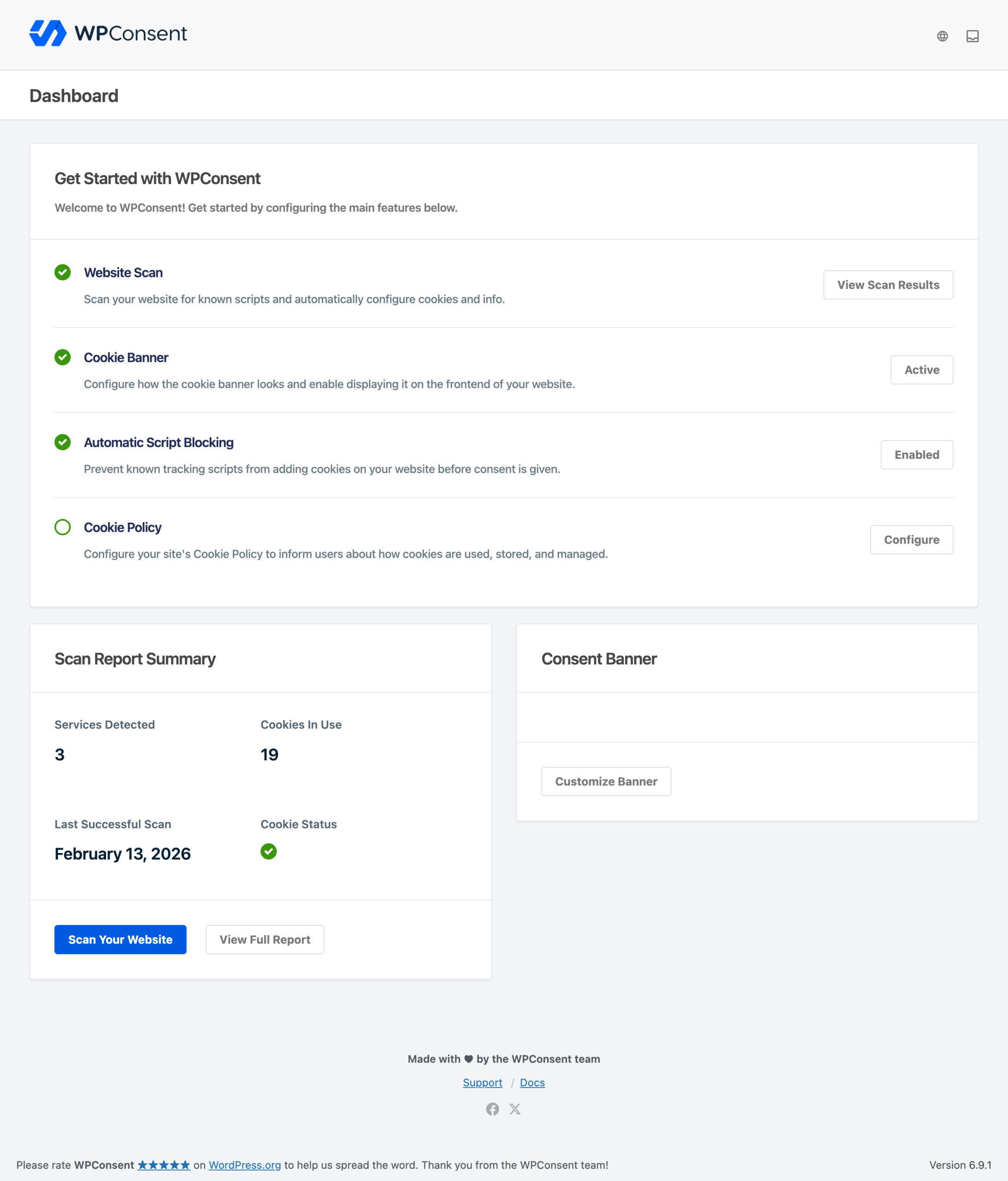
WPConsent operates in 3 layers:
- Scanning. The built-in scanner analyzes your website pages and identifies services that set cookies. It reports each service’s name, cookie category, description, privacy URL, and a list of cookies with their descriptions and durations.
- Blocking. Automatic script blocking prevents known tracking scripts from running before consent. Content blocking replaces embedded third-party content (like video players and maps) with local placeholder images.
- Consent collection. A customizable banner asks visitors for consent. Their choices are stored locally and applied right away, unblocking only the script categories they approved.
All consent data stays on your own server.
Key concepts
Cookie categories
WPConsent groups cookies and scripts into categories such as Essential, Statistics, and Marketing. Visitors can accept or reject each category individually through the preferences panel.
Services
A service groups related cookies under a single name (for example, Google Analytics, WooCommerce, or a custom tracking feature you built). Each service belongs to a cookie category and includes details about the cookies it sets.
Script blocking
When automatic script blocking is enabled, WPConsent intercepts known tracking scripts in your page output. It prevents them from executing until the visitor grants consent for the matching cookie category.
Content placeholders
For embedded content like YouTube videos, Vimeo players, Google Maps, and reCAPTCHA, WPConsent displays a local placeholder image instead of loading the third-party embed. This prevents any cookies from being set before consent. Once a visitor accepts the relevant category, the original content loads in place.
Google Consent Mode v2
WPConsent integrates with Google Consent Mode v2. Google Analytics and Google Ads run in a cookieless mode by default and switch to full measurement after consent is granted. The integration works whether you add Google scripts through a plugin, manually, or via Google Tag Manager.
Comparing the free and paid versions
WPConsent comes in 2 versions. The free version covers the essentials, and the paid version adds advanced features for sites with stricter compliance requirements.
| Feature | Free | Paid |
|---|---|---|
| Customizable cookie banner | Yes | Yes |
| Automatic script blocking | Yes | Yes |
| Google Consent Mode v2 | Yes | Yes |
| Content placeholders | Yes | Yes |
| Website scanner | Basic | Enhanced |
| Service cookie data | Manual lookup | 1-click import from Cookie Library |
| Geolocation-based rules | No | Yes |
| Records of consent | No | Yes |
| Multilanguage support | No | Yes |
| IAB TCF v2.2 integration | No | Yes |
| Automatic scheduled scans | No | Yes |
| Priority support | No | Yes |
Scanner differences
The free scanner detects common third-party scripts loaded on your pages. The paid scanner goes further: it also detects cookies from plugins and scripts loaded through Google Tag Manager.
Service configuration differences
Scan results are automatically configured for both versions. If you need to manually add a service that wasn’t detected by the scanner, the free version requires you to look up and enter the cookie details yourself. In the paid version, the Cookie Library lets you 1-click import service data directly from the cookielibrary.org database, including cookie names, descriptions, and durations.
Pro Feature: The enhanced scanner, Cookie Library, geolocation, consent logs, multilanguage support, IAB TCF v2.2, and automatic scans require WPConsent Pro.
Best practices
- Run a scan after installing any new plugin that loads third-party scripts on your site.
- Review your cookie categories and service descriptions to confirm they accurately reflect what your site does.
- Keep WPConsent updated to benefit from new script detections and blocking rules we add regularly.
- Test your banner on both desktop and mobile to make sure it displays correctly and is accessible.
- Add a cookie policy page to your site using the built-in cookie policy shortcode.
FAQ
Do I need to buy the paid version to use WPConsent?
No. The free version includes a customizable banner, automatic script blocking, content placeholders, and Google Consent Mode v2. You only need the paid version if you require features like geolocation, consent logs, or IAB TCF v2.2 support.
Does WPConsent make my site fully compliant with GDPR?
WPConsent provides the tools you need to work toward GDPR compliance. However, full compliance also depends on your privacy policy, data processing agreements, and how you handle personal data across your site.
Where is my visitors’ consent data stored?
All consent data is stored locally on your own server. WPConsent doesn’t send visitor consent choices to any external service.
Can I use WPConsent with caching plugins?
Yes. WPConsent works with popular caching plugins. The banner loads via JavaScript, so it isn’t affected by page caching.
How do I know which services my site uses?
Run the built-in scanner from the WPConsent dashboard. It analyzes your pages and identifies the third-party services setting cookies. For more details, check out our guide on scanning your website.
Conclusion
You now have a solid understanding of what WPConsent does and how its scanning, blocking, and consent collection layers work together to help you meet privacy regulations. To get up and running, follow our guide on installing and activating the plugin.