Running a website that shows ads or collects user data comes with serious responsibilities, especially if your audience is from Europe. You will have to meet the IAB TCF standards.
The IAB TCF is a standardized system that helps websites collect and manage user consent for cookies and data processing. It’s become the industry standard for publishers, advertisers, and anyone running ads on their WordPress site.
But, like many website owners, I had no idea what IAB TCF was and how to implement it on my WordPress website. This is where WPConsent comes in handy. With a click of a button, you can enable the TCF standards.
In this article, I’ll show you how to implement IAB TCF in WordPress. Since it’s a long read, you can click the links below to jump ahead to any section.
Disclaimer: Please note that this guide is for informational purposes only. Nothing on this website should be taken as legal advice.
What is IAB TCF?
The Transparency and Consent Framework (TCF) was created by IAB Europe (Interactive Advertising Bureau).
It was created to help the digital advertising industry comply with privacy laws like the GDPR (in Europe) and the ePrivacy Directive. Plus, it makes it easier for everyone involved in online advertising to get clear permission from users before collecting or using their personal data.
The three key groups involved in this process for speaking the same language regarding user data include:
- Publishers – That’s you, the website owners.
- Vendors – Third-party companies like Google AdSense, etc.
- Consent Management Platforms (CMPs) – Cookie banner solutions like WPConsent
The TCF protects users by giving them control over their data while helping businesses stay transparent and compliant with the law.
Overall, the framework balances privacy rights with the needs of the digital advertising industry, making sure things are fair and clear for everyone involved.
Why Implement IAB TCF in WordPress?
Implementing IAB TCF (specifically v2.2) on a WordPress site is largely about protecting ad revenue.
While compliance is the root cause, the practical reason most WordPress websites implement it is because Google and major ad networks will cut off your revenue from European visitors if you don’t.
Here is the breakdown of why you need to enable TCF standards on your site:
1. Google Will Cut Off Your Ads Without It
This is the most immediate reason. As of January 16, 2024, Google made it mandatory for all publishers serving ads to EEA/UK users to use a certified CMP (Consent Management Platform) that supports TCF v2.2.
If you don’t have a certified CMP, then Google will stop serving personalized ads (or in some cases, all ads) to your European traffic. As a result, Your overall ad earnings from those regions will crash.
2. It Standardizes Consent for Hundreds of Ad Vendors
Programmatic advertising involves hundreds of third-party vendors (like Criteo, Taboola, or Magnite) bidding for your ad slots in real-time. Without TCF, these vendors don’t know if the user consented to be tracked.
With TCF, your site sends a standardized code that tells every vendor exactly what they are allowed to do. This “common language” ensures that more advertisers can legally bid on your site, increasing your potential revenue.
3. Protection Against GDPR Fines
The General Data Protection Regulation (GDPR) has strict rules about how you collect data. The IAB TCF framework helps you comply by ensuring:
- Users are given specific granular choices (not just a blanket “Yes”).
- You have a verified audit trail of consent (logs).
- You aren’t accidentally letting ad vendors scrape user data without permission, which would make you liable as the publisher.
That said, let’s look at how you can add IAB TCF standards to your WordPress website.
Enable IAB TCF Standards in WordPress
To enable these standards on your website, you need a registered CMP under IAB TCF. And the best CMP you can choose is WPConsent.
It is a certified CMP that understands these standards and ensures that the communication between your visitors and your vendors is seamless and compliant.
The best part about using WPConsent is that you don’t have to manually configure how every single ad vendor behaves. Plus, it gives your visitors a standardized experience. They can see exactly which vendors are operating on your site and for what purpose, giving them full control over their data.
Besides that, WPConsent also makes it super simple to scan for scripts and services that add cookies to your site, prevent them from loading before consent, set up location based rules, add Do Not Track forms, and more.
Note: You’ll need the WPConsent Pro version because it includes the IAB TCF feature. There is also a WPConsent Lite version available for free and helps configure your site for basic compliance. However, it doesn’t include the IAB TCF feature.
Now, let’s look at the steps you can follow to get started.
Step 1: Install and Activate WPConsent
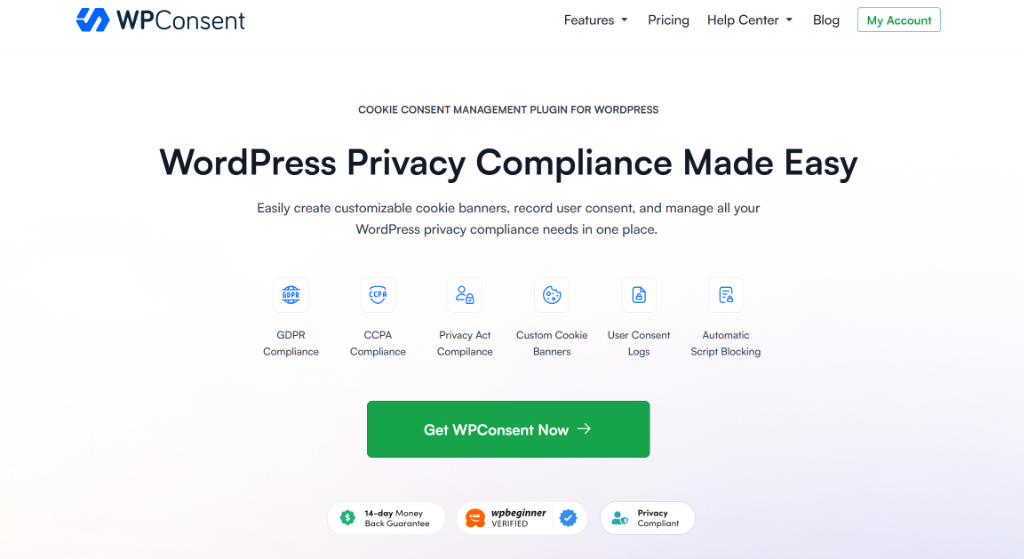
First, you need to head over to the WPConsent website and sign up for an account.
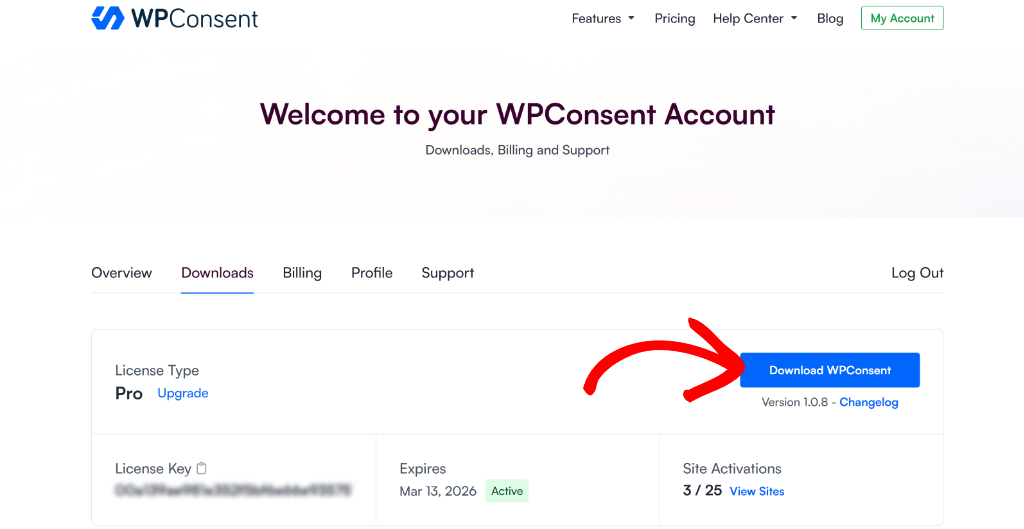
Once that’s done, simply go to your WPConsent account and switch to the ‘Downloads’ tab.
From here, you can click the Download WPConsent button. This will save the plugin ZIP file to your computer.
After that, you’ll upload the plugin file and then install and activate WPConsent on your WordPress site. For more details, please see this guide on how to install a WordPress plugin.
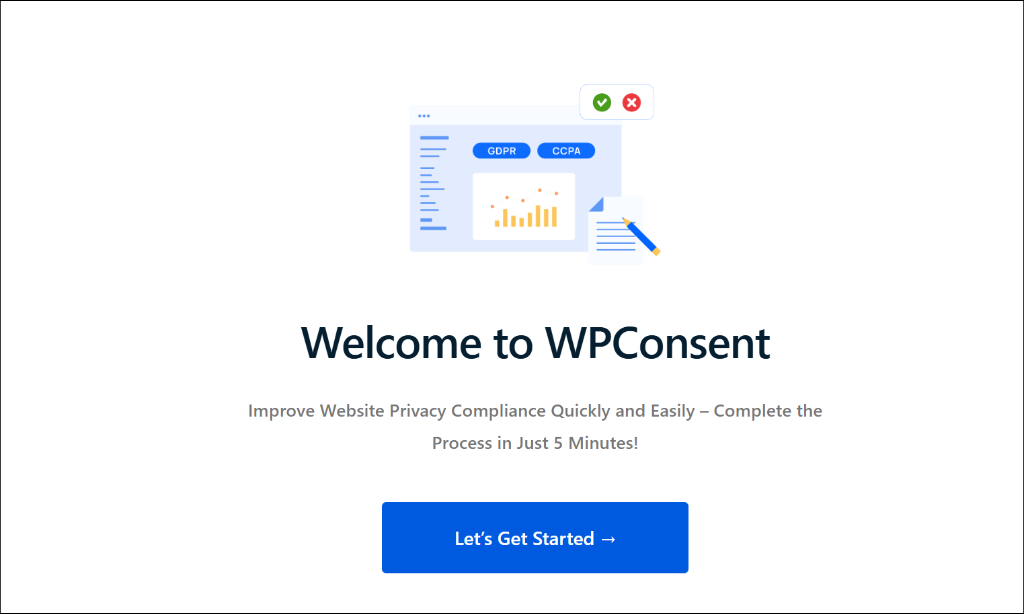
Once you’ve done that, WPConsent will show you a setup wizard. Simply click the ‘Let’s Get Started’ button and follow the instructions on your screen.
Step 2: Enable IAB TCF in WPConsent
Next, you will need to go to WPConsent » Settings from your WordPress dashboard and then switch to the ‘IAB TCF’ tab.
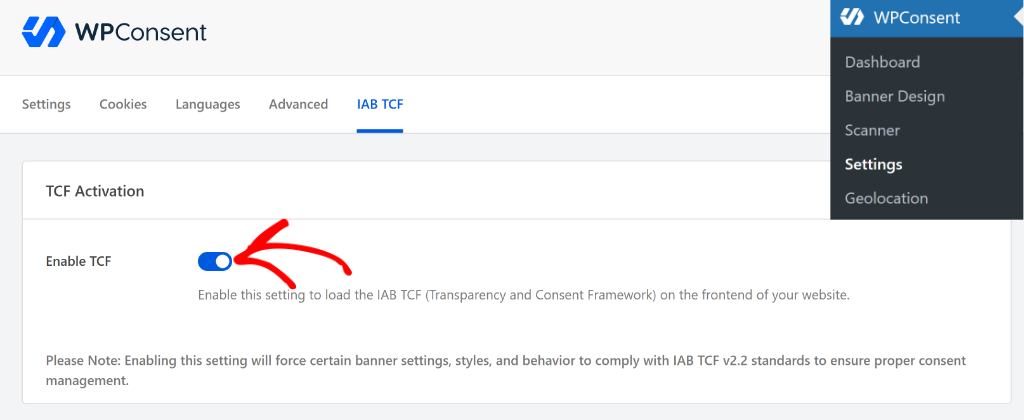
From here, simply click the toggle to Enable TCF.
Step 3: Configure IAB TCF Settings
If you scroll down, then you’ll more options for IAB TCF standards. Now, if you’re a beginner, then I recommend using the default settings as set by WPConsent.
However, there are options to control the Global Vendor Restrictions. Here, you get to choose whether vendors can use legitimate interest as a legal basis for data processing.
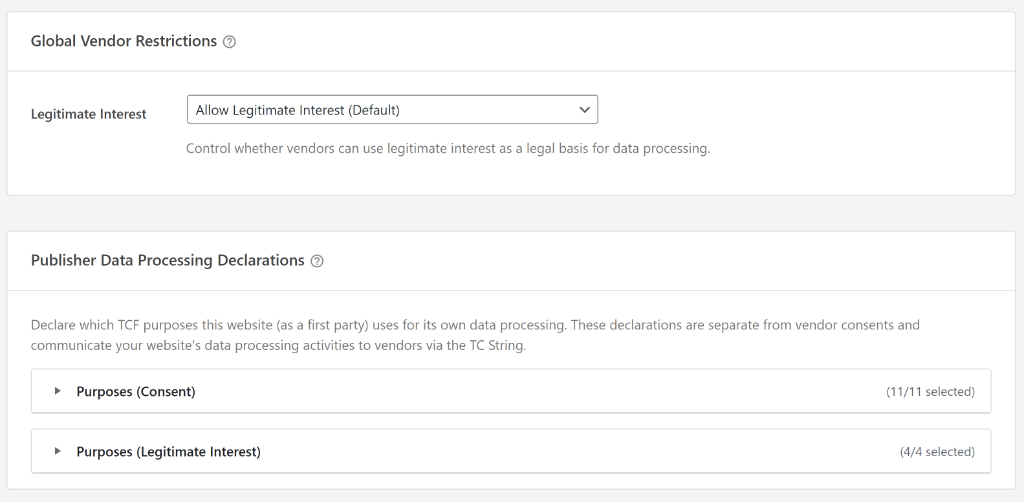
You can click the ‘Legitimate Interest’ dropdown menu to allow or disallow vendors for using legitimate interest.
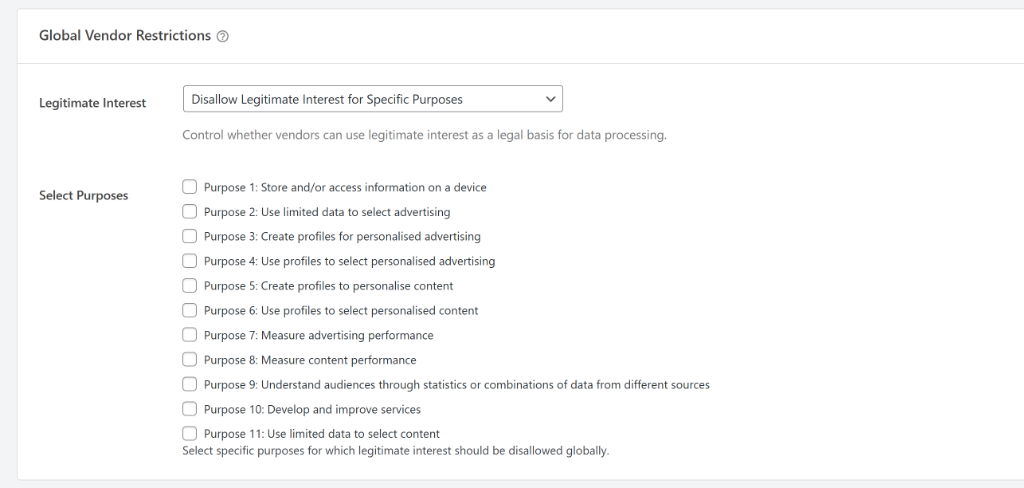
Plus, there is also an option to disallow for specific purposes. WPConsent offers preset 11 purposes to choose from. These include store and access information on a device, use limited data to select advertising, create profiles for personalized advertising, and more.
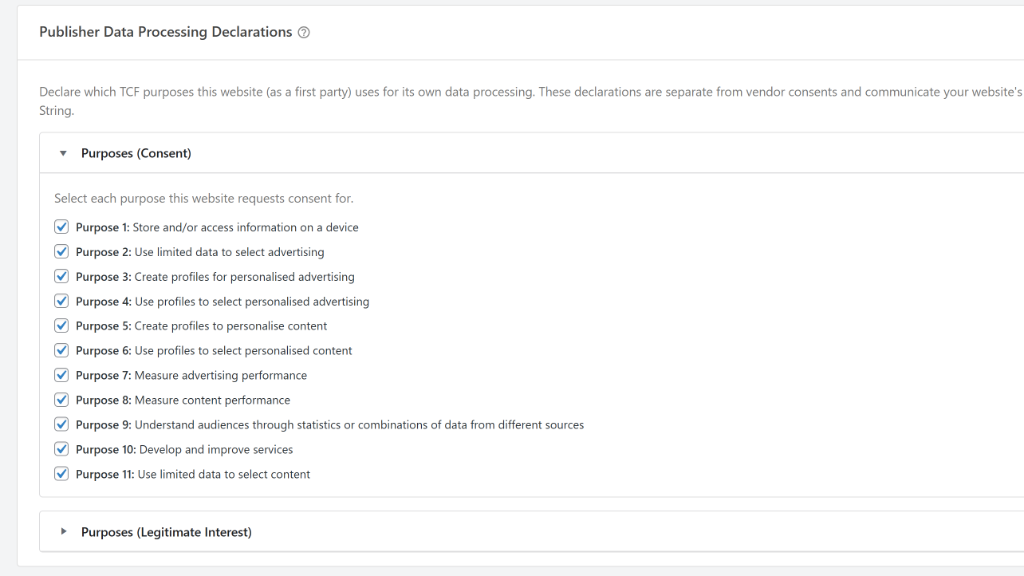
Besides that, you can also select which TCF purposes your website uses for its own data processing.
Do note that these declarations are separate from vendor consents and communicate your website’s data processing activities to vendors via the TC String.
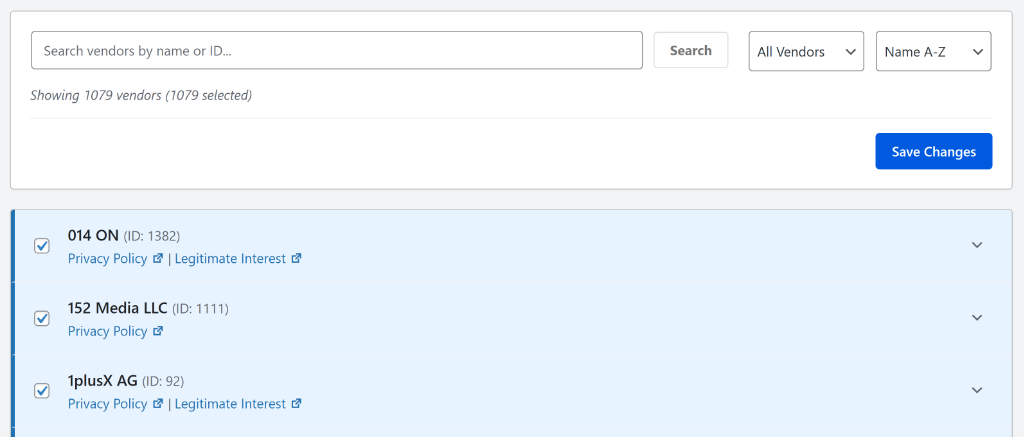
If you scroll down, then WPConsent also shows a list of vendors along with their privacy policy and legitimate interest.
You can use the search bar and filter options to find a specific vendor.
Once you’ve configured the IAB TCF settings in WPConsent, you visit your website.
Here, you’ll notice that the cookie banner on your website will show the IAB TCF v2.2 standards.
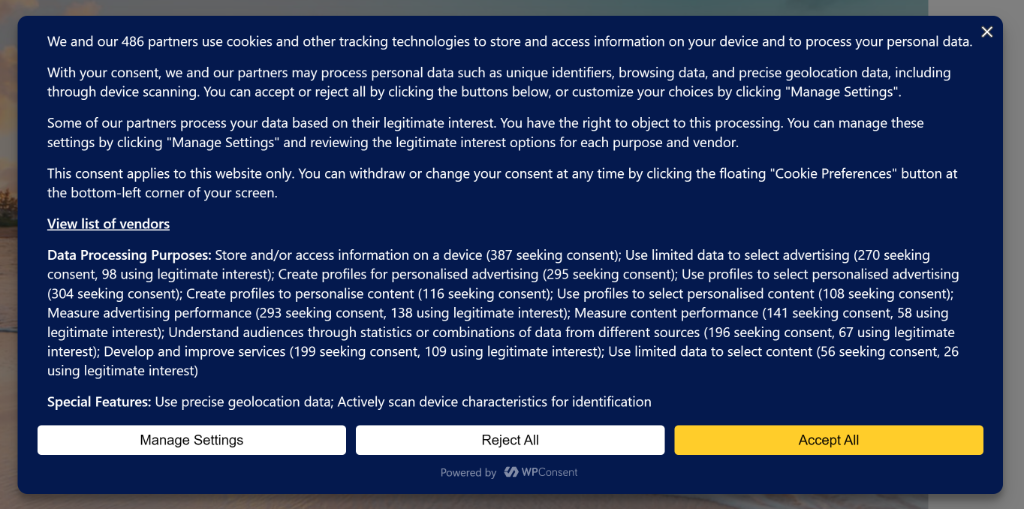
That’s it, you’ve now successfully enabled IAB TCF standards on your WordPress site.
FAQs About Enabling IAB TCF in WordPress
1. Do I need IAB TCF if I only have visitors from the United States?
While GDPR is a European regulation, implementing IAB TCF is still a good idea even if most of your visitors are from the US. Many major ad networks now require TCF compliance regardless of your audience location. Plus, US privacy laws like CCPA in California are becoming stricter, and having a proper consent framework protects you across different jurisdictions.
2. What’s the difference between TCF v2.0 and TCF v2.2?
TCF v2.2 is the latest version and includes important updates like better support for legitimate interest, improved mobile experience, and clearer vendor disclosure requirements. If you’re implementing IAB TCF now, you should use v2.2. The older v2.0 version is being phased out by many ad networks.
3. Can I use IAB TCF with Google AdSense and other ad networks?
Yes, absolutely. Google AdSense and most major ad networks support IAB TCF. In fact, many of them prefer it because it provides standardized consent information. You’ll need to register with the IAB’s Global Vendor List if you want full compatibility with all advertising partners.
I hope this articled helped you learn how to implement IAB TCF in WordPress. You may also want to see our guide on how to set up Google Consent V2 mode in WordPress and how to allow users to manage consent by services in WordPress.
If you liked this article, then please follow us on X (formerly known as Twitter). You can also leave a comment below if you need any assistance.