If you run a WordPress site, you know that cookie management is a real challenge. From ensuring your site complies with different privacy laws to building trust with your visitors, cookie compliance can get technical really quickly.
This is where you need a cookie management tool that blocks scripts, logs user choices, shows a cookie consent banner, and keeps your analytics data from going dark.
Two names dominate this conversation: CookieYes and WPConsent.
CookieYes is the massive SaaS platform you see everywhere. It has over 1.5 million users, runs on the cloud, and works on pretty much any website builder you can name.
WPConsent is the challenger built specifically for WordPress users. It’s a self-hosted plugin created by the team behind WPBeginner. It runs on your server, ignores pageview limits, and lives inside your dashboard.
In this guide, I’ll compare CookieYes vs WPConsent and show you which is better.
Here is the high-level comparison before getting into the details:
| Feature | WPConsent 🏅 | CookieYes |
|---|---|---|
| Architecture | Self-hosted WordPress plugin | Cloud-based SaaS platform |
| Pricing Model | Flat yearly fee (unlimited pageviews) | Monthly subscription (scales with pageviews) |
| Script Loading | Local (from your server) | External (from CookieYes CDN) |
| Setup Time | 5-minute wizard inside WP Admin | Account registration + script embedding |
| Google Consent Mode v2 | Native support (no GTM required) | Supported (requires GTM setup usually) |
| Consent Data Storage | Your WordPress database | CookieYes cloud servers (EU-based) |
| Performance Impact | Minimal (local resources) | Moderate (external DNS lookup + script fetch) |
| Best For | WordPress site owners who want control | Multi-platform sites needing centralized management |
Plugin Overview
Before diving into the head-to-head comparison, here’s a quick introduction to each plugin.
WPConsent
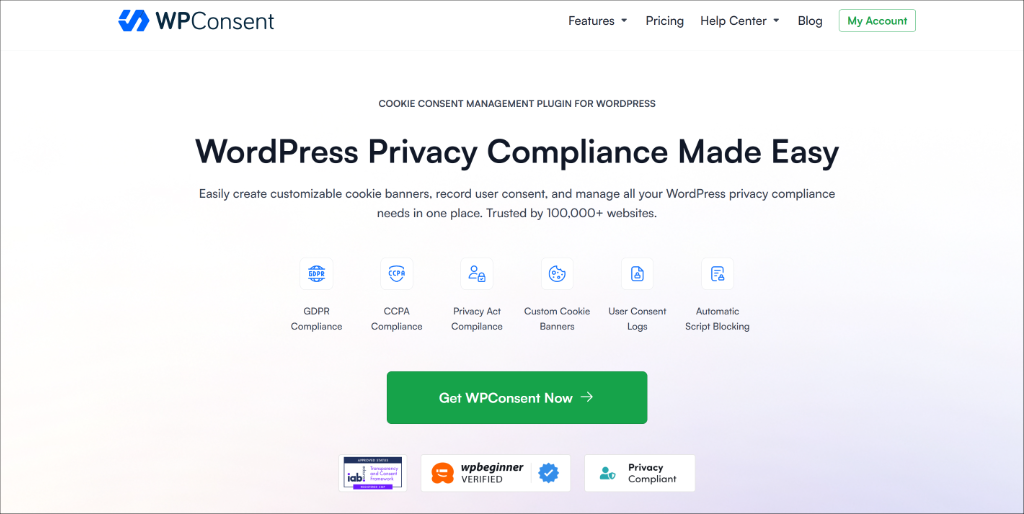
WPConsent is an all-in-one cookie consent management plugin built specifically for WordPress. It was created by the team behind WPBeginner, which means it’s built with a deep understanding of how WordPress sites actually work.
What sets WPConsent apart from most cookie consent tools is its self-hosted architecture. All consent data is stored directly on your own server, and it is not shipped off to an external service.
Beyond data storage, WPConsent handles everything you’d expect from a full cookie management solution.
For instance, it automatically scans your site for cookies and tracking scripts, blocks those scripts from firing until a visitor gives consent, provides a customizable banner to collect that consent, and includes a library of preconfigured services (Google Analytics, Facebook, WooCommerce).
The plugin has over 100,000 active installs and holds a 4.8/5 rating on WordPress.org. The free version is feature-rich, which helps you get started with cookie management. And the Pro version unlocks advanced options like geolocation rules, consent logs, AI-powered multilingual support, and IAB TCF v2.3 verification.
WPConsent is best for: WordPress site owners who want complete control over their consent data, a lightweight self-hosted solution with no external dependencies, and transparent, predictable pricing.
CookieYes
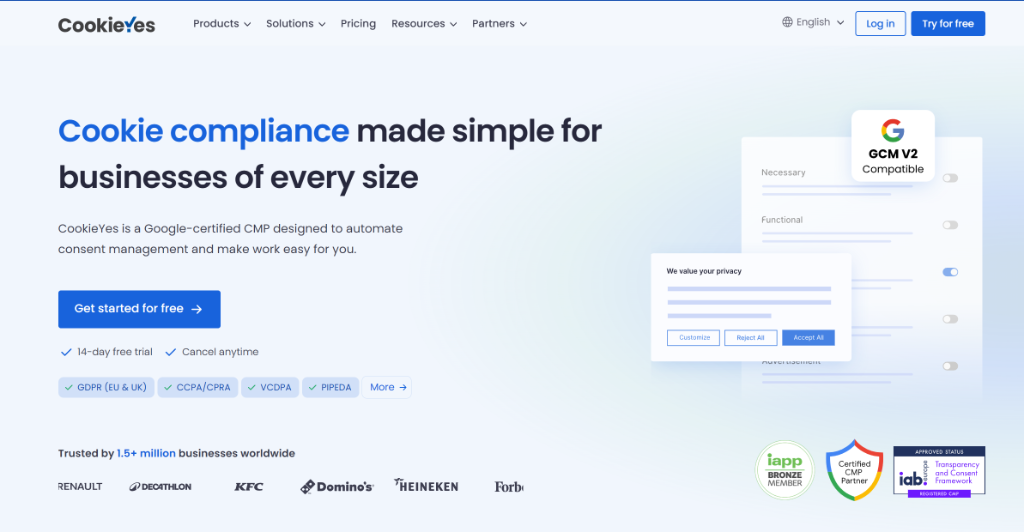
CookieYes is one of the most widely used cookie consent solutions on the market, with over 1.5 million websites using the service. It started as a straightforward cookie banner plugin and has evolved into a broader SaaS-based compliance platform.
Unlike WPConsent, CookieYes operates on a cloud model. When you install the WordPress plugin, it connects to the CookieYes web app, where your consent settings are managed, and your consent data is stored on external servers.
This approach gives you a centralized dashboard that can manage multiple sites and platforms. Which means that you can use it with WordPress, Shopify, Wix, Squarespace, Magento, and more.
CookieYes supports all the major privacy regulations (GDPR, CCPA, LGPD, PIPEDA, UK GDPR) and includes features like automatic cookie scanning, script blocking, consent logging, and banner customization.
One area where I found it stands out is multilingual support. It offers automatic translation of consent banners into 40+ languages, which is particularly useful for sites with a global audience.
CookieYes is best for: Sites or teams managing multiple websites across different platforms who prefer a centralized cloud dashboard. And serve visitors across many languages and need auto-translated banners.
1. Ease of Use & WordPress Integration
Nobody wants to spend an afternoon wrestling with a cookie consent plugin. The setup should be quick, the settings should make sense, and you shouldn’t need to read a 40-page compliance guide just to display a banner.
I installed and configured both WPConsent and CookieYes on a fresh WordPress site to see which one gets you up and running faster and with less confusion.
WPConsent — Ease of Use
WPConsent is built to get out of your way. The moment you activate the plugin, a setup wizard launches automatically, which means no digging through menus, no wondering where to start.
The wizard kicks off by scanning your site for cookies. One click, and it detects the tracking scripts you’re already running.
This includes services like Google Analytics, Facebook Pixel, or WooCommerce. The best part is that it automatically configures the blocking rules for them. Most plugins make you find and configure those scripts manually. WPConsent does it for you in seconds.
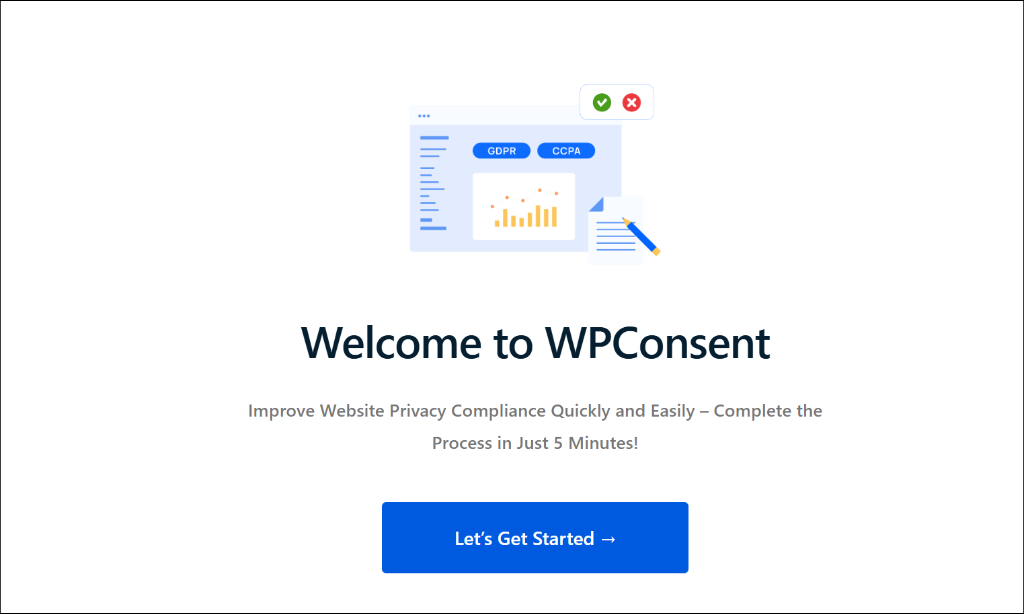
From there, the wizard walks you through choosing your banner layout, setting your privacy law preferences, and customizing the appearance. The whole process took me under five minutes, and the banner was live on my site without touching a single line of code.
After setup, the WPConsent dashboard is clean and easy to navigate. Everything you’d want, like the scanner, cookie banner editor, consent logs, geolocation rules, and other settings, is right there inside your WordPress admin.
There’s nothing external to log into, no separate account to manage. It feels exactly like a native WordPress plugin should.
CookieYes — Ease of Use
CookieYes also offers a solid setup experience and is beginner-friendly. Installing the plugin takes just a few clicks from the WordPress dashboard, and the initial configuration is straightforward.
Where things get slightly more complicated is the connection step. To access most of CookieYes’s features, you need to connect the plugin to the CookieYes web app and create an external account.
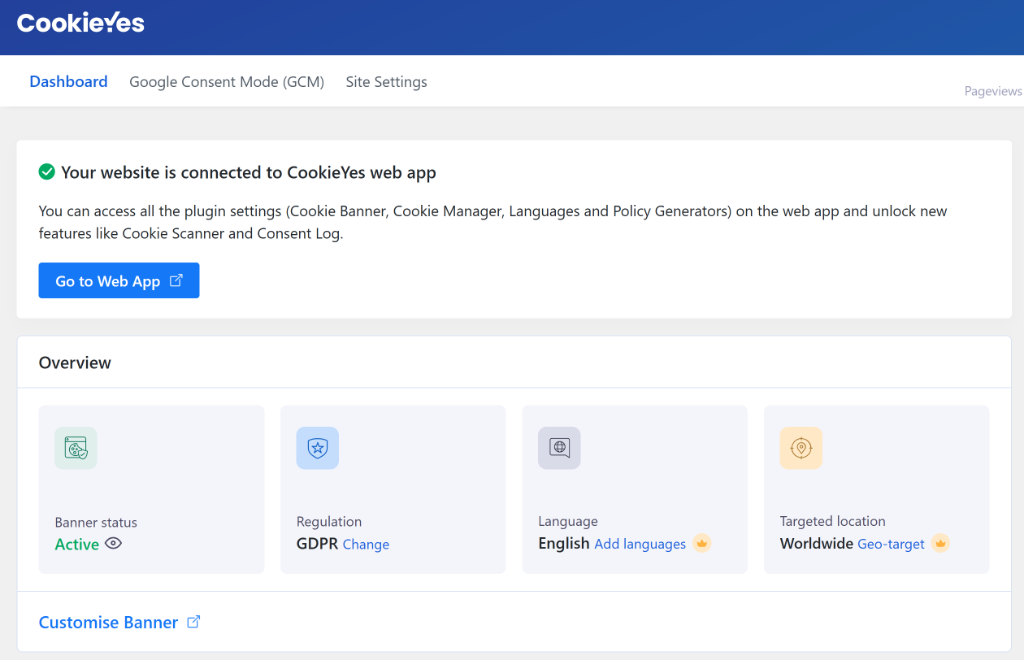
For some users, that’s a seamless experience. But for others, especially those who prefer to keep everything inside WordPress, it adds a layer of friction they weren’t expecting.
For example, every time you need to change a color or check a log, you leave WordPress. If you manage sites for clients, you end up juggling multiple logins for multiple external accounts.
Once you’re connected, the web app dashboard is polished and well-organized. It’s clearly designed for non-technical users. The cookie scanning, banner customization, and consent log features are all accessible from the app interface.
That said, you’re now managing your cookie consent from two places. This includes your WordPress dashboard and an external SaaS platform, which takes a bit of getting used to.
Verdict:
Both plugins are accessible to beginners and don’t require any coding knowledge. But WPConsent wins this round for the simpler, more streamlined experience. The automatic cookie detection during setup is a genuine time-saver, and keeping everything inside WordPress means one less account, one less dashboard, and one less dependency to worry about.
2. Script and Cookie Blocking Efficiency
Scanning for cookies is step one. Actually stopping them from firing before a visitor gives consent is where the real compliance work happens. If your plugin displays a banner but lets tracking scripts load in the background anyway, then your site might be at risk.
This is one of the most important things to get right, so I looked closely at how each plugin handles automatic blocking.
WPConsent — Script & Cookie Blocking
WPConsent automatically blocks a wide range of third-party tracking scripts from loading until a visitor gives consent.
This includes services such as Google Analytics, Facebook Pixel, Google Ads, WooCommerce tracking, and more. The blocking rules are pre-configured based on what the scanner detects, so in most cases, you don’t have to do anything manually after setup.
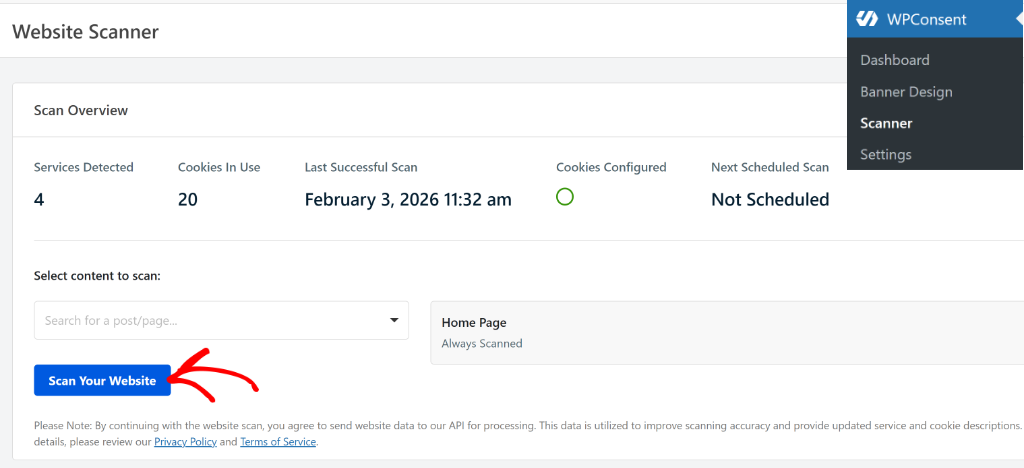
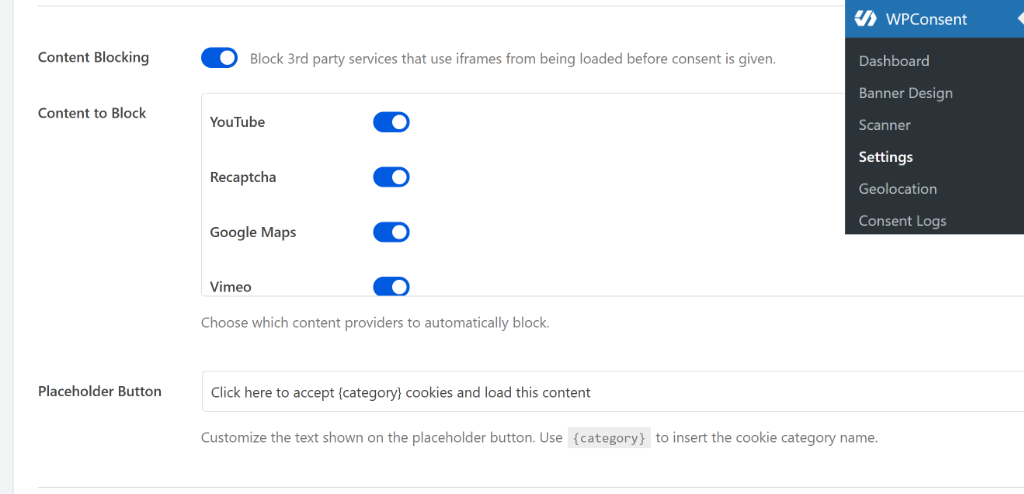
Beyond scripts, WPConsent also blocks embedded content. If you have YouTube videos, Vimeo embeds, Google Maps, or reCAPTCHA on your site, WPConsent will prevent those from loading until consent is given.
All this is done through the Content Blocking feature in WPConsent. You can simply enable the services that you’d like to block by clicking the toggle.
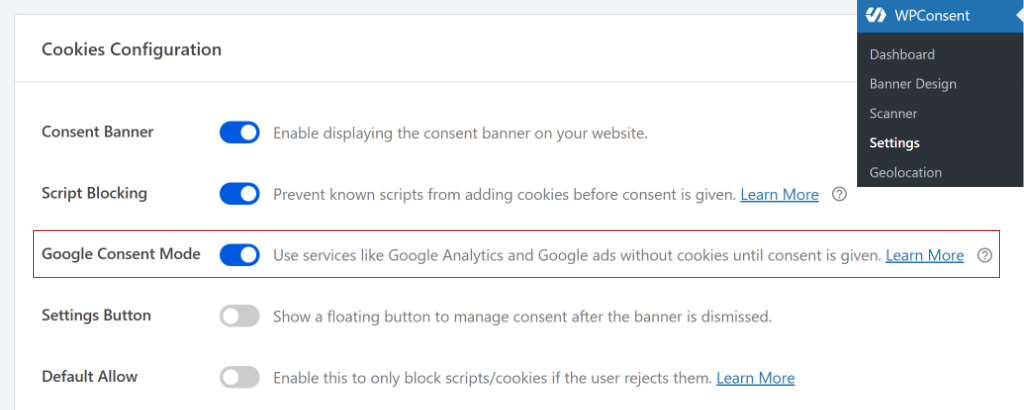
For sites running Google Tag Manager, WPConsent works seamlessly with GTM so that consent signals are passed through to all the tags inside the container.
It supports Google Consent Mode v2 natively, whether you’re loading Google scripts through a plugin like MonsterInsights, WPCode, or directly through GTM.
If you have custom scripts that the scanner doesn’t recognize, you can manually add them to the block list. WPConsent lets you block custom scripts and iframes, so no cookies are added before consent.
CookieYes — Script & Cookie Blocking
CookieYes handles automatic script blocking well and covers the most commonly used third-party services. Once consent categories are configured, it prevents scripts in those categories from firing until the user opts in.
It integrates with Google Tag Manager and supports Google Consent Mode v2, so your analytics and Google advertising tags respond correctly to whatever a visitor chooses.
For California visitors, it also handles the “Do Not Sell” requirement automatically, which is part of its CCPA compliance coverage.
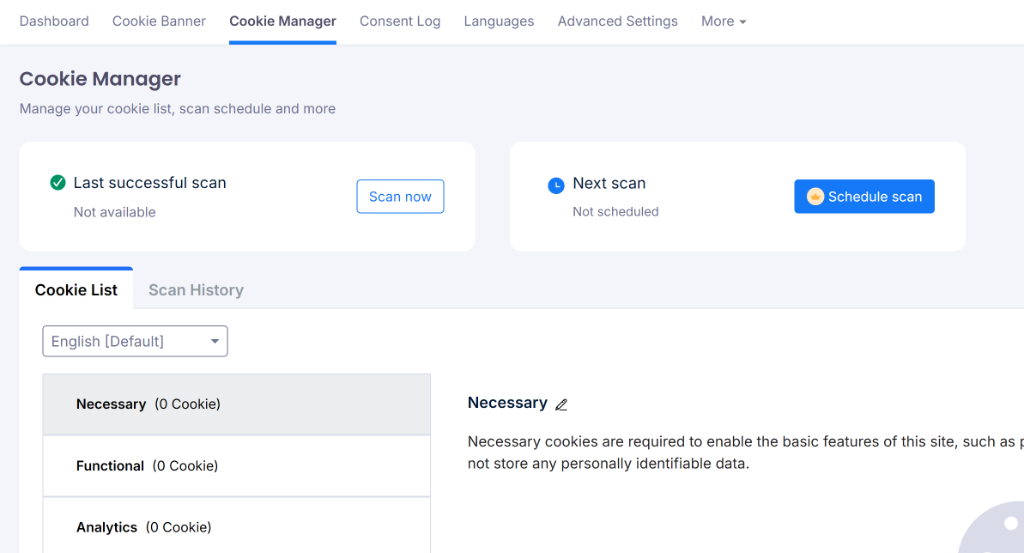
One thing to be aware of is that CookieYes’s more advanced blocking configurations, which include some geo-targeted blocking rules and deeper GTM controls, are managed through the external web app rather than your WordPress dashboard.
Another thing I noticed is that CookieYes is a client-side tool. It has to load itself first, then try to stop other scripts from loading. On the other hand, WPConsent catches them earlier in the chain, making it easier to block third-party cookies on your website for better compliance.
That’s not a dealbreaker, but it does add a step compared to managing everything from within WordPress.
Verdict:
Both plugins block the scripts that matter for most WordPress sites, and both support Google Consent Mode v2.
WPConsent goes a step further with embedded content blocking. This is a feature that CookieYes doesn’t match. For sites with a lot of embedded content, that’s a meaningful practical difference. Plus, you can also manually block scripts and iframes using WPConsent.
If your site runs a fairly standard set of analytics and marketing scripts, both plugins will serve you well here. But WPConsent’s broader blocking coverage and being a fully self-hosted plugin give it the edge.
3. Compliance Features
A cookie consent plugin needs to do more than just show a banner. It needs to actually keep you on the right side of the privacy laws that apply to your site. And those laws vary depending on where your visitors are coming from.
Here’s how WPConsent and CookieYes compare on the compliance features that matter most.
WPConsent — Compliance Coverage
WPConsent covers all the major global privacy regulations out of the box, such as GDPR, CCPA, and LGPD (Brazil). Plus, you can also configure cookie consent for other laws such as PIPEDA (Canada), ePrivacy Directive, and more.
The best part about using WPConsent is its Geolocation rules, which let you show different banners to visitors based on their location.
For example, EU visitors see an opt-in banner, California visitors see an opt-out banner or “Do Not Sell My Personal Information” link, and visitors from regions with no active requirements can be shown a simplified notice or none at all.
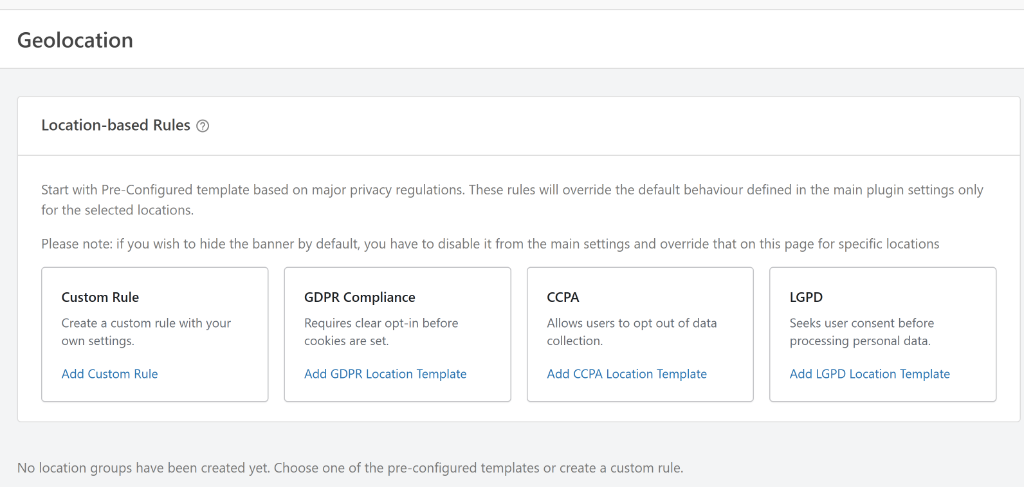
On the technical compliance side, WPConsent is IAB TCF v2.3 verified, which matters if your site works with advertising networks or programmatic ad platforms that require a verified Consent Management Platform.
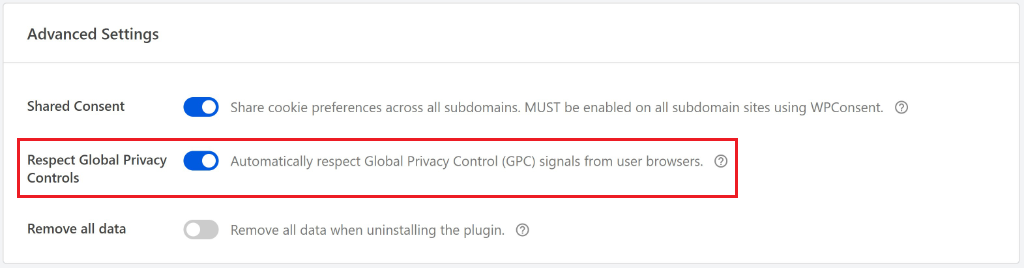
It also supports Global Privacy Control (GPC), which automatically honors browser-level opt-out signals. IT is an increasingly important requirement under laws like the CCPA.
Google Consent Mode v2 is fully supported and works regardless of how you’re loading your Google scripts. Whether it is through a plugin like WPCode or Google Tag Manager.
WPConsent also has a dedicated “Do Not Sell” addon for CCPA compliance, and recently added Canadian provincial geolocation support to handle Quebec’s Law.
Besides that, WPConsent offers AI-powered translations for 70+ languages if you don’t use a translation plugin. Plus, it works with popular plugins such as WPML, Polylang, and TranslatePress. If your site is already translated, your banner matches automatically.
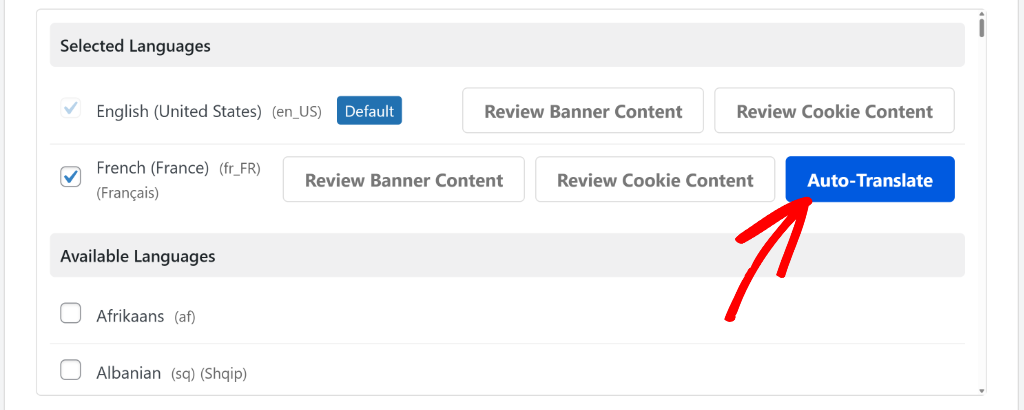
You can see our guide on how to set up multi-language cookie consent banners for more details.
CookieYes — Compliance Coverage
CookieYes covers a similarly broad range of privacy regulations, including GDPR, CCPA, LGPD, PIPEDA, UK GDPR, and ePrivacy. Geo-targeting is available on paid plans, allowing you to show region-specific banners to visitors based on their location.
One area where CookieYes has an edge is its IAB TCF support. It’s certified for IAB TCF v2.3, the latest version of the framework, while WPConsent is currently verified for v2.2.
For most WordPress sites, this distinction won’t matter day to day, but if you’re running a publisher site that works with a large number of ad vendors, the newer version of the framework offers more granular consent signaling.
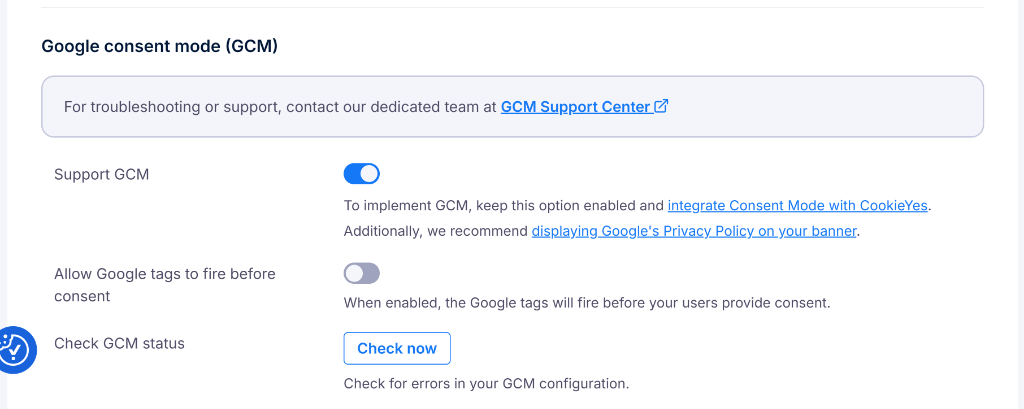
CookieYes is also a Google-certified CMP, and it supports Google’s Additional Consent Mode for managing consent with Google Ad Tech Providers that fall outside the standard IAB Global Vendor List.
Consent data is stored on EU-based servers, which satisfy GDPR’s data transfer requirements. But it does mean your data lives outside your own infrastructure.
Verdict:
Both plugins cover the regulations that most WordPress site owners need to worry about. For the vast majority of sites, like blogs, business sites, and WooCommerce stores, WPConsent’s compliance coverage is comprehensive and more than sufficient.
CookieYes has a narrow technical edge with IAB TCF v2.3 support, which is relevant for larger publisher and advertising-focused sites.
But WPConsent counters with self-hosted consent storage and Global Privacy Control support, both of which are important as privacy standards continue to evolve. For most users, WPConsent’s compliance features cover everything they need and keep that data under their own roof.
4. Banner Customization & Design
Your cookie consent banner is one of the first things visitors see on your site. A banner that looks out of place, feels intrusive, or interrupts a checkout flow at exactly the wrong moment can cost you conversions, before a visitor has even clicked accept or decline.
Good customization isn’t just about aesthetics. It’s about showing the right message to the right visitor at the right time, in a way that feels native to your site.
Here’s how WPConsent and CookieYes compare.
WPConsent — Banner Customization
WPConsent gives you a lot of control over how your banner looks and behaves, all from inside your WordPress dashboard.
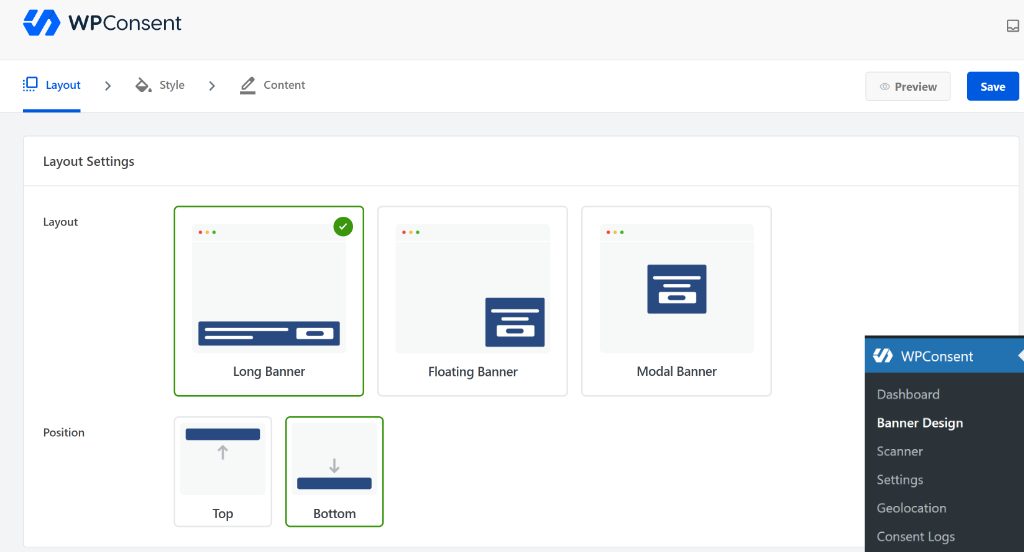
You can choose from multiple layouts, bottom bar banners, popup modals, and widget-style notices, and position them wherever they make the most sense for your site’s design.
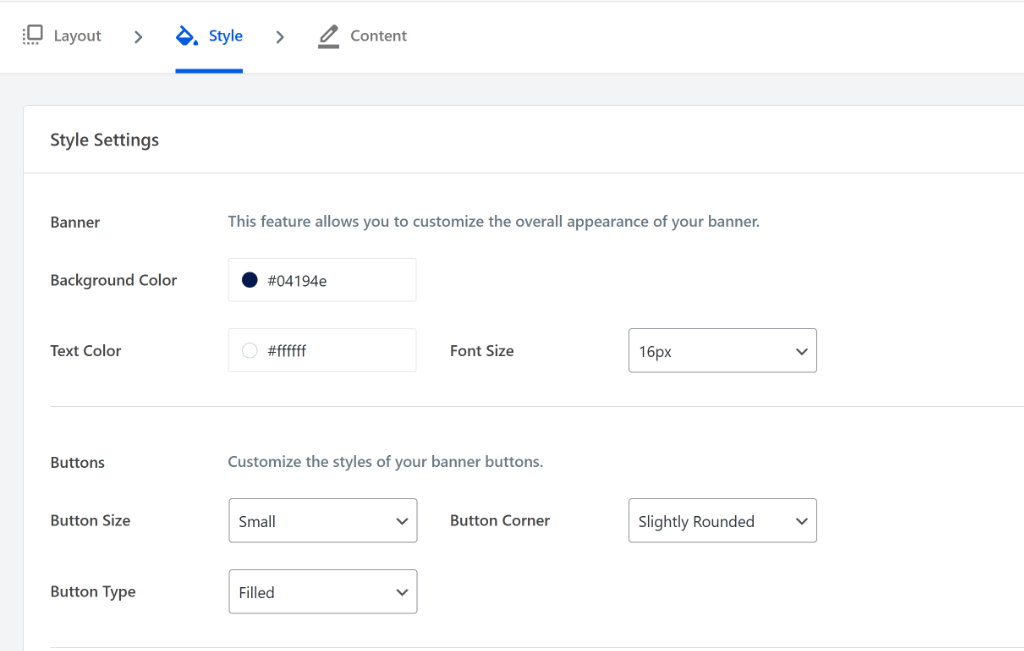
The style editor lets you adjust background color, text color, font size, and button styles to match your branding.
You can also add your logo to the banner for a more polished, professional look. And because there’s a live preview directly inside the WordPress admin, you can see exactly what the banner will look like before it goes live.
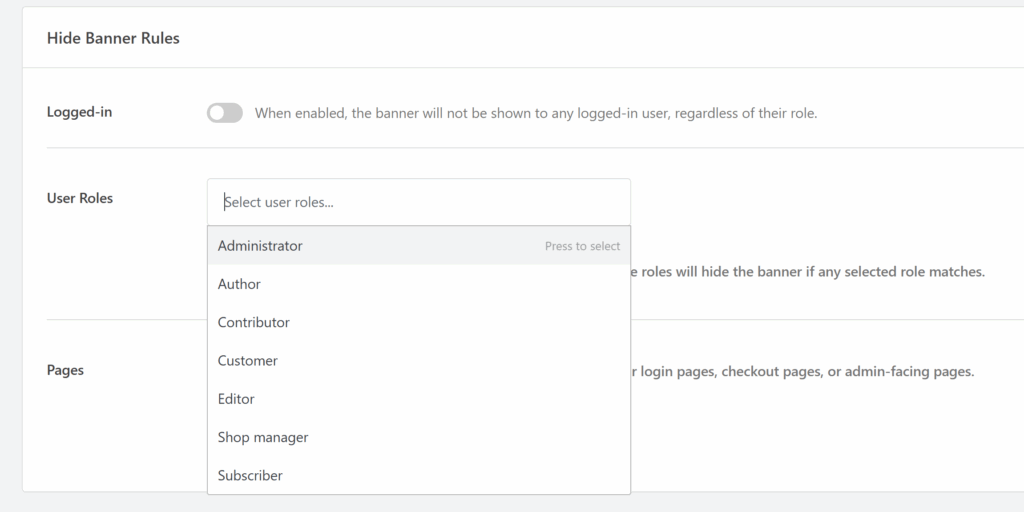
One feature that stands out is the advanced display rules. You can control exactly which pages the banner appears on, hide it from logged-in administrators and editors (so you’re not clicking “Accept” every time you visit your own site).
You can even suppress it on specific pages like your checkout or cart pages, where a popup is the last thing you want interrupting a customer about to make a purchase.
CookieYes — Banner Customization
CookieYes offers solid banner customization through its web app interface. You can choose from pre-built templates, adjust colors and fonts, and customize the text shown in the banner and the preference center. It also supports custom CSS for users who want more design control beyond the built-in options.
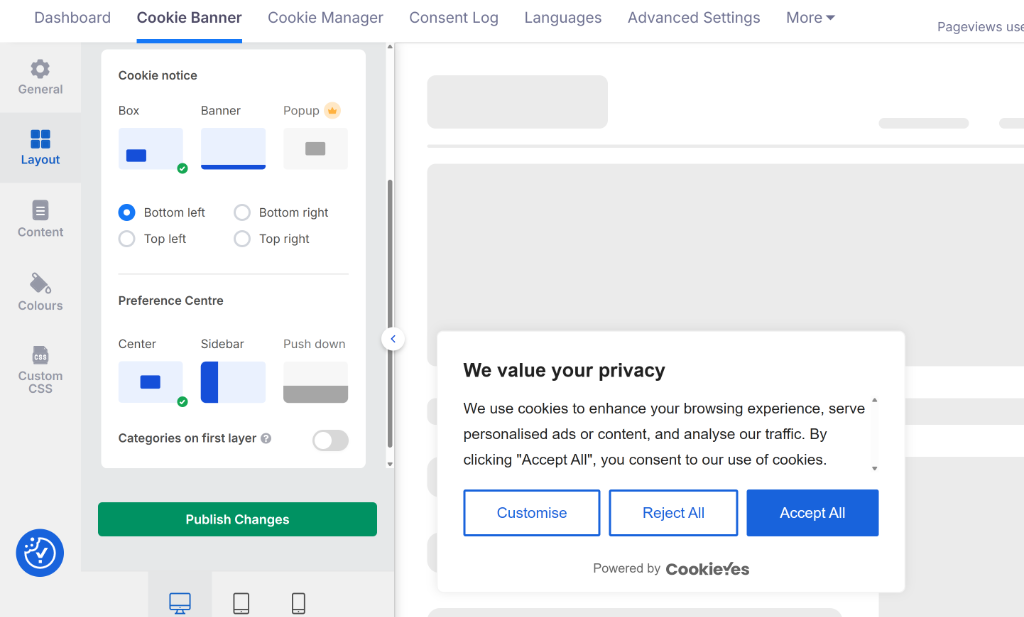
The banner layouts cover the standard options, such as top and bottom bars, popups, and a floating widget that lets visitors withdraw or update their consent at any time. Page-specific controls are available to disable the banner on certain pages, such as login or checkout screens.
Where CookieYes falls slightly short is that most of the design customization happens inside the external web app rather than your WordPress dashboard. If you’re someone who prefers to manage everything in one place, that context-switching adds a bit of friction to what should be a straightforward task.
Verdict:
Both plugins give you enough control to create a banner that looks at home on your site. But WPConsent pulls ahead with the live preview inside WordPress, making the design process faster and more intuitive.
So, if you want to go beyond just being compliant and actually optimize your banner for higher consent rates, WPConsent is the better tool for the job.
5. Pricing Comparison
Pricing is where these two plugins start to look very different. Not just in the numbers, but in the underlying model. One charges a flat annual fee with no traffic limits. The other charges per domain per month, with pageview caps that scale as your site grows.
Here’s a breakdown of what each plugin actually costs.
CookieYes Pricing
CookieYes has a free plan, but it comes with a hard limit of 5,000 pageviews per month, which most active sites will hit quickly. Once you cross that threshold, you’ll need to upgrade to a paid plan.
CookieYes operates on a “tax your success” model. They charge based on pageviews per month:
- Basic: $10/month with 600 pages scanned (100,000 pageviews/month)
- Pro: $25/month with 4,000 pages scanned (300,000 pageviews/month)
- Ultimate: $55/month with 8,000 pages scanned (unlimited pageviews/month)
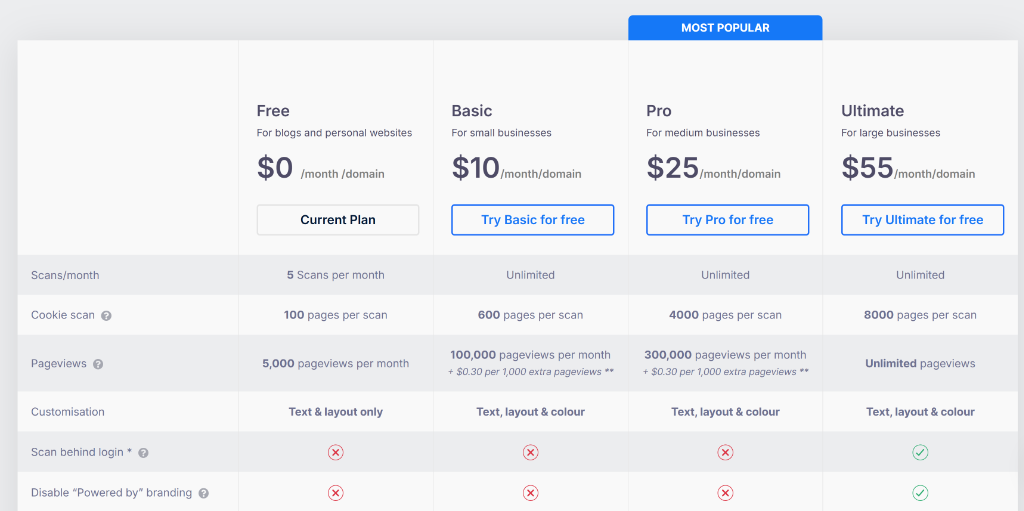
A few things worth noting while I was comparing the plugin were that the Geo-targeting feature, which is one of the most important compliance features for sites with international visitors, is locked behind the Pro plan at $25/month.
The Basic plan at $10/month also caps you at 100,000 pageviews, with overage charges of $0.30 per 1,000 extra pageviews if you go over. And CookieYes branding on your banner can only be removed on the Ultimate plan at $55/month.
WPConsent Pricing
WPConsent also offers a free version that’s available on WordPress.org. It includes the core features most sites need: a customizable cookie banner, automatic script blocking, and the website cookie scanner. And the best part is that it comes with no pageview limits and no time restrictions.
That said, the best part about WPConsent is that even its paid plan includes unlimited page views and unlimited website scans. Plus, you get geolocation display rules, consent logs, multilanguage setup, Google Consent Mode v2, IAB TCF v2.3, and Global Privacy Control.
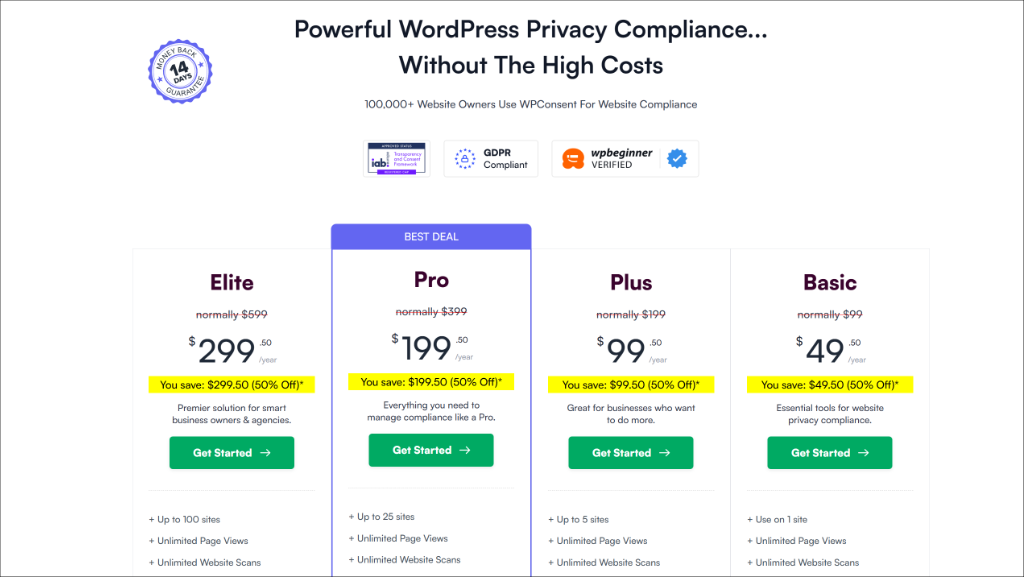
Here’s a breakdown of the 4 pricing plans:
- Basic: $49.50/year for 1 site, unlimited pageviews, standard support
- Plus: $99.50/year for 5 sites, unlimited pageviews, standard support
- Pro: $199.50/year for 25 sites, unlimited pageviews, priority support
- Elite: $299.50/year for 100 sites, unlimited pageviews, premium support
Verdict:
The difference in pricing philosophy comes down to this: WPConsent charges a flat annual fee per license with no traffic limits, while CookieYes charges monthly per domain with pageview caps that push you into higher tiers as your site grows.
For a single site with moderate traffic, CookieYes’s Basic plan at $10/month is already more expensive than WPConsent’s Basic plan at $49.50/year. And that’s before accounting for the features locked behind the Pro tier. For agencies or developers managing multiple sites, the gap widens even further.
WPConsent’s pricing is simpler, more predictable, and ultimately better value for the majority of WordPress site owners.
Note: If you’re weighing options beyond WordPress-specific tools, ConsentLayer is a script-based consent manager worth a look.
It’s not a WordPress plugin, but it covers GDPR/CCPA/LGPD rules and has a free tier for smaller sites. For WordPress specifically, WPConsent remains the simpler, self-hosted choice.
FAQs about WPConsent vs CookieYes
1. Is WPConsent actually free?
Yes. The free version covers one site with full compliance features (scanning, banners, and script blocking). You only pay if you need geolocation, multi-site support, or priority help. CookieYes’s free tier is severely limited by page count.
2. Why does self-hosting matter for privacy?
With SaaS tools like CookieYes, your user consent data lives on their cloud servers. You are trusting a third party. With WPConsent, that data stays in your WordPress database. You own it, you control it, and you decide how long to keep it.
3. What happens to my logs if I cancel?
If you cancel CookieYes, you lose access to your logs unless you have exported them. With WPConsent, the logs are in your database. Even if you delete the plugin, you can export your data first.
WPConsent vs CookieYes: Which is the Best?
CookieYes is a capable tool. If you are building a site on Squarespace or a custom React app, it’s a great choice. But if you are on WordPress? CookieYes is solving problems you don’t have while charging you for traffic you earned.
You don’t need a “platform-based” dashboard. You need a tool that actually works with your plugins. You don’t need another monthly subscription that goes up when your blog goes viral.
WPConsent gives you the enterprise features, like script blocking, Consent Mode v2, geo-targeting, and more, without the SaaS overhead. You pay once a year, and the price stays locked regardless of how many people visit your site. It’s faster, lighter, keeps your data where it belongs, and costs less over time.
I hope this article helped you learn about the comparison between WPConset vs CookieYes. You may also want to see our comparison between WPConsent vs Complianz and how to audit your WordPress site for cookie compliance.
If you liked this article, then please follow us on X (formerly known as Twitter). You can also leave a comment below if you need any assistance.