![[NEW] WPConsent 1.1.6: Designed Cookie Policy Pages, Updated Google Consent Mode V2 & Smarter Consent Records](https://wpconsent.com/wp-content/uploads/2026/05/wpconsent-1.1.6.png)
You’ve been generating your cookie policy with a single shortcode. It takes two seconds, always up to date. But what if you want the output to look like it was designed to be a part of your website?
That changes today. Say hello to WPConsent 1.1.6!
The latest release ships with an amazing upgrade that makes your cookie policy look designed from day one.
Besides that, you also get updated Google Consent Mode v2 support so your analytics and ad tracking stay accurate, and richer consent records that remember exactly what each visitor was shown, even after you’ve edited your banner.
Let’s dive into the details!
Cookie Policy Pages Styled Out of the Box
Have you ever previewed your cookie policy page right after adding the shortcode and thought, “this still needs some work”?
With WPConsent 1.1.6, that is no longer the case.
The category headings, service blocks, and cookie tables now come pre-styled out of the box. Clean spacing, proper column headers, and a layout that actually feels like it belongs to your site, without writing a single line of CSS.
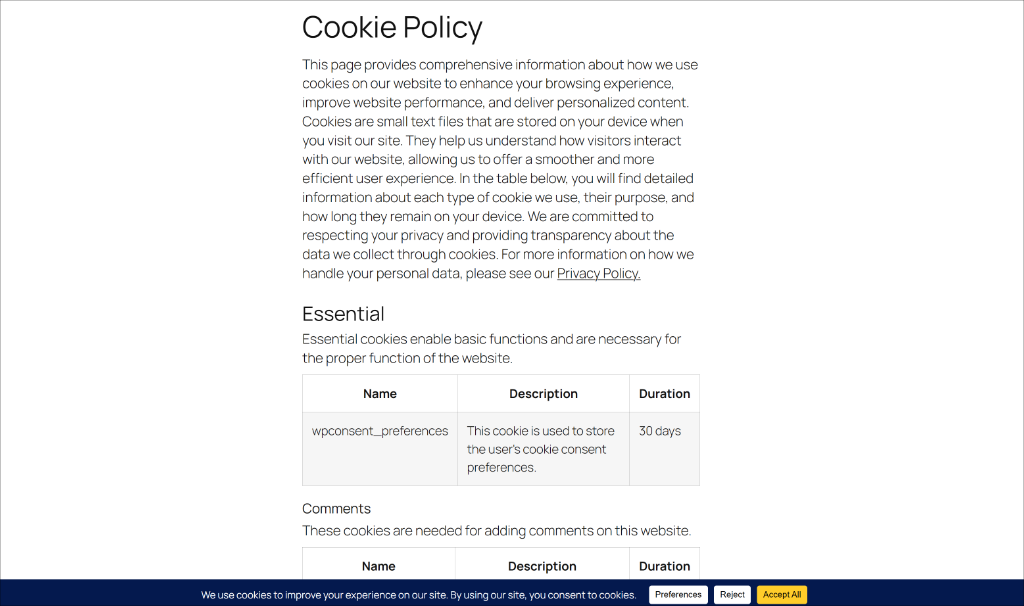
The best part? Your theme still wins. Every style is written with zero specificity, so if your theme already has rules for tables, headings, or links, those rules take over automatically.
No clashes, no surprises. Just a cookie policy page that looks good the moment you update.
Google Consent Mode v2 Full Signal Support
If you run Google Ads or Google Analytics, Consent Mode v2 is how Google keeps your measurement working even when visitors decline tracking.
WPConsent now sends five consent signals, including personalization_storage, which we’ve added in this release. This way, the setup stays aligned with Google’s current spec.
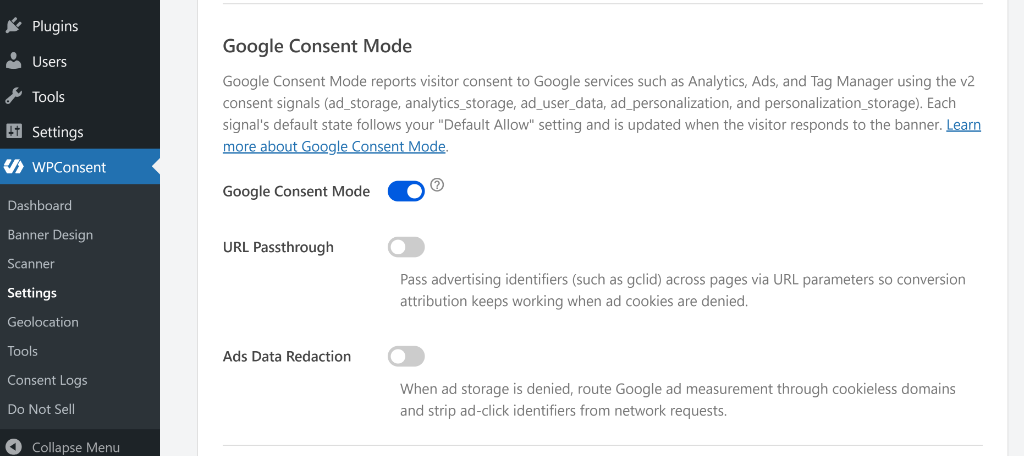
This release also introduces two new toggles in the Google Consent Mode section under WPConsent » Settings.
- URL Passthrough — Keeps Google Ads conversion tracking working for visitors who declined ad cookies by passing campaign identifiers through the URL instead of a cookie. Useful if you run paid traffic and don’t want to lose attribution on consent-denied sessions.
- Ads Data Redaction — When ad storage is denied, this strips ad identifiers from network requests and routes measurement through cookieless domains. A cleaner setup for sites that want minimal data sharing while still using Google Ads.
Both toggles gray out automatically if Consent Mode is off. So, there’s no way to accidentally enable them without the master switch on.
Consent Records That Remember What Visitors Actually Saw
Have you ever updated your banner copy or added a new category and wondered what a consent record from three months ago actually captured?
Before this release, every record could only be read against the banner that is live today, not the one the visitor actually saw.
That changes with WPConsent 1.1.6. Pro users can now see that each consent record travels with the full context of the banner that was shown when the visitor responded. On the Consent Logs page, a new Banner Context column shows an eye icon on each row.
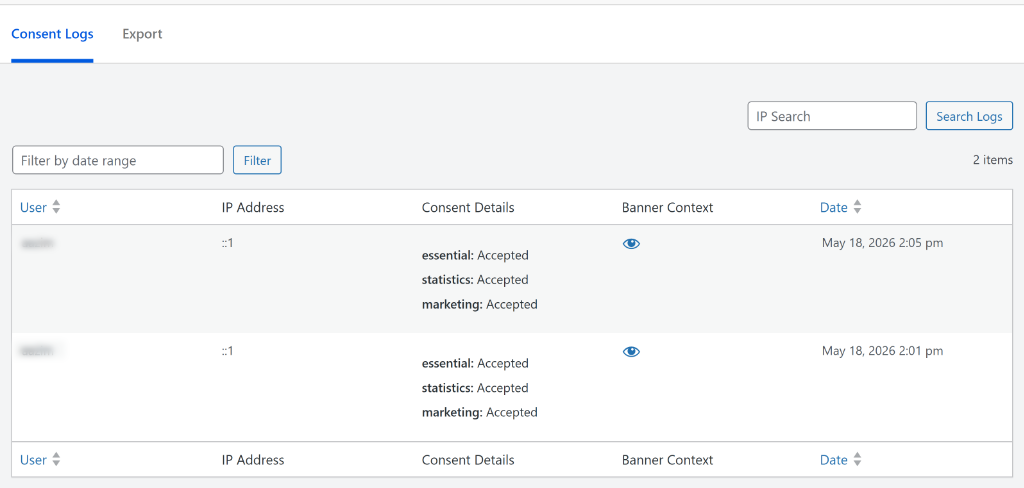
When you click it, a quick read-only view of that banner opens right there, without navigating away from the page.
You get to see details like the banner message, language, buttons, and cookie category details.
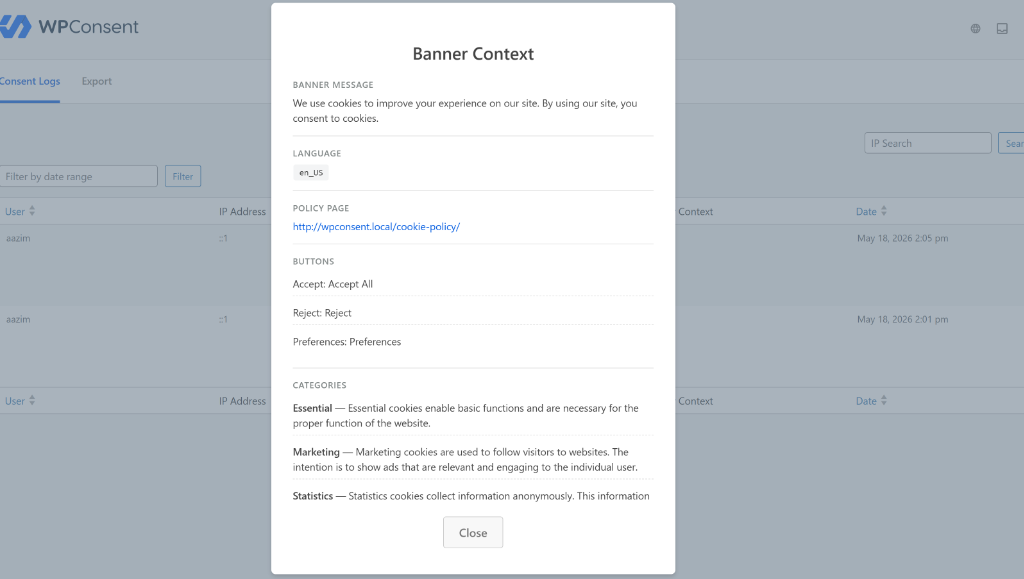
With this feature, you can update your banner at any time without losing context on past records.
And the best part is that the CSV export picks up the new context too, with a full JSON column for site owners who want everything in their own systems. For records captured before this release, the Banner Context column shows “Not available.” Nothing migrates and nothing breaks.
That said, WPConsent 1.1.6 is now available for all users on both the Lite and Pro versions.
I highly recommend updating to version 1.1.6 today. The cookie policy styling is ready the moment you update, and the Google Consent Mode additions keep your measurement setup current with Google’s latest specification.
As always, thank you for helping us make WPConsent better with your feedback. If you have any questions or run into anything after updating, our team is always happy to help.