Every visitor who accepts your cookie banner adds one more row to your consent log. Six months in, that table is thousands of rows deep. A year in, deleting from it starts to hurt.
I heard exactly that from a WPConsent user.
They’d built their own workaround to purge old consent logs, and it kept timing out as the table grew. It shouldn’t take custom code to clean up your consent logs.
Today, WPConsent 1.1.8 adds automatic consent log cleanup.
Set a retention window once, and old logs clear out on their own every week. Nothing to remember or run by hand. It’s off by default, so nothing changes unless you turn it on.
The rest of the release follows the same idea: making WPConsent more accurate about what it stores, reports, and shows.
What WPConsent reports to other consent plugins. The wording publishers see under the IAB framework. And two fixes that make WPConsent behave more as you configured it to.
What’s in WPConsent 1.1.8
Here’s what changed:
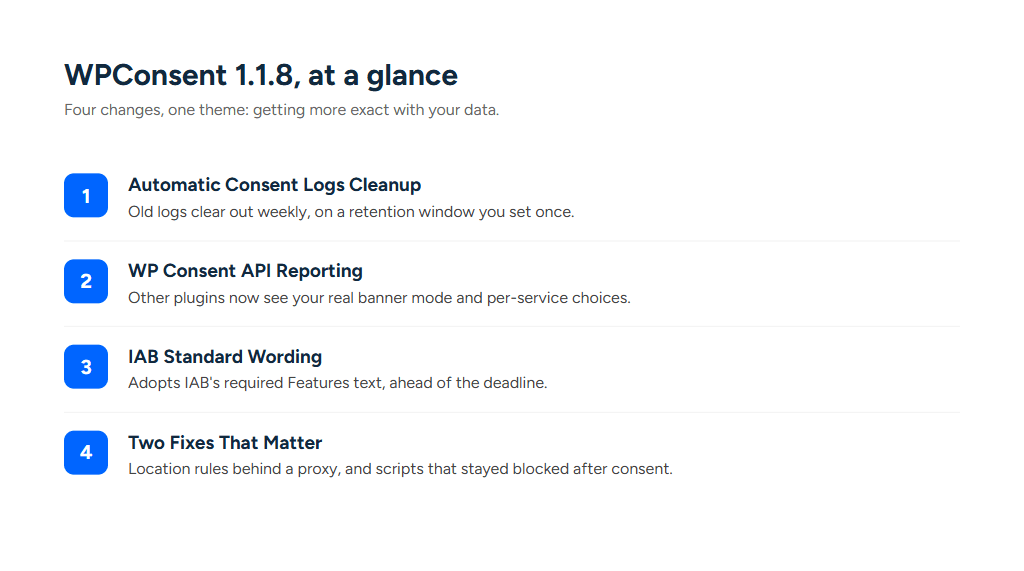
- Automatic Consent Logs Cleanup: A retention window that trims old logs weekly, without you lifting a finger.
- WP Consent API reporting: WPConsent now tells other plugins whether your banner is opt-in or opt-out, plus each visitor’s per-service choices.
- IAB standard wording for Features: TCF Policy v5.0.b calls for IAB’s standard Features text. Sites running the framework now use it automatically.
- Two fixes worth knowing about: Location-based rules behind a proxy, and scripts that stayed blocked after consent.
We’ll walk through each one, starting with the one that started this whole release.
| Without Automatic Cleanup | With Automatic Cleanup |
|---|---|
| Logs are kept indefinitely by default | You set the window, 3 months to 2 years |
| Clearing them is a manual job you have to remember | Runs weekly on its own |
| Large tables time out mid-delete | Deletes 1,000 at a time, picks up where it stopped |
| You judge what is safe to remove | Confirms with a live count before deleting |
| Cleanup code is yours to maintain | Nothing to maintain |
Automatic Consent Logs Cleanup
Consent logs exist so you can prove, later, that someone actually agreed to your cookie banner. That’s the point. Nobody goes back and reads a log from 14 months ago, though.
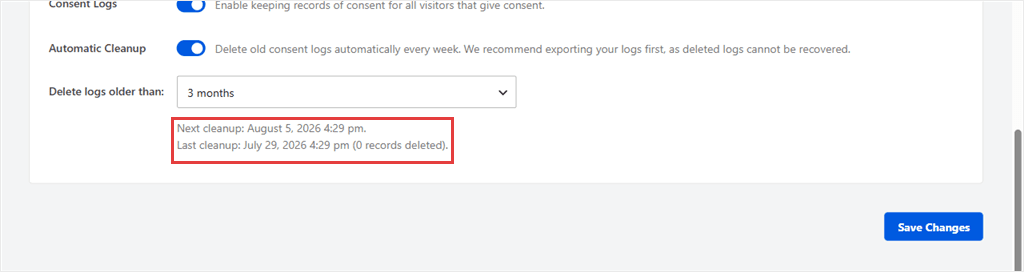
WPConsent now lets you set how long logs stick around, from 3 months to 2 years. It clears out anything older on its own every week.

I tested this myself.
My site had 100 consent log entries going back five years, so I turned cleanup on and watched what happened. The setting sits right under “Consent Logs” on the Settings tab. Flip it on and a retention picker appears.

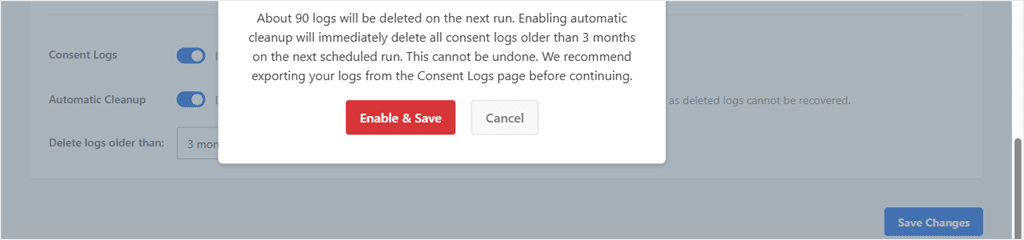
Here’s the part we were most careful about. Deleting a consent log is permanent.
There’s no backup, no undo. So before anything gets deleted, WPConsent asks you to confirm, and tells you roughly how many logs the next run will actually remove.
💡 WPConsent Tip
As a safety net, you can export your consent logs as a CSV first. Pick a From and To date, click Export, and WPConsent downloads everything in that range for your own records before you clean anything up.
Your dashboard will show your own number, calculated fresh each time you change the setting.
I checked straight after. 90 logs gone, 10 left, exactly as promised.
Keep consent records as long as you need them, and no longer. Where that line sits is your call.
⚠️ Automatic Cleanup is focused on one job: managing your consent logs. It doesn’t change or optimize anything else in your database.
✅ Here’s what happens on a site with years of old consent logs: WPConsent deletes up to 1,000 records per run, with each cleanup job capped at 20 seconds. If there’s more to remove, it simply picks up where it left off the next time it runs until the backlog is gone.
Other Plugins Now Read Your Banner Correctly
WPConsent integrated with the WP Consent API, the shared standard other plugins use to check whether a visitor consented to something.
In 1.1.8, that integration goes further.
WPConsent now tells those plugins whether your banner runs opt-in or opt-out. They match your setup instead of falling back to their own defaults.
Turn on per-service toggles, and each visitor’s accept or deny for a specific service gets reported too. A plugin can check one service by name now, instead of an entire category.
There’s nothing to set up.
Update WPConsent, and plugins that use the WP Consent API automatically get the extra information they need.
IAB Asked for This Wording. It’s Already In.
Version 5.0.b calls for a specific, standardized description of Features in your preferences modal.
WPConsent 1.1.8 adopts that standard text. It reads straight from the vendor list your site already fetches.
I enabled TCF on a test site and opened the preferences modal myself. The text above is what loaded, pulled live from the vendor list.
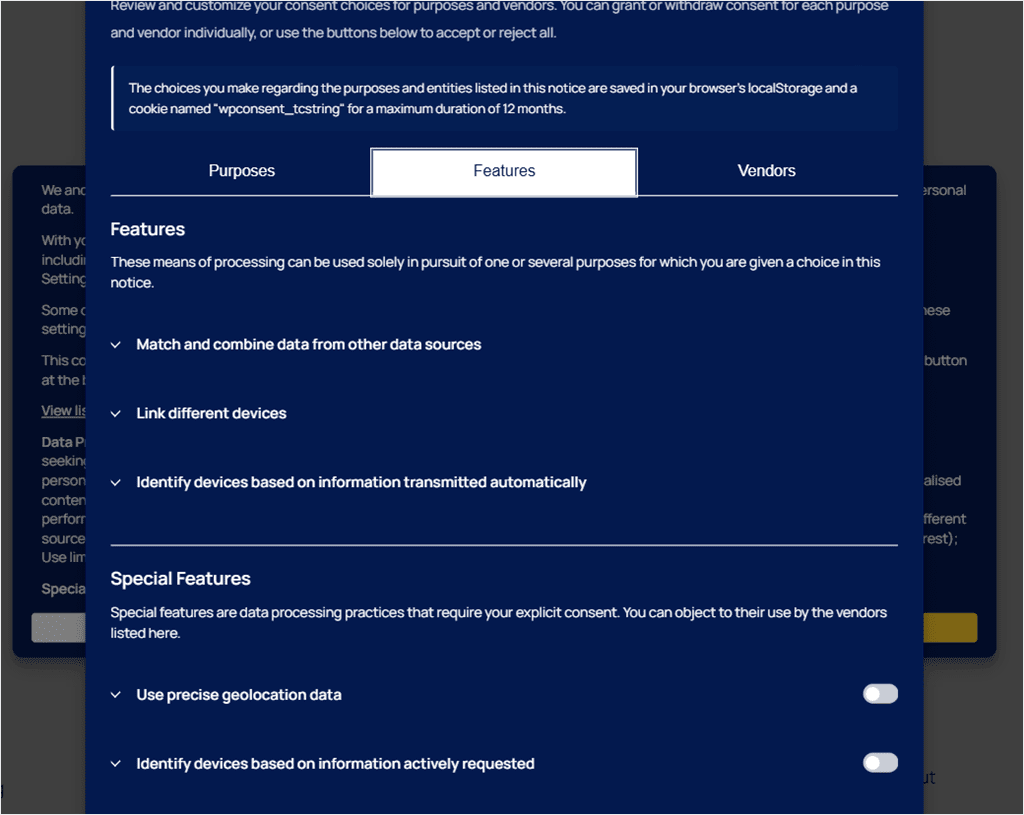
IAB only started shipping this text in the vendor list in July 2026. Web CMPs have until October 2026 to adopt it. WPConsent shipped it the same month it became available.
Because it comes straight from the vendor list, it arrives already translated in whatever languages IAB provides.
It updates itself whenever IAB revises the wording. If your cached vendor list hasn’t refreshed yet, WPConsent falls back to the previous text until it does.
This addresses one specific TCF policy requirement.
It keeps the wording in your Features section aligned with the official IAB vendor list, while the rest of TCF compliance remains your responsibility.
⚖️ Good to know
This covers one specific TCF policy requirement. Your Features wording now matches the official IAB vendor list. The rest of TCF compliance is still yours to handle.
Two Fixes Worth Knowing About
Location rules behind a proxy or CDN
WPConsent now does a better job identifying a visitor’s real IP address on sites behind proxies and CDNs. That means location-based banners work more reliably, including for visitors using IPv6 connections.
Scripts that stayed blocked after consent
Scripts now follow category consent more reliably. Even if a service name doesn’t exactly match our library, WPConsent applies the category’s consent instead. This helps services like reCAPTCHA behave as expected after visitors give consent.
We also polished a few everyday workflows in the WPConsent 1.1.8 update.
You can now save custom scripts and iframes without assigning them to a service. HTML formatting in custom banner messages survives when you edit a location group.
And a malformed translation can no longer prevent the WPConsent dashboard from loading.
Here is everything on the new release at a glance:
Getting Started
WPConsent 1.1.8 is another step toward making consent management simpler, more reliable, and easier to maintain.
If there’s something you’d like to see next, reach out and let us know. We read every suggestion, and many of our best improvements start with conversations like these.
Here’s how to get started:
- ✅ Update to WPConsent Pro 1.1.8
- ✅ Go to WPConsent → Settings and turn on Automatic Cleanup under Consent Logs
- ✅ Pick a retention window, from 3 months to 2 years
- ✅ Running TCF? Nothing to do. The Features tab updates itself once your vendor list refreshes
- ✅ Running the WP Consent API plugin? You’re covered automatically, no setup needed
If you’ve been meaning to clean up your consent logs and never got around to it, this is the version that does it for you.