Scanning for cookies on your WordPress site just got a whole lot easier. We’ve been listening to your feedback and are constantly working to make compliance easier and more automated for you.
That’s why I am excited to introduce WPConsent 1.1.4!
This update brings two powerful improvements: a significantly upgraded automatic scanner with email alerts, auto-updates, and scan history. Plus, the ability to manage content blocking settings for each of your geolocation rules individually.
Let’s dive into the details!
Auto Scanning Just Got a Lot Smarter
WPConsent’s automatic scanner already does a great job of detecting the services and cookies running on your site in the background.
And now it just got a lot more powerful with WPConsent 1.1.4!
Now, you can easily view records of previous scans, set up email alerts when a new service is detected, and automatically configure these new services.
Enable Auto Update Services & Email Notifications
Managing and tracking all the services that add cookies to your site can be tricky and time-consuming.
Wouldn’t it be great if you got an alert in your inbox about a new service being detected?
You can now enable email notifications so that WPConsent alerts you automatically whenever the scanner detects a new service on your site.
Simply head to WPConsent » Scanner from the WordPress dashboard and switch to the ‘Auto Scanning’ tab. From here, make sure to enable the Auto Scanning option.
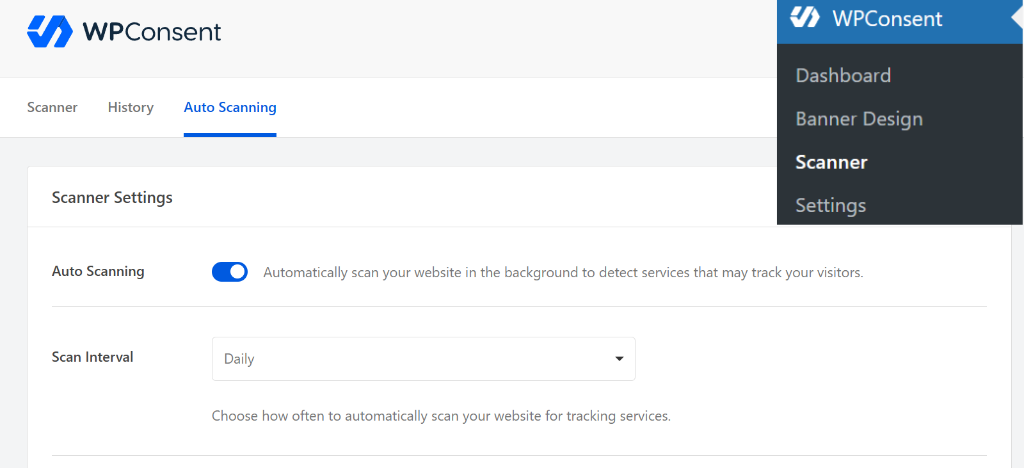
Next, you can scroll down and view the Auto-Update Services and Email Notifications section.
With the new Auto-Update Services toggle, WPConsent can now automatically add any newly detected services to your cookie configuration without any manual action on your part.
One important thing to note: the scanner only ever adds new services, and it never removes existing ones. This is by design, since some services may only load on pages that were not part of the scan.
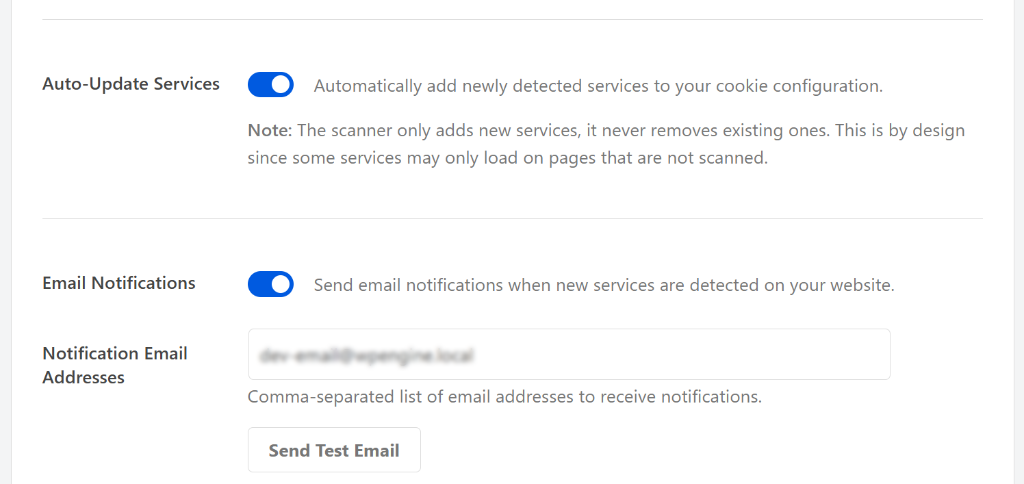
Next, you can enable the Email Notifications toggle and add your email address (or a comma-separated list of addresses) in the Notification Email Addresses field.
This way, you will never miss an important change again. You can even send a test email to confirm everything is working properly.
Pro Tip: For reliable delivery of scanner notifications, we recommend pairing WPConsent with WP Mail SMTP. You will find an easy install option right inside the scanner setting.
View Past Scan History
WPConsent now keeps a full record of every scan your site has run.
This is incredibly useful for compliance audits or just keeping tabs on how your site’s cookie usage evolves over time.
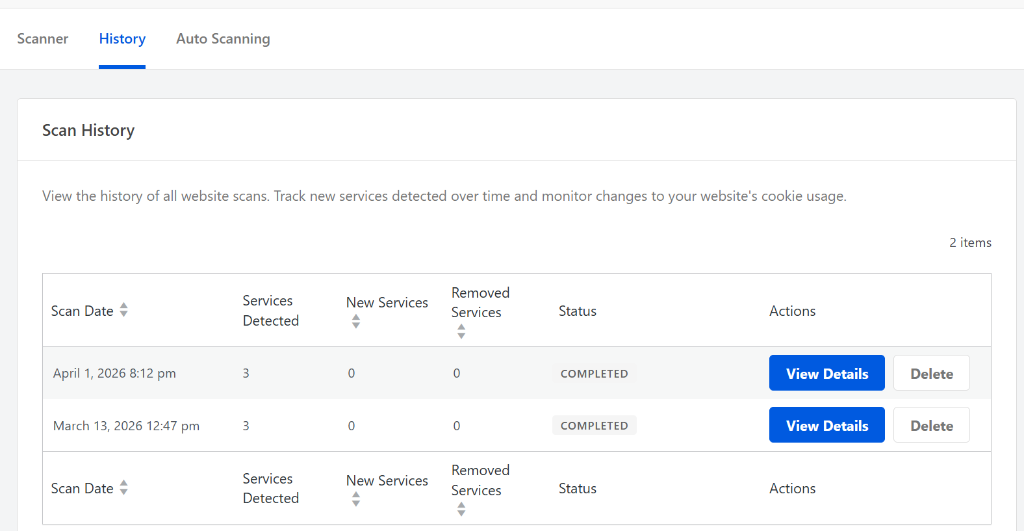
To view past scans, you can head to the History tab in the scanner. Here, you’ll see the date of each scan, how many services were detected, how many were new, how many were removed services, and the overall status.
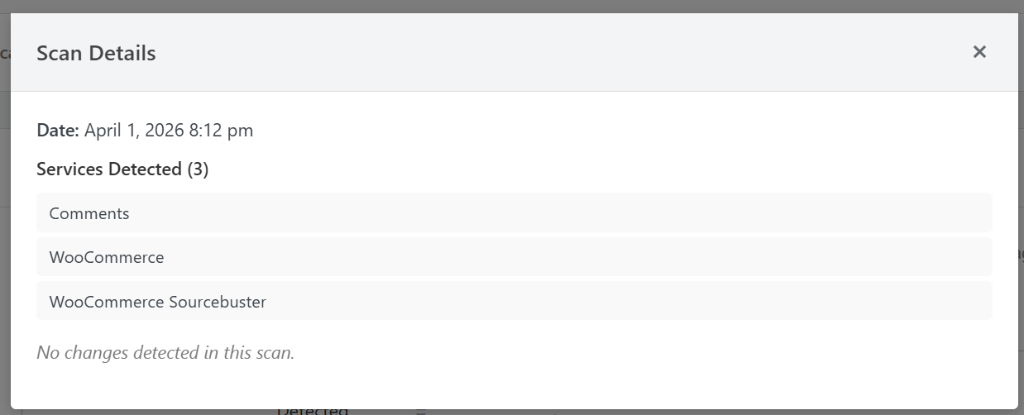
If you click the View Details button under the Actions column, a popup window will open.
In it, you’ll see the scan details, such as which new services were detected.
Geo-Targeted Content Blocking
WPConsent already lets you block third-party embedded content, like YouTube videos, Google Maps, Vimeo embeds, and reCAPTCHA until a visitor gives consent.
But until now, those content blocking settings applied to everyone, regardless of where they were visiting from.
With WPConsent 1.1.4, you can manage content blocking based on geolocation-group basis.
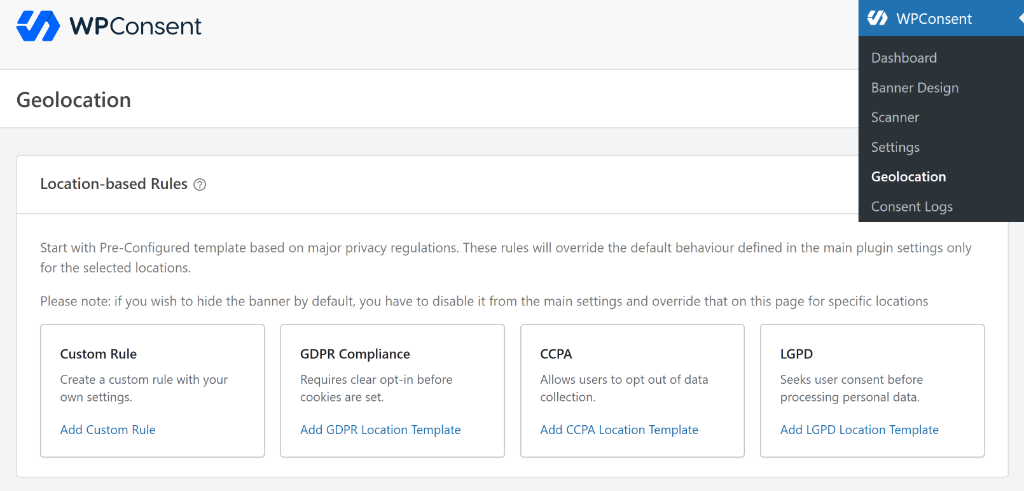
Simply head to WPConsent » Geolocation from the WordPress dashboard. From here, you can add a new rule or edit an existing one.
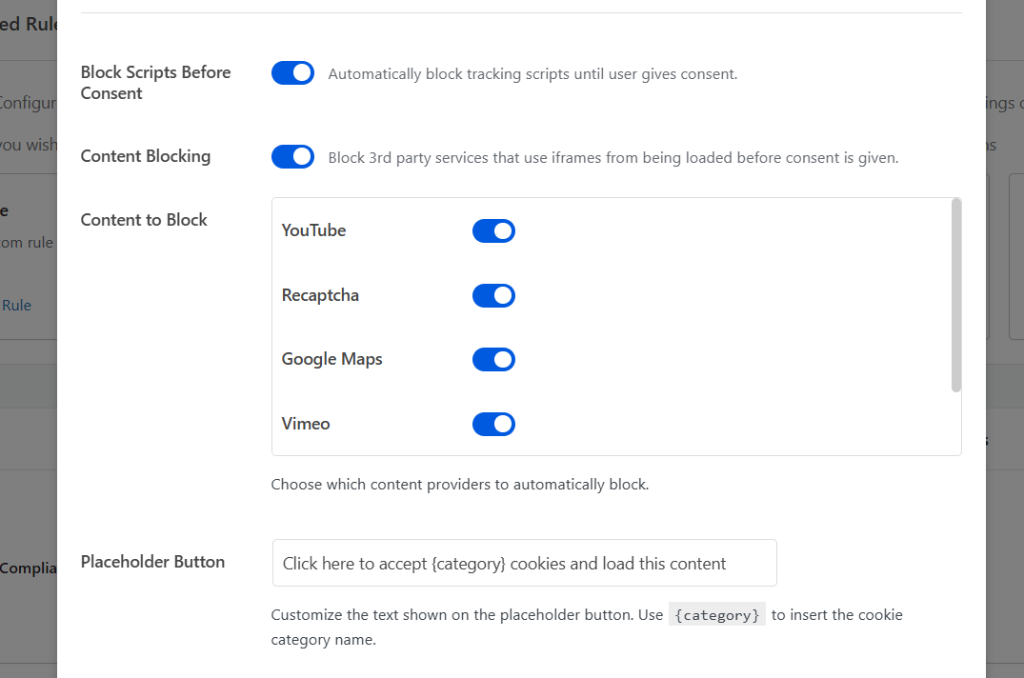
Next, you will see a popup window to edit the Location Group.
Simply scroll down to Content Blocking and then enable the services you want to block under the Content to Block section.
This means you can enforce content blocking for visitors from GDPR regions in Europe, while applying a lighter touch for visitors in regions with different requirements.
It is a simple toggle, but it gives you much more precise control over how your site behaves across borders, without complicating the experience for everyone.
That said, these new features and updates are available right now. I highly recommend updating WPConsent to version 1.1.4 to take advantage of the new scanner features and geo-targeted content blocking.
As always, thank you for helping us make WPConsent better with your feedback. If you have any questions, feel free to reach out!