TL;DR:
The best CookieYes alternative for WordPress is WPConsent. It’s free to start, stores consent data on your own server, and has no pageview cap. Complianz is best for users who want detailed compliance controls. Cookiebot leads for deep automatic scanning. All three support Google Consent Mode v2.
If you’re looking for a CookieYes alternative, you’re not alone.
CookieYes was, for a long time, one of the best Cookie Consent tools for WordPress.
But it has changed its pricing model three times in three years. Each change has left WordPress site owners paying more, getting less, or both. We cover the full breakdown below.
What matters here is what to look for in a replacement: no pageview caps, self-hosted consent data, Google Consent Mode v2 support, and pricing that doesn’t shift under you.
We tested six alternatives against those criteria. Here’s how they compare.
For a full rundown of all leading options, see our complete WordPress cookie consent plugin comparison.
Key Takeaways
- CookieYes’s free plan disables your consent banner automatically at 5,000 pageviews. Your replacement should have no pageview cap.
- Google Consent Mode v2 is mandatory for any site running Google Ads or GA4 across the EEA and UK. All six tools on this list support it.
- But enabling Google Consent Mode v2 in the plugin is not enough. Confirm your GA4 and Google Ads tags are configured to read the consent signal before you go live.
- Self-hosted consent data means your records stay in your WordPress database. Switch tools again in the future and your compliance history comes with you.
- Five of the six tools on this list have a free version. You don’t need to pay to get compliant, you just need the right free plan.
Why are WordPress Users Leaving CookieYes?
The per-domain pricing model is the most common complaint. Each website needs its own subscription. Run four WordPress sites, and you pay four separate bills even if all four are small blogs.
CookieYes has also removed a lot of features from the free plan. It limits free users to 5,000 pageviews per month. Exceed that, and the consent banner gets disabled automatically. The cookies on your site keep firing, but nobody is being asked.
As a result, the compliance tool you installed to avoid legal risk may create one.
Paid plans have overages built in, too. Basic users ($10/domain/month) pay $0.30 for every 1,000 extra pageviews. Traffic spikes mean surprise charges.
On top of that, geo-targeting, showing the consent banner only to visitors from regulated regions, requires the Pro plan at $25/domain/month. For site owners managing multiple countries, that cost stacks quickly.
And there’s nothing bundled. No privacy policy generator, DSAR tools, or API. You get a consent banner, and that’s it.
Best CookieYes Alternatives: The Complete Breakdown
Now, you can use the table below to view all the best CookieYes alternatives at a glance. We detail what each consent plugin is best for, if it has a free version, if it supports Google Consent Mode v2, and the pricing.
| # | Plugin | Best For | Google Consent Mode v2 | Free Version | Starting Price |
|---|---|---|---|---|---|
| 🥇 | WPConsent | WordPress sites switching from CookieYes | Supported | ✅ Yes. No pageview cap | $49.50/yr |
| 🥈 | Complianz | Multi-regulation compliance, flat pricing | Supported | ✅ Yes | $59/yr |
| 🥉 | Cookiebot | Single EU site needing deep scanning | Supported | ✅ Yes (50 subpages max) | $34/domain/mo |
| 4 | Borlabs Cookie | Developers and WooCommerce stores | Supported | ❌ Trial only | €49/yr |
| 5 | Termly | Small sites needing consent + legal policies | Supported | ✅ Yes (10k views/month) | $10/mo |
| 6 | Cookie Consent by Elementor | Elementor users wanting native integration | Supported | ⚠️ Very limited (25 pages) | Elementor One – $156/yr |
You can use the table of contents below to jump to the CookieYes alternative you want to read about.
With that out of the way, let’s dive in.
1. WPConsent ⭐⭐⭐⭐⭐
Best for: WordPress site owners who want an easy, set-and-forget compliance solution. Self-hosted, no pageview caps, no ongoing configuration needed
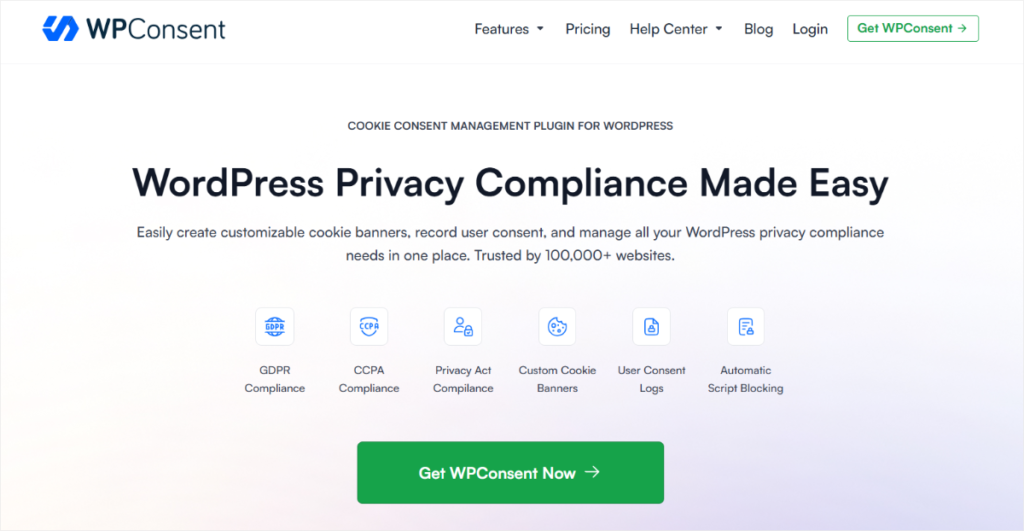
WPConsent fixes the two things that frustrate CookieYes users most, making it the perfect alternative.
First, there’s no pageview cap. Whether your site gets 500 visitors a month or 500,000, your consent banner stays live. No overages, automatic disabling, or compliance gaps from traffic spikes.
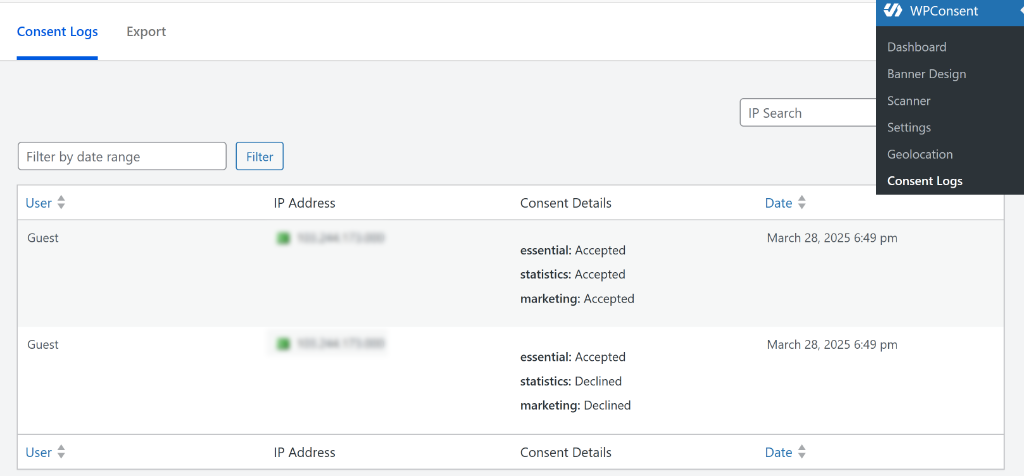
Second, your consent data stays on your server. CookieYes stores it in their cloud, stop paying, and you lose your records.
WPConsent stores every consent decision in your own WordPress database. You own it. If you want to understand why self-hosted consent storage matters for compliance, we’ve covered that in detail.
You can confirm WPConsent’s self-hosting by checking your log page.
Why WPConsent Is the Best CookieYes Alternative
The free version covers the core job: customisable banner, automatic script blocking, and cookie policy generation.
Apart from that, it also covers Google Consent Mode v2.
Without this, your GA4 goes silent the moment a visitor declines tracking. With it, Google receives a consent signal instead; your analytics stay usable within the bounds of what the visitor agreed to.
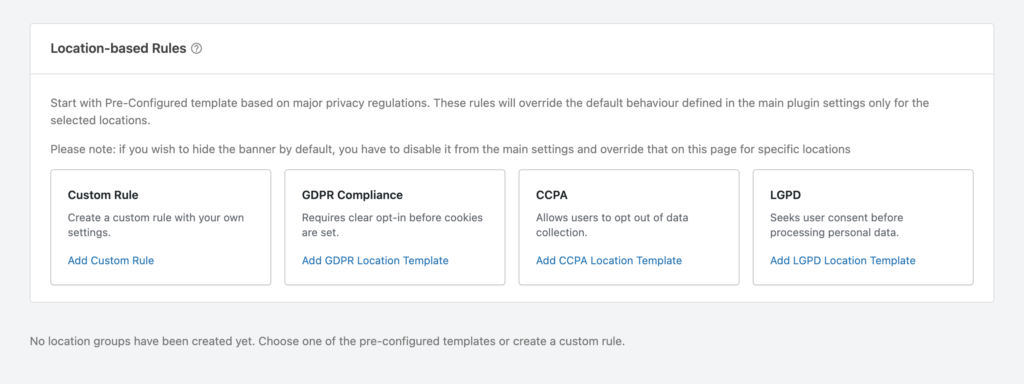
All paid plans include geo-targeting. WPConsent detects where each visitor is from and automatically shows the right consent template.
You get GDPR for EU visitors, CCPA for California, and LGPD for Brazil templates with no manual rule-building required.
If you want to set compliance for regions beyond these three options, you can use the custom rules. It is super simple since all you need is to use checkboxes and toggle buttons to set it up. Even on the Basic plan, you’re covered from day one.
Most importantly, setup takes under 10 minutes. Install the plugin, run the scanner, review what it found, and go live. No external account. No cloud dependency.
Our Experience With WPConsent
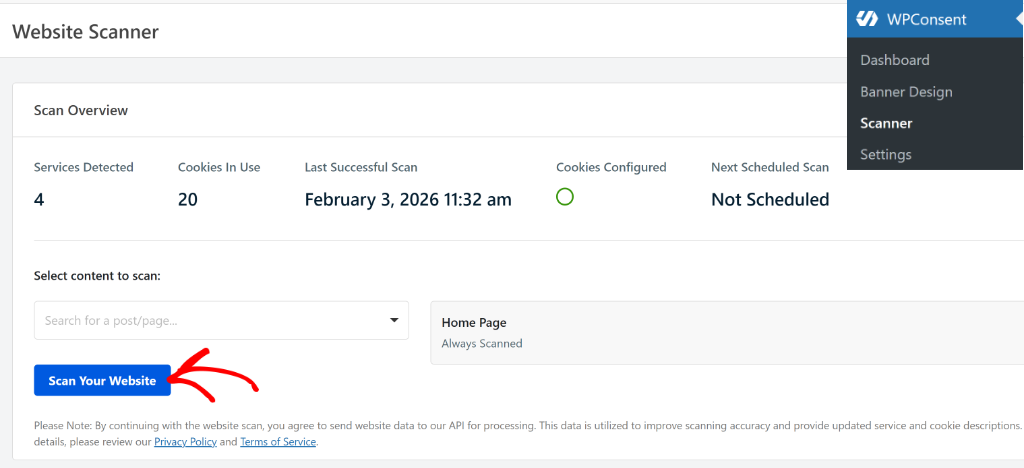
We ran the cookie scanner on a test WordPress site with six active third-party scripts.
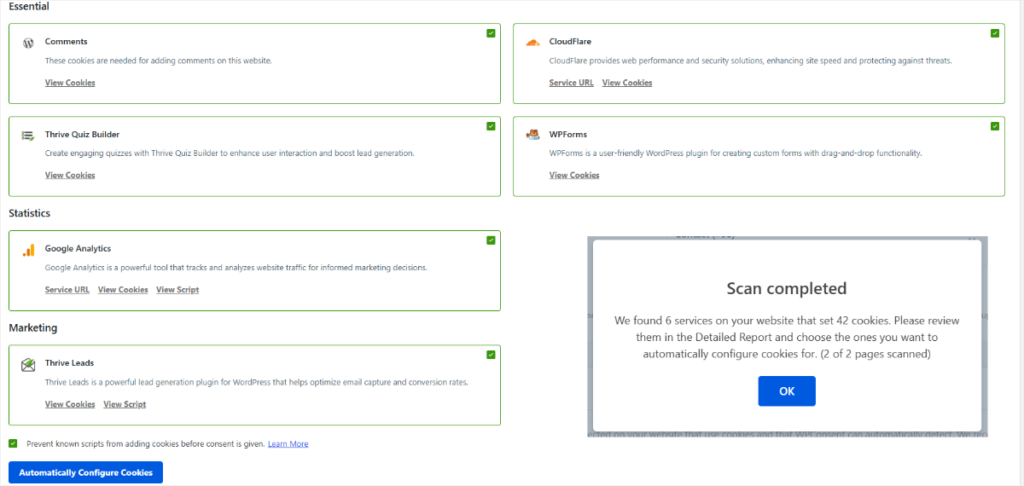
The scan took only a few seconds to run, and then it told us the number of services and the number of cookies. WPConsent found all six, categorised them correctly, explained the consent type for each, and confirmed they were blocked before consent was given.
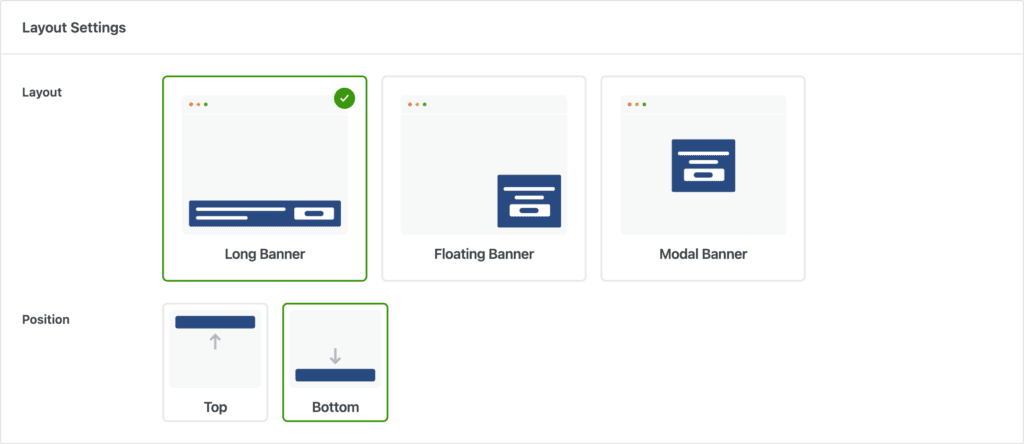
After that, we were able to design a cookie banner on the simple layout page. We could set the layout as a long banner, a floating banner, or a modal banner. Plus, position it to the top left, top right, bottom left, and bottom right.
The preview option allowed us to see how the banner will appear for our users, meaning no design guesswork.
We set up our brand colors, button size, edited the banner message (you can leave it as the default content), and added our logo.
This means our cookie banner does not look out of place or like an afterthought on our website.
The one thing to plan for: the built-in GDPR, CCPA, and LGPD templates cover most regions automatically. But if you need a custom rule for a region outside those three, you’ll be using the custom rules builder.
It is simple but adds a few extra minutes to set up.
🟢► Pros
- No pageview cap: Consent banner stays live at any traffic level. No overages, no automatic disabling.
- Self-hosted data: Consent logs stay in your WordPress database. You own them.
- Google Consent Mode v2: GA4 stays usable even when visitors decline.
- Free to start: Core features like scanner, script blocking, and cookie policy are available at no cost.
- WordPress-native: No external account, no third-party cloud required.
- Quick setup: Scanner finds and categorises cookies automatically in under two minutes.
🔴► Cons
- Custom region rules take setup time: The free plan covers core compliance well. Geo-targeting for the three built-in regions (EU, California, Brazil) is included from Basic ($49.50/year) up, with custom rules for other regions taking a few extra minutes to configure.
Pricing: Free consent plugin available | Pro versions start at $49.50/year (1 site)
2. Complianz ⭐⭐⭐⭐
Best for: WordPress users who want granular control over every compliance rule and don’t mind a more hands-on setup
Complianz consent coverage is broader than most tools. Like WPConsent, it handles GDPR, CCPA, LGPD, POPIA, and more from a single plugin.
If your audience spans the EU, California, Brazil, and South Africa, Complianz lets you configure specific compliance rules for each jurisdiction, regulation by regulation.
Why Complianz Is One of the Best CookieYes Alternatives
The flat-rate pricing is a genuine plus. No pageview caps, no overages, no surprises on renewal. That alone makes it a great CookieYes alternative. WPConsent runs the same model, with a simpler setup.
A setup wizard walks you through the configuration step by step. It asks about your site type, the services you run, and where your visitors come from. Then it builds the banner rules for you.
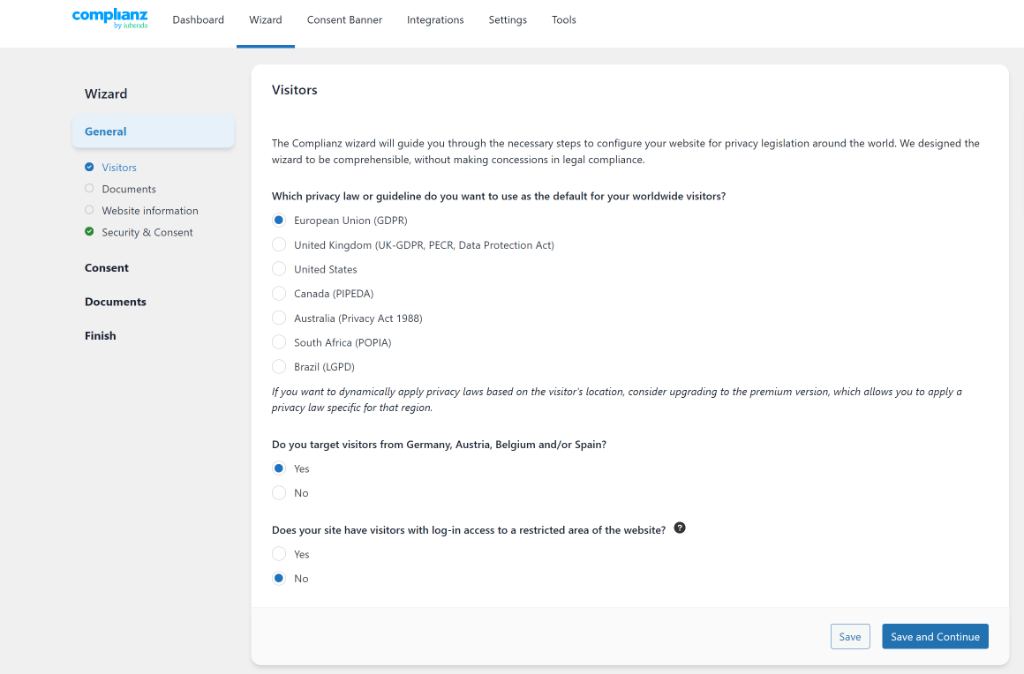
Script blocking works through WordPress hooks; no theme file edits required.
Our Experience With Complianz
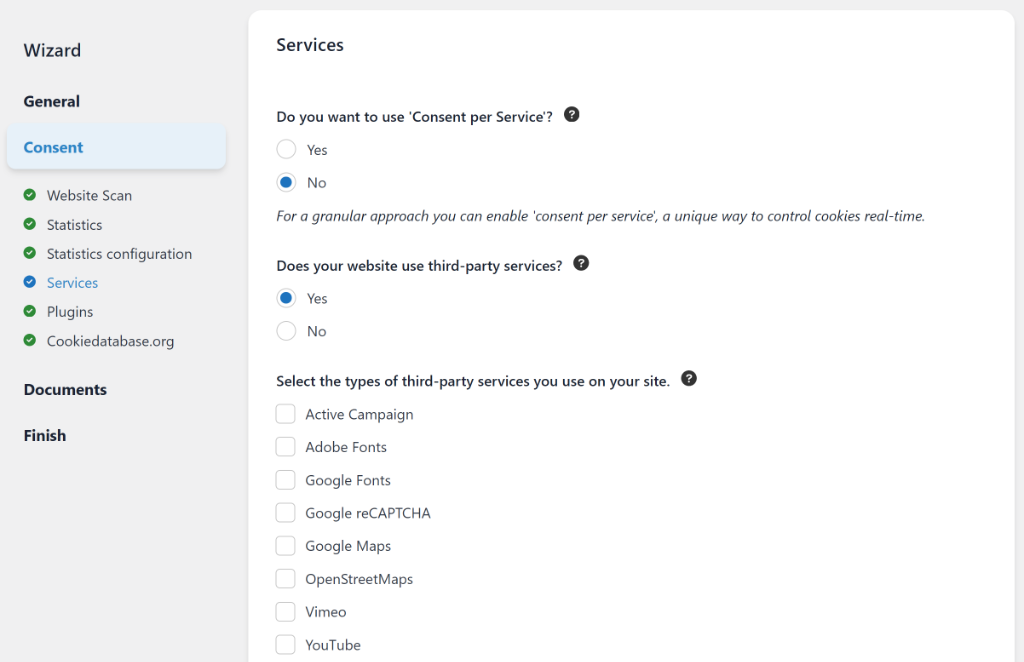
The wizard walks you through every compliance decision, regulation by regulation, service by service. That’s the point. Complianz is built for users who want to understand and control exactly what fires, when, and under which rules.
That level of control comes with a cost: plan for 20–30 minutes of initial setup, and expect to read the questions carefully.
If you want to set it and forget it, WPConsent is the simpler path. If you want to configure every detail yourself, Complianz gives you that.
One reported issue: styling settings like border colours have been known to not persist after saving for some users. The support team is active and typically resolves forum issues quickly.
If you’re deciding between Complianz and WPConsent specifically, our WPConsent vs Complianz comparison breaks down the differences in detail.
🟢► Pros
- Flat-rate pricing: No pageview caps or overages ever.
- Widest regulation coverage: GDPR, CCPA, LGPD, POPIA, and more from one plugin.
- 1M+ installs: One of the most trusted consent plugins on WordPress.org.
- Free version available: Test it fully before committing to a paid plan.
- Wizard-based setup: Guided configuration. No documentation diving required.
- Legal document tools: Privacy policy generation included.
🔴► Cons
- Longer setup: 20–30 minutes on a complex site. Not ideal if you need five minutes.
- WordPress-only: Built specifically for WordPress; weak fit for other platforms.
Pricing: Free plugin available| Pro plans start at $59/year (1 site)
3. Cookiebot ⭐⭐⭐⭐
Best for: Single EU-facing sites that need the deepest automatic cookie scanning
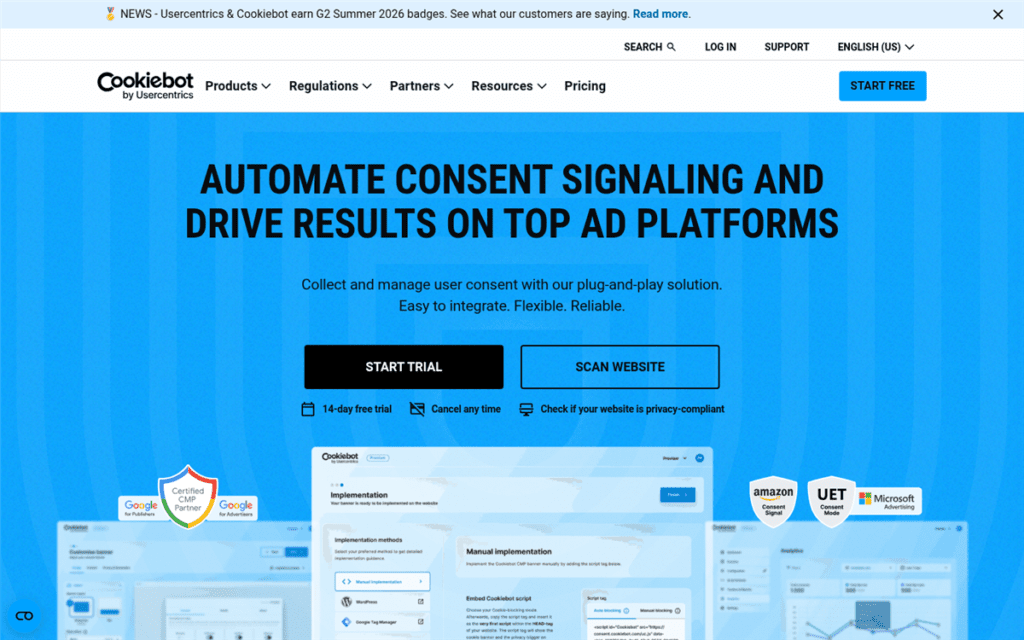
Cookiebot does one thing better than anyone else on this list: it scans.
Like WPConsent, it crawls your entire site automatically, finds every cookie and tracker, and categorises them without you touching anything.
For sites running dozens of third-party scripts like ad pixels, analytics, chat tools, and video embeds, that matters. Manual categorisation at scale is error-prone. Cookiebot removes the guesswork.
Why Cookiebot Is One of the Best CookieYes Alternatives
Language support covers 40+ languages with automatic region detection. If your site serves visitors across multiple EU countries, Cookiebot adapts the banner without separate configurations per language.
Google Consent Mode v2 is supported. Accessibility compliance is built in.
The catch is pricing. Cookiebot raised its base Premium price from approximately $16 to $34 per domain per month in August 2025, a 100% increase.
And the price on the pricing page can be confusing and isn’t always the price you pay. Cookiebot scans your site post-signup and assigns you to a tier based on your subpage count. Sites with more than 50 subpages land on a higher tier automatically.
That per-domain model compounds fast for WordPress users managing multiple sites.
Our Experience With Cookiebot
Most users have a compliant banner live in under 30 minutes. The automatic scanning is the real differentiator. On a complex site, it saves hours of manual cookie auditing.
The pricing trajectory is the reason CookieYes users who moved to Cookiebot early are now looking again. If you’re already reconsidering Cookiebot as well, we’ve listed the best Cookiebot alternatives for WordPress separately.
🟢► Pros
- Best automatic scanning: Finds and categorises every cookie without manual work.
- 40+ language support: Adapts automatically for international audiences.
- Google Consent Mode v2: Full GA4 compatibility for EEA and UK sites.
- Quick setup: Compliant banner live in under 30 minutes.
- Accessibility compliant: Screen reader and keyboard navigation ready.
🔴► Cons
- 100% price increase in August 2025: Base Premium doubled from ~$16 to $34/domain/month.
- Per-domain billing: Multi-site WordPress users pay separately for each site. Costs stack fast.
Pricing: Free (up to 50 subpages) | Premium from $34/domain/month (auto-scales by subpage count)
4. Borlabs Cookie ⭐⭐⭐⭐
Best for: Developers and WooCommerce stores that need advanced cookie control
Borlabs Cookie is for WordPress users who want genuine control, not a settings panel with three toggles.
The plugin ships with 80+ features. Custom JavaScript and CSS on a per-service basis.
Like WPConsent, a dedicated Facebook Pixel assistant that handles the consent handshake correctly. And WooCommerce integration that blocks tracking scripts on checkout pages until the visitor consents.
Plus, you can export and import configurations for moving between sites.
Why Borlabs Cookie Is One of the Best CookieYes Alternatives
That depth is overkill for a personal blog. For a WooCommerce store running Meta Pixel, Google Ads, Klaviyo, and a live chat widget, it can be the right tool.
Setup is more involved than anything else on this list. You configure services individually.
You need to specify what each one does and when it fires. Users without WordPress plugin configuration experience will find the learning curve steep. The documentation is thorough, but you’ll need to take time and read it in-depth.
There’s no free version. Borlabs offers a free trial, but you’ll need a paid licence to run it in production.
Our Experience With Borlabs Cookie
The Facebook Pixel assistant is the standout feature for WooCommerce sites. Getting Meta tracking to fire correctly after consent, not before, is something a lot of store owners get wrong. Borlabs has a dedicated configuration flow that handles it.
But if you want automatic Facebook Pixel setup, try WPConsent.
The time investment upfront is real. It pays off on complex sites.
🟢► Pros
- 80+ features: More configuration options than any other tool on this list.
- WooCommerce integration: Handles tracking scripts on shop and checkout pages correctly.
- Facebook Pixel assistant: Dedicated setup for Meta tracking with correct consent timing.
- Custom JS/CSS per service: Developer-grade control over when each script fires.
🔴► Cons
- No free version: Paid licence required before using in production.
- Steep learning curve: Full feature set requires technical comfort with plugin configuration.
Pricing: Starts at €49/year (1 site)
5. Termly ⭐⭐⭐⭐
Best for: Small sites and bloggers who need consent management plus legal policy documents in one tool
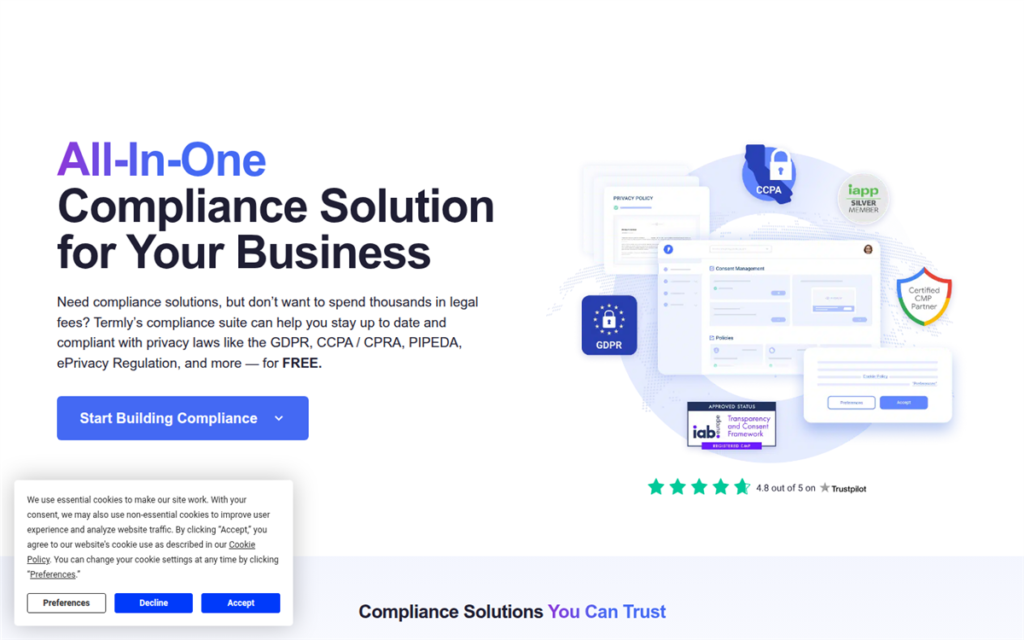
Termly bundles two things most consent tools leave out: the consent banner and the legal documents.
Termly generates Privacy policy, cookie policy page, and terms of service from answers to a setup questionnaire. For a small business that needs compliance documents but doesn’t want to buy a separate policy generator, that’s a real time saver.
Why Termly Is One of the Best CookieYes Alternatives
The setup is beginner-friendly. The banner builder is visual, and auto-blocking catches scripts before consent. But unlike WPConsent, which has no cap on pageviews, the Termly free plan covers 10,000 monthly banner views.
The limitation that matters is performance. Multiple users have documented poor page speeds after activating Termly.
This is because this consent plugin loads scripts from Termly’s external servers, which adds latency. For a performance-sensitive site, that’s worth testing before committing.
The account requirement is also worth knowing upfront.
Termly requires registration on their external platform. The WordPress plugin is essentially a connector to their SaaS.
We checked reviews on WordPress.org and found that some users raise data privacy concerns about this; others find the centralised dashboard useful.
The free tier’s 10,000 monthly visitor cap is enforced strictly. Multiple WP.org reviewers flag this as a friction point.
Our Experience With Termly
The policy generator is the genuine differentiator. If you need a starting-point cookie policy and don’t want to write one from scratch, Termly produces a reasonable template. But it is important to have a lawyer review it before publishing.
The page speed impact is the main reason to pause before choosing Termly for anything performance-sensitive.
🟢► Pros
- Legal policy templates bundled: Privacy policy + cookie policy generated automatically from your answers.
- Beginner-friendly: Visual banner builder, guided setup, no technical knowledge required.
- Free plan available: Covers small sites with light traffic.
- Auto-blocking: Scripts blocked before consent without manual configuration.
🔴► Cons
- Page speed impact: Multiple users report PageSpeed dropping from 70+ to 37–43 after activation.
- Mandatory external account: Data leaves your server. The plugin connects to Termly’s SaaS platform.
Pricing: Free (10,000 banner views/month) | Pro plans start at $10/month
6. Cookie Consent by Elementor ⭐⭐⭐
Best for: Sites built on Elementor that want consent handled natively without adding another plugin
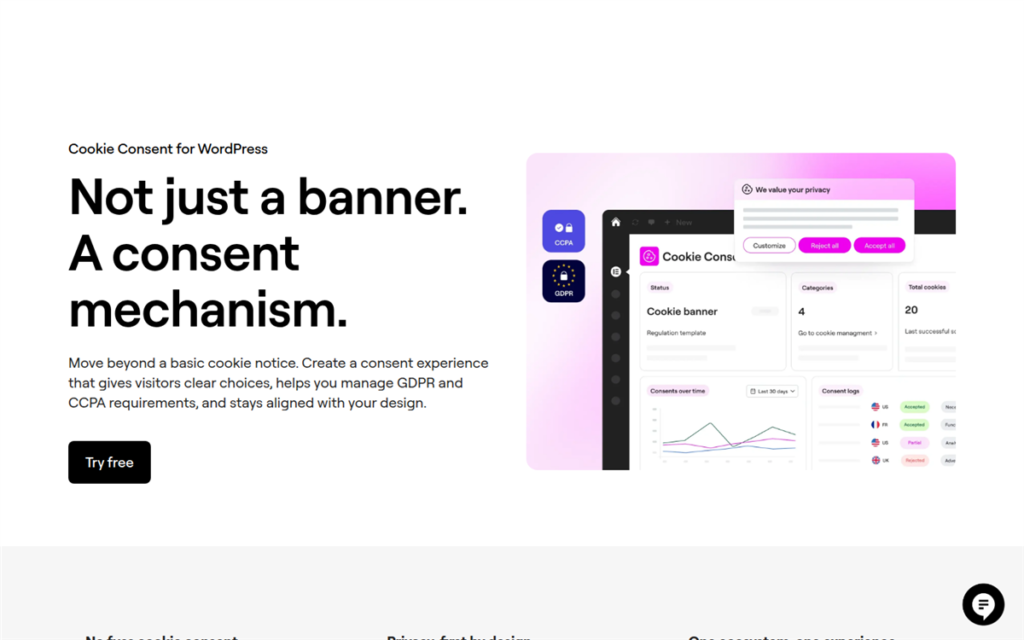
If your WordPress site is built on Elementor, this is worth checking before you install anything else.
Cookie Consent by Elementor lives inside the same ecosystem you already work in. The banner is designed in Elementor’s drag-and-drop editor, meaning no separate interface to learn.
Colours, fonts, layout, and button placement all use the same controls you use to build pages. For Elementor users, that removes a whole layer of friction.
Why Cookie Consent by Elementor Is One of the Best CookieYes Alternatives
The plugin handles GDPR opt-in and CCPA opt-out automatically. It scans for cookies, sorts them into categories (Necessary, Functional, Analytics, Advertising), and blocks non-essential ones until the visitor consents.
You can also export Consent logs as CSV for audits.
Cookie Consent by Elementor supports Google Consent Mode v2 and Global Privacy Control out of the box, meaning it covers the compliance fundamentals.
The limitation that matters is cost.
The free plan caps at just 800 monthly consents and scans only 25 pages total. For any real site, that’s not enough. Upgrading means jumping to Elementor One at $156/year, and that price is for the full Elementor platform, not just cookie consent.
You’re paying for an entire page builder bundle to unlock compliant cookie management.
If you’re already on Elementor One, this is a smart built-in option. If you’re not, you’d be paying a significant premium compared to dedicated consent tools.
Our Experience With Cookie Consent by Elementor
For an Elementor user building a straightforward site with light third-party scripts, this covers the basics cleanly. The design workflow is its strongest argument.
The main question to ask is whether you’re already paying for Elementor One. If yes, this is a capable, well-integrated option. If not, the upgrade cost is hard to justify when dedicated tools cover the same compliance requirements for less.
🟢► Pros
- Native Elementor integration: Design the banner in the same editor you use for everything else.
- Automatic cookie categorisation: Scans and sorts cookies without manual setup.
- Exportable consent logs: CSV download for compliance audits.
- Accessibility-ready: Screen reader and keyboard navigation support built in.
🔴► Cons
- Expensive to unlock: The free plan caps at 25 pages and 800 monthly consents. Moving beyond that requires Elementor One at $156/year; a full platform bundle, not just a cookie consent upgrade.
- Ecosystem-dependent: Only makes financial sense if you’re already paying for Elementor. For anyone else, dedicated tools offer the same compliance at a fraction of the cost.
Pricing: Free (25 pages, 800 consents/month) | Paid tiers with Elementor One starting at $156/year
👉 Try Cookie Consent by Elementor
That’s it for our list of the best CookieYes alternatives. But here are a few options that we did not add to the main list.
Also Worth Mentioning
ConsentLayer
A script-based consent tool rather than a WordPress plugin. Add one script tag, and it handles banner display, tracking-script blocking, and GDPR/CCPA/LGPD rules by region. Free for one site up to 1,000 monthly pageviews.
Since it’s not built specifically for WordPress, setup takes a bit more manual work than a plugin install. Worth a look if you’re evaluating consent tools outside the usual WordPress plugin options.
OptinMonster
OptinMonster isn’t a dedicated cookie consent tool. But if you need consent notices paired with lead capture, it handles both in one popup. Add a GDPR consent checkbox to your email opt-in, all from the same form.
The gap: OptinMonster does not support Google Consent Mode v2, so it shouldn’t replace a dedicated consent plugin for sites running Google Ads or GA4. Use it alongside WPConsent, not instead of it.
iubenda
iubenda takes a legal-first approach. One subscription covers your consent banner, privacy policy, cookie policy, and terms of service.
It’s the pick for EU businesses that want one vendor for all compliance documents. Pricing starts at $3.49/month, with pageview-based overages on higher-traffic sites.
How to Choose the Right CookieYes Alternative
The right tool depends on your site setup, not just the star rating or the pricing. Let us help you pick the best CookieYes alternative from our list that suits your needs.
Running more than one WordPress site?
WPConsent is the straightforward pick. Flat annual pricing, no per-domain billing, geo-targeting on all paid plans, and a 10-minute setup.
If you want more granular control over how your compliance rules are configured and don’t mind a longer setup, Complianz is worth considering.
Single site, heavy EU traffic, need deep scanning?
Cookiebot‘s automatic scanning is the strongest in this category. It finds scripts that others miss. Factor in the August 2025 price increase before committing.
Built on Elementor?
Cookie Consent by Elementor is a capable built-in option if you’re already on Elementor One. It removes the need for a separate plugin.
Need legal policy documents alongside consent?
Termly generates a starter cookie policy with the banner. iubenda provides a more complete legal document suite.
WooCommerce store with complex tracking setups?
Borlabs Cookie handles the Facebook Pixel and GA4 consent handshake better than most tools here. The learning curve is worth it for stores running paid campaigns.
Switching directly from CookieYes?
WPConsent is the most direct replacement. It installs as a WordPress plugin, stores consent data on your server, and doesn’t cap your pageviews. Our full CookieYes vs WPConsent comparison walks through the feature differences and migration steps in detail.
Not sure where to start on WordPress and GDPR compliance more broadly? Our beginner’s guide covers what the law actually requires from your WordPress site.
You can now pick the best CookieYes alternative for your business. Still have questions? Check out the commonly asked questions below.
FAQs: Best CookieYes Alternatives
Is there a free alternative to CookieYes?
Yes. WPConsent, Complianz, and Cookiebot all have free versions. WPConsent’s free plan has no pageview cap. The banner stays live regardless of your traffic. Complianz’s free plan covers basic compliance. Cookiebot’s free plan works for sites with under 50 subpages.
Is Complianz better than CookieYes?
For WordPress users, Complianz offers broader regulation coverage (GDPR, CCPA, LGPD, POPIA) and flat pricing with no pageview caps or overages. CookieYes has a larger install base and simpler initial setup. Complianz offers more granular compliance controls and broader regulation customization. WPConsent focuses on a faster setup experience with automated geolocation and simpler ongoing management.
Does WPConsent replace CookieYes for WordPress?
Yes. WPConsent is a direct WordPress plugin replacement. It installs the same way, stores consent data on your server, includes Google Consent Mode v2, and has a free version with no pageview cap. No external account needed. It runs entirely within your WordPress install.
Is Cookiebot free?
Cookiebot has a free plan for sites with under 50 subpages. Sites with more than 50 subpages are automatically moved to a paid tier after Cookiebot scans your site post-signup. The paid rate scales based on your subpage count.
Switch From CookieYes to WPConsent in Minutes
CookieYes worked for a lot of WordPress sites for a long time. The pageview cap, per-domain billing, and feature gating have changed the calculation for many site owners.
WPConsent is free to install, stores your consent data on your own server, and doesn’t limit your pageviews. The cookie compliance scanner finds and categorises everything on your site automatically.
Switch to WPConsent free → | Start with WPConsent Pro →
CookieYes has changed pricing and feature availability multiple times in recent years. WPConsent’s free plan has no pageview cap today, and that’s not changing. That’s the actual risk comparison, not a refund window.
If you want more than the free plan offers, WPConsent Pro comes with that same 14-day money-back guarantee anyway, so even the upgrade carries no real downside.