Good consent management should be seamless for your visitors, your search listings, and your server. When it’s working properly, nobody notices it.
That’s exactly what WPConsent 1.1.7 delivers.
Lighter pages for returning visitors, full support for the latest TCF v2.3 advertising standard, and a set of fixes that make the whole system work better without asking anything of you.
Here’s what changed.
Lighter Pages for Your Visitors
WPConsent has always been built to stay light. With 1.1.7, it gets even lighter.
Here’s the simple version: your cookie banner only loads its design when there’s actually a banner to show. If a returning visitor already made their choice, there’s nothing extra for their browser to download.
This improves your users’ experience and makes their interaction with your site smoother.
For the curious, here’s what’s happening underneath.
The stylesheet that gives your cookie banner its appearance loaded on every page, even for visitors who had already made their choice. That meant returning visitors downloaded a stylesheet they never actually needed.
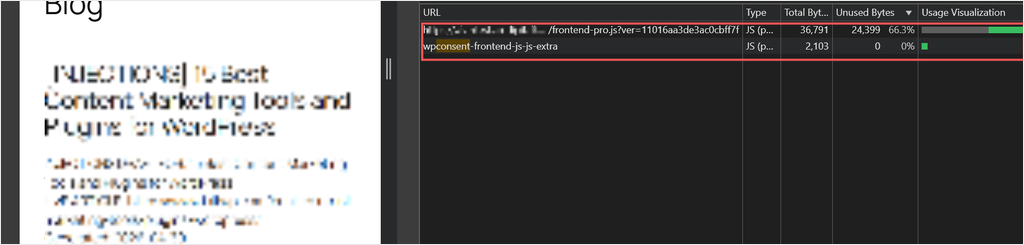
With this upgrade, it only loads when visitors actually need to see a consent prompt or settings. I tested this with a returning visitor who had already given consent. The banner’s stylesheet didn’t load at all.
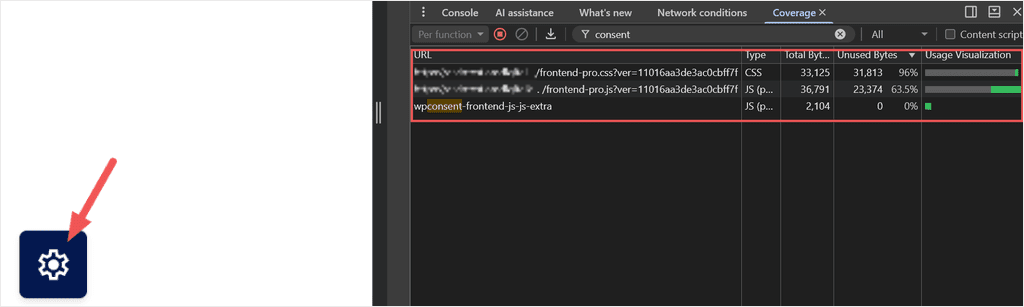
But for a first-time visit or if you have enabled the floating “manage consent” button, the stylesheet loads as expected and on cue to allow your users to give or reject consent. Your banner always looks exactly as it should.
We also built a safety net.
If the stylesheet ever fails to load for any reason, your consent options still appear correctly laid out. Visitors still see a usable consent banner, even if the visual assets can’t be loaded.
Best of all, this happens automatically the moment you update to WPConsent 1.1.7. There’s nothing to switch on and nothing to configure.
Updated to IAB TCF v2.3 (WPConsent Pro)
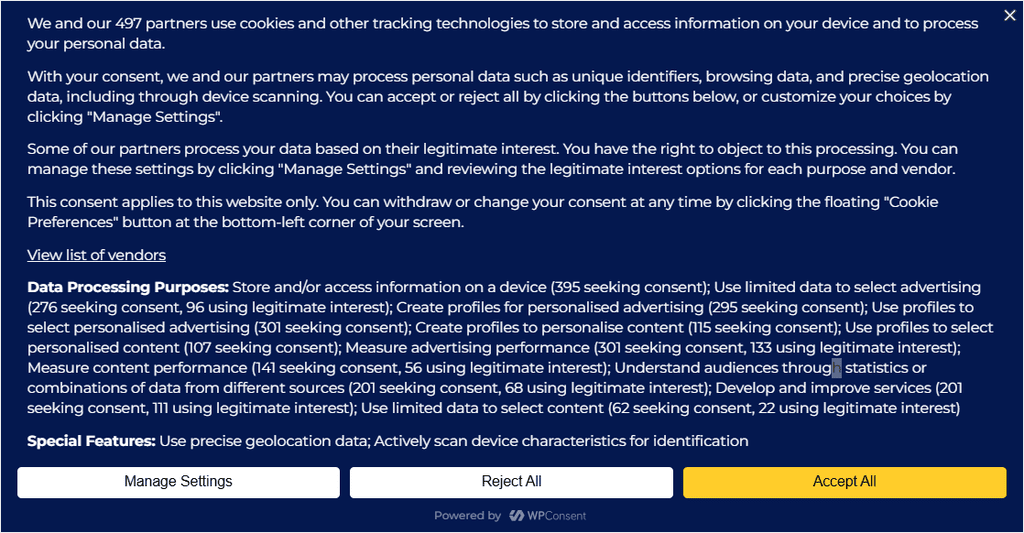
If your site works with advertising partners, visitor consent needs to be shared using the industry-standard IAB Transparency and Consent Framework (TCF).
A new version of that rulebook, TCF v2.3, became the required standard in February 2026. WPConsent 1.1.7 supports it.
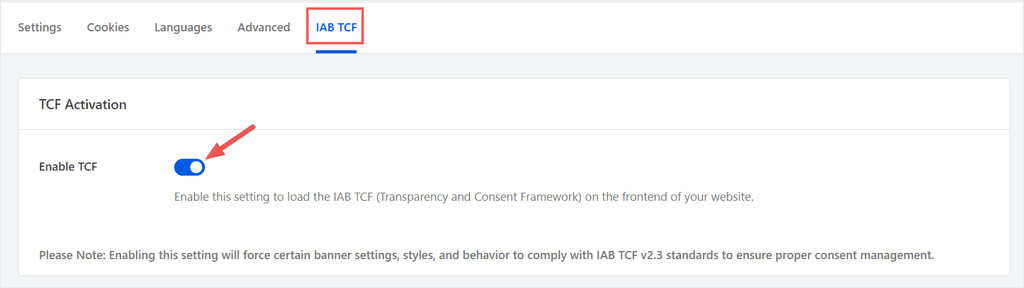
To enable IAB TCF with WPConsent, you use a toggle button.
When visitors make a choice, WPConsent now sends that consent using the latest TCF 2.3 format required by advertising partners.
For your visitors, the banner looks and works just as it always has. They get a clear, simple choice.
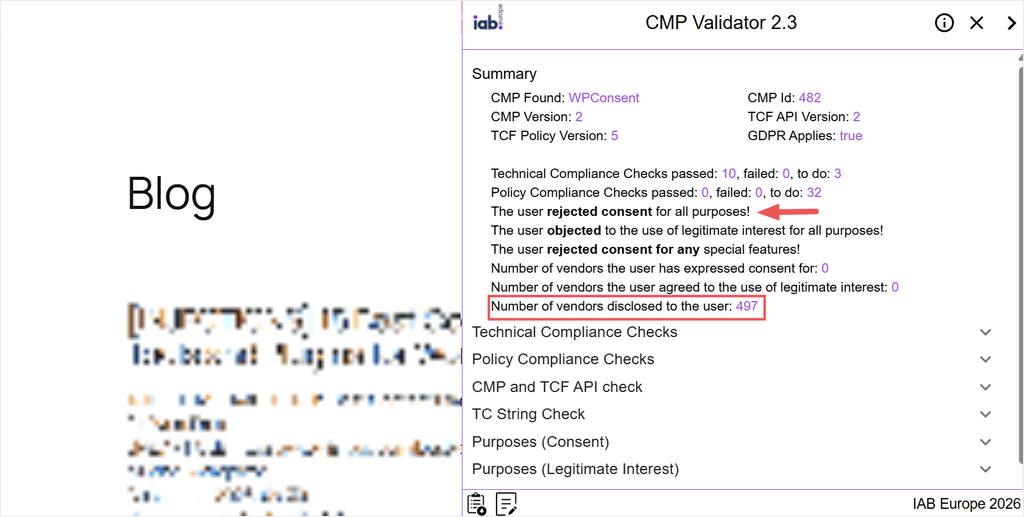
I ran this through the official IAB checking tool. The screenshot below shows you what this tool recorded when a user rejects consent. WPConsent IAB TCF mode still discloses the number of vendors but states the user rejected consent.
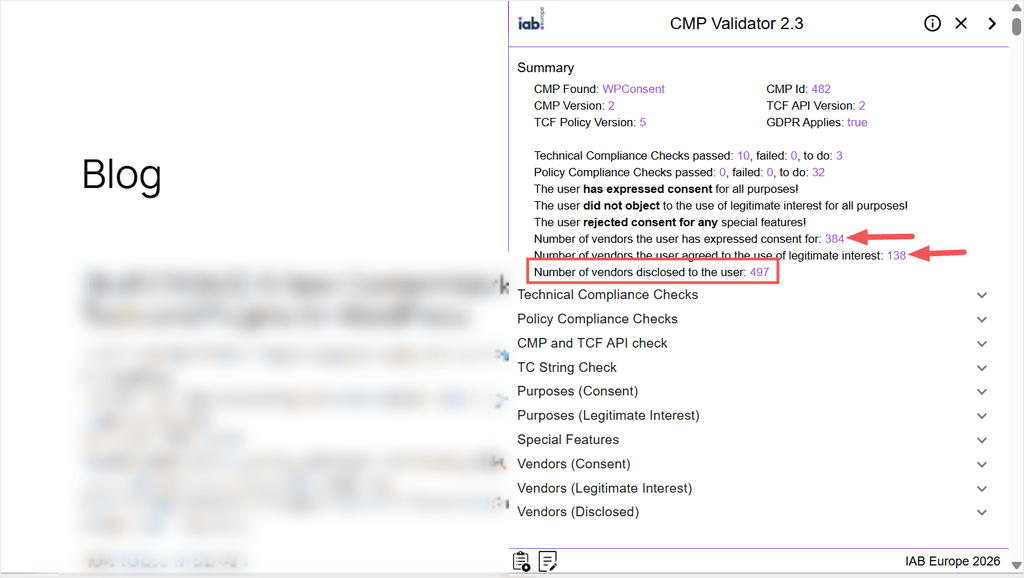
On the other hand, the screenshot below shows how WPConsent IAB TCF mode functions if a user expresses consent.
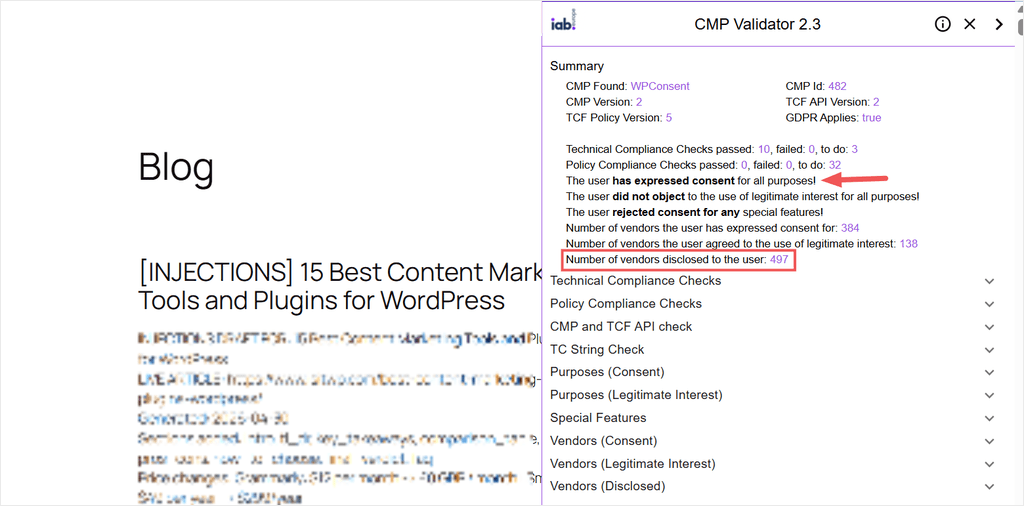
Whether a visitor accepts or rejects, every technical check passed with zero failures.
The best part for you: this is invisible to your visitors. Anyone who has already given consent keeps their choice. No one gets asked to consent all over again.
I reloaded the page as a returning visitor to be sure, and the visitor’s consent stayed exactly as it was. No banner popping back up, or interruption.
We also refreshed the backup vendor data WPConsent ships with, so the right names and details show up for your visitors even if the live list ever has a hiccup.
⭐ A note on Pro features: IAB TCF support, TikTok pixel gating, and smart geolocation are part of WPConsent Pro. On the free plan and want them? You can upgrade to Pro anytime.
TikTok Pixels Now Held Until Consent (WPConsent Pro)
If you manage your tracking pixels with PixelYourSite, WPConsent already held your Facebook, Pinterest, Bing, and Google pixels back until visitors gave marketing consent. TikTok now joins that list.
Set up a TikTok pixel through PixelYourSite, and WPConsent will spot it in your scan and hold it until your visitor says yes to marketing. If you already use PixelYourSite, there’s nothing new to configure.
It’s one less thing to think about, and it works automatically alongside your other pixels.
The Right Banner for Every Visitor’s Location (WPConsent Pro)
Showing visitors the correct banner for their region works best if WPConsent can read their location correctly. WPConsent 1.1.7 fixes two common hosting setups that were getting in the way.
If your site uses a CDN or full-page caching for speed, a visitor’s location could accidentally get saved and shown to everyone else, too. Now every visitor gets their own location check, even on cached pages.
And if your site runs on Cloudflare, WPConsent can now read a visitor’s real location instead of mistaking it for Cloudflare’s own. That means visitors are far more likely to see the correct banner for their location.
Both improvements are automatic. There’s nothing for you to set up.
Instant Confirmation on Do Not Sell Requests
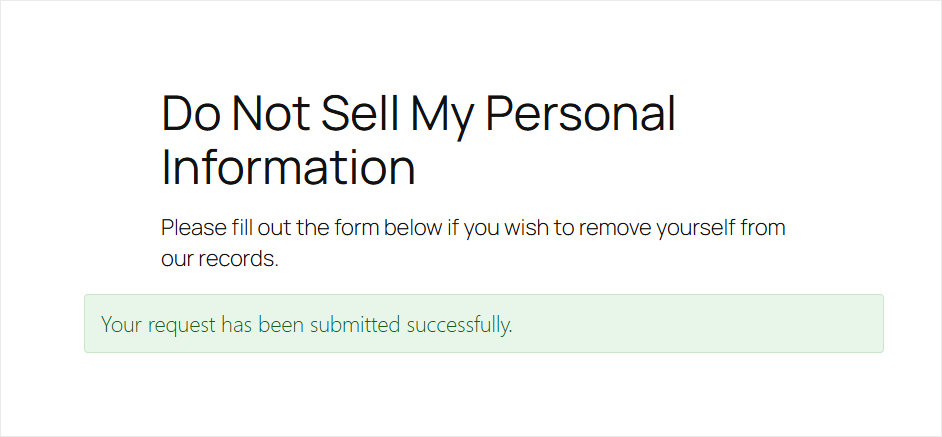
For those using the Do Not Sell add-on, submitting a request used to reload the whole page before a visitor saw any confirmation. Now it’s instant.
I submitted a test request, and the confirmation appeared right there on the spot, with the rest of the page sitting still. Visitors immediately know their request was submitted successfully.
This reassures them, since they see straight away that it worked.
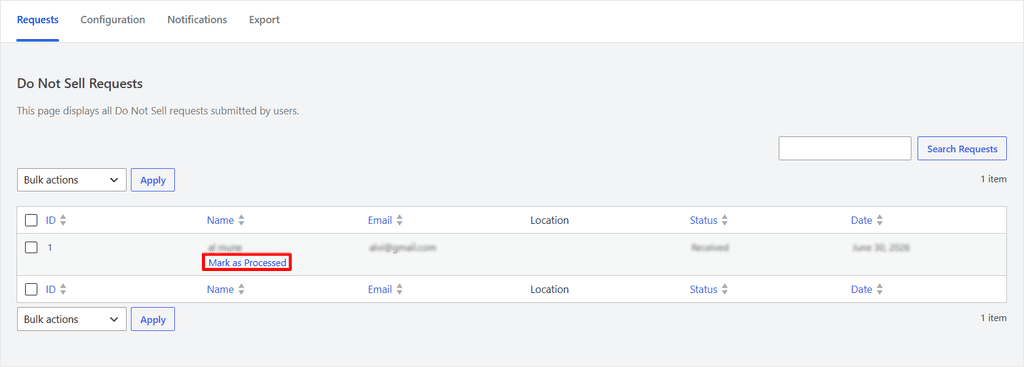
On your side, the request lands in your dashboard right away with all the user’s information, like the name, email, location status, and date, ready for you to review and mark as processed.
We also strengthened the form against automated and spam submissions, and it works smoothly on cached pages and block themes.
New to the Do Not Sell add-on? You don’t need to build the “Do not sell ” page from scratch.
Open the WPConsent Configuration tab and click “Generate Do Not Sell Page.”
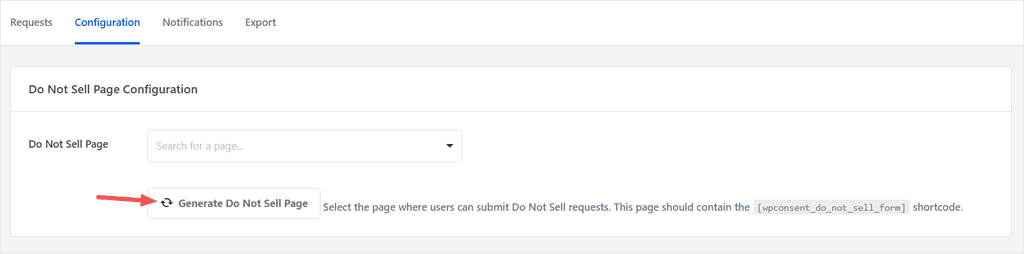
WPConsent creates a ready-to-use page for you, with a clean, optimized page URL and the form already in place. You can also use a shortcode to place the “Do Not Sell My Personal Information” form on any page.
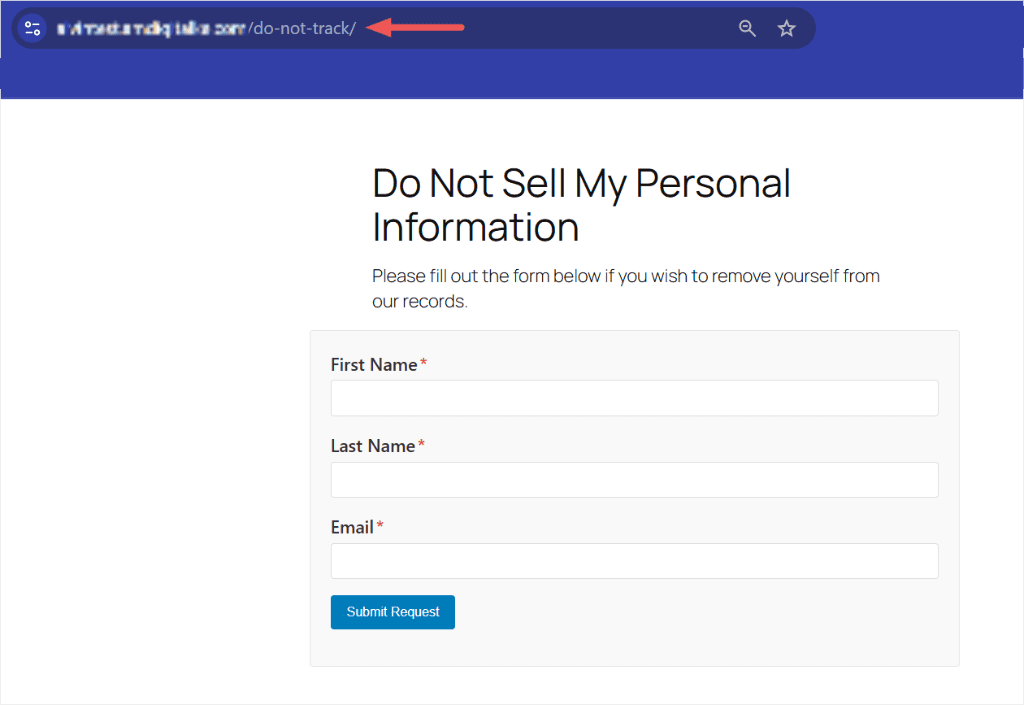
💡 Tip: The generated page comes with a clean, short web address, so it is easy for visitors to find and easy for you to link to from your privacy policy.
A Cleaner Look in Search Results (WPConsent Lite + Pro)
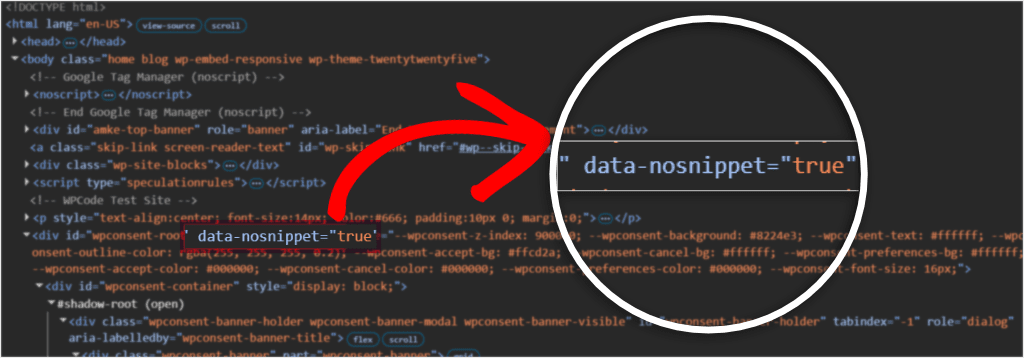
Ever searched for a site and seen its cookie banner text show up in the Google result instead of the actual content? This can make your listing look off.
WPConsent now tells search engines to ignore your cookie banner when generating search snippets, helping your listings highlight your actual content instead. It works on both Lite and Pro, automatically, with nothing to set up.
Consent Duration That Stays in Sync (Lite + Pro)
Your Consent Duration setting decides how long WPConsent remembers a visitor’s choice. In 1.1.7, the preferences panel reflects that setting more reliably.
By default, WPConsent remembers a visitor’s choice for 30 days. I changed mine to 45 days to test it, and the preferences panel updated immediately to match.
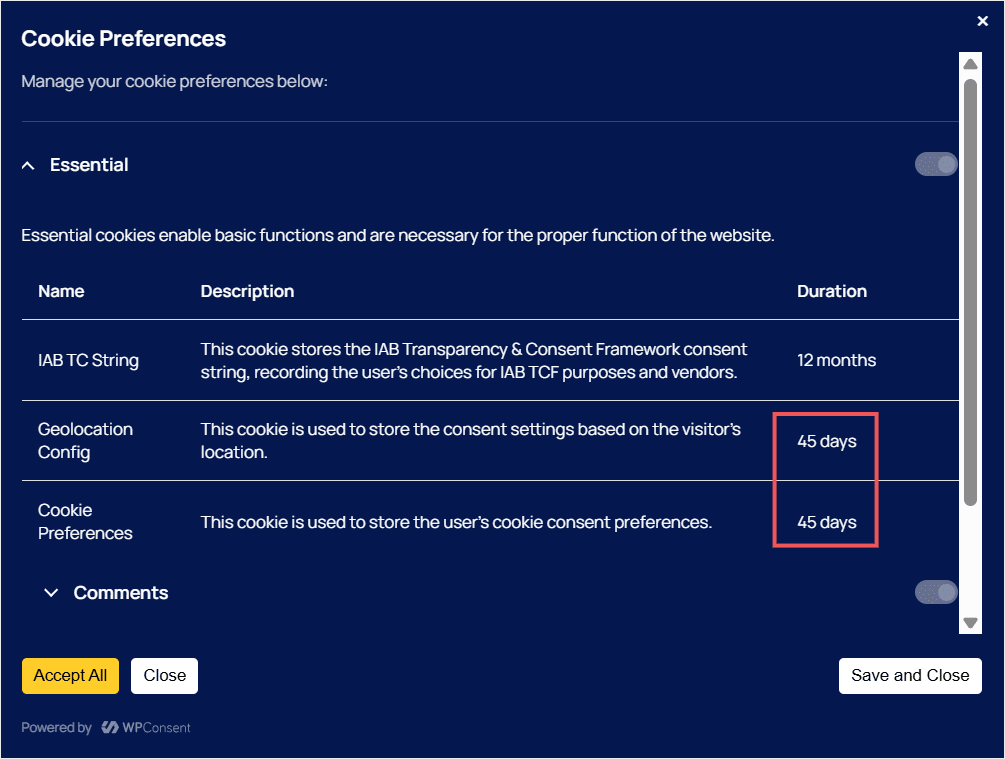
This consent duration setting also stays in sync after you import settings. I exported the saved settings file with a consent duration of 45 days and changed it to 60 days on my live site.
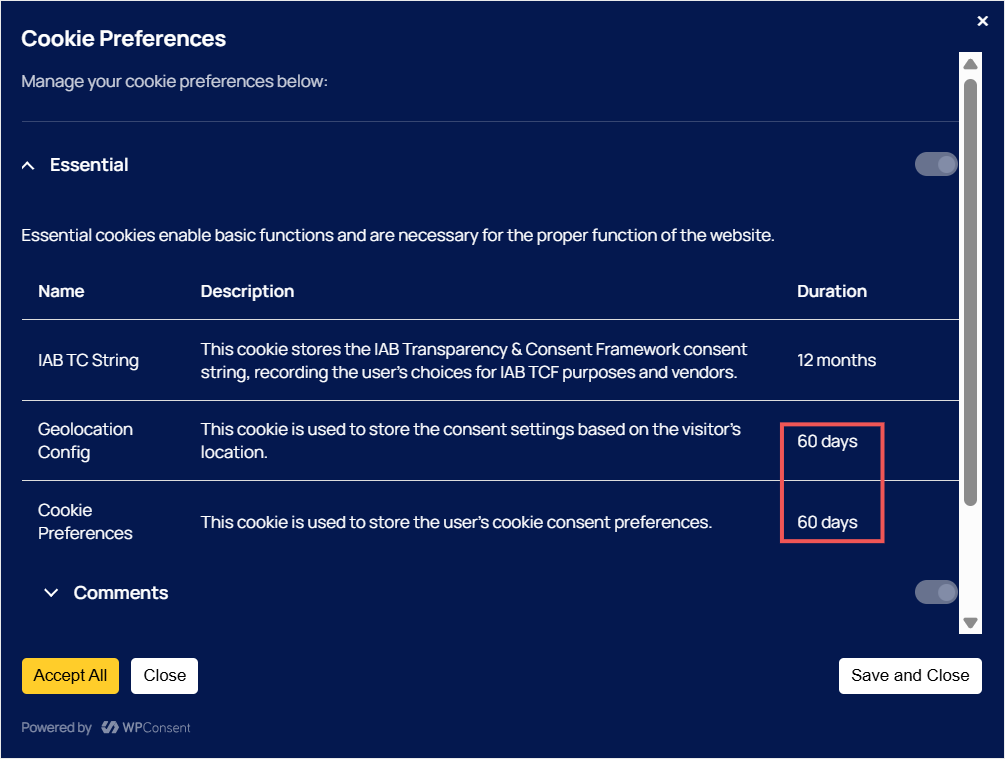
After importing the settings file, the preferences panel reflected the 45-day consent duration right away.
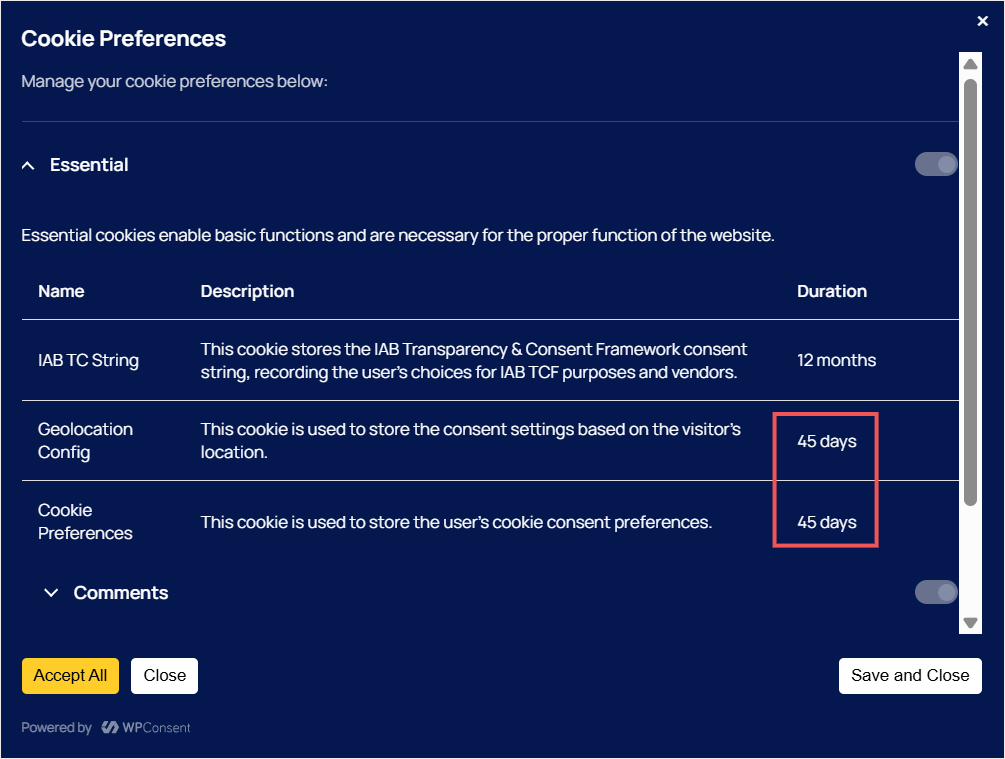
This is especially useful if you manage more than one site, work with a staging environment, or want a reliable backup of your configuration. Export once, import anywhere, and your consent settings remain the same.
Ready to Update?
That’s everything in WPConsent 1.1.7.
We’d recommend updating to 1.1.7 as soon as you can, especially if you run the IAB Transparency and Consent Framework (IAB TCF) banner.
Whether you’re on Lite or Pro, you get lighter pages and tighter compliance with no extra setup.
As always, thank you for helping us make WPConsent better with your feedback. If you have any questions or run into anything at all, don’t hesitate to reach out. Our team is always happy to help.